26
Effects
Sequential
To recreate the “gated VCA” effect used on certain classic rock anthems,
choose an organ sound, then set the vca env amount to zero, route the LFO square
wave to amp with an initial amt setting of 100% and hold a few chords.
Velocity: This button enables keyboard velocity to modulate the VCA
Envelope Amount. The harder you play, the more the VCA envelope is
affected. This makes for more touch-sensitive sounds.
Effects
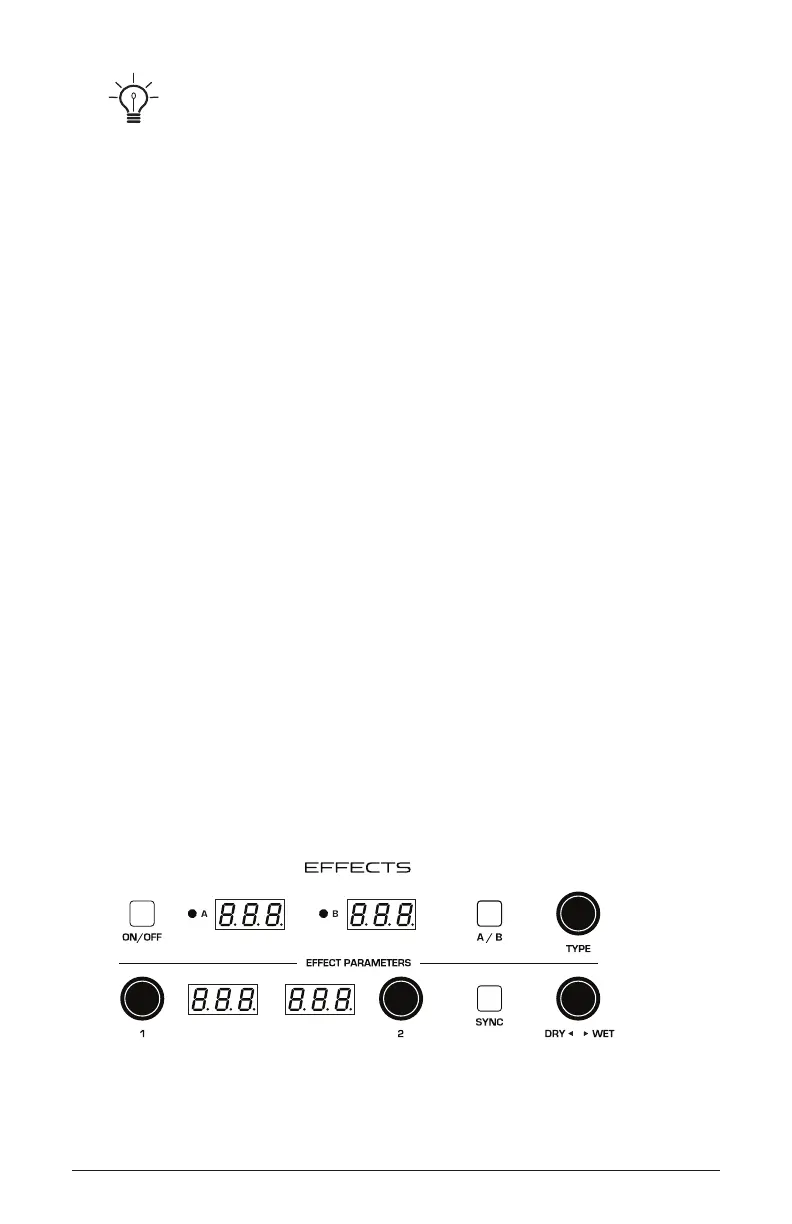
The Trigon-6 effects section allows you to add up to two, 24-bit, 48 kHz
digital effects to any sound. Though the Trigon-6 sounds great on its own,
adding a touch of reverb or delay can enhance many sounds with a subtle
(or not so subtle) sense of ambience and depth. Other effects such as the
chorus and phaser are useful for adding more conspicuous tonal enhance-
ment as well as emulating classic instruments such as string ensembles
and so on.
While the effects themselves are digital, the main signal path of the
Trigon-6 is analog, with the effects generated in a separate audio chain,
converted to analog, then added to the main signal path using the mix
knob. The on/off switch enables and disables both Effect A and Effect B,
using a true bypass, ensuring a pure analog signal path.
Effects settings are saved individually with each program. Time-based
effects such as the Delays can be synchronized to the arpeggiator, sequencer,
or MIDI clock to produce repeats that occur on the beat.
The Effects section















 To Next Page