56
Aftertouch
Sequential
Aftertouch is a performance feature that allows you to add modulation to
a sound by applying additional pressure to a key after the key is already
down. The greater the pressure applied, the more modulation is applied.
The Trigon-6 provides monophonic (or “channel”) aftertouch, which
means that applying pressure to any key within a chord will apply modu-
lation to all notes currently held.
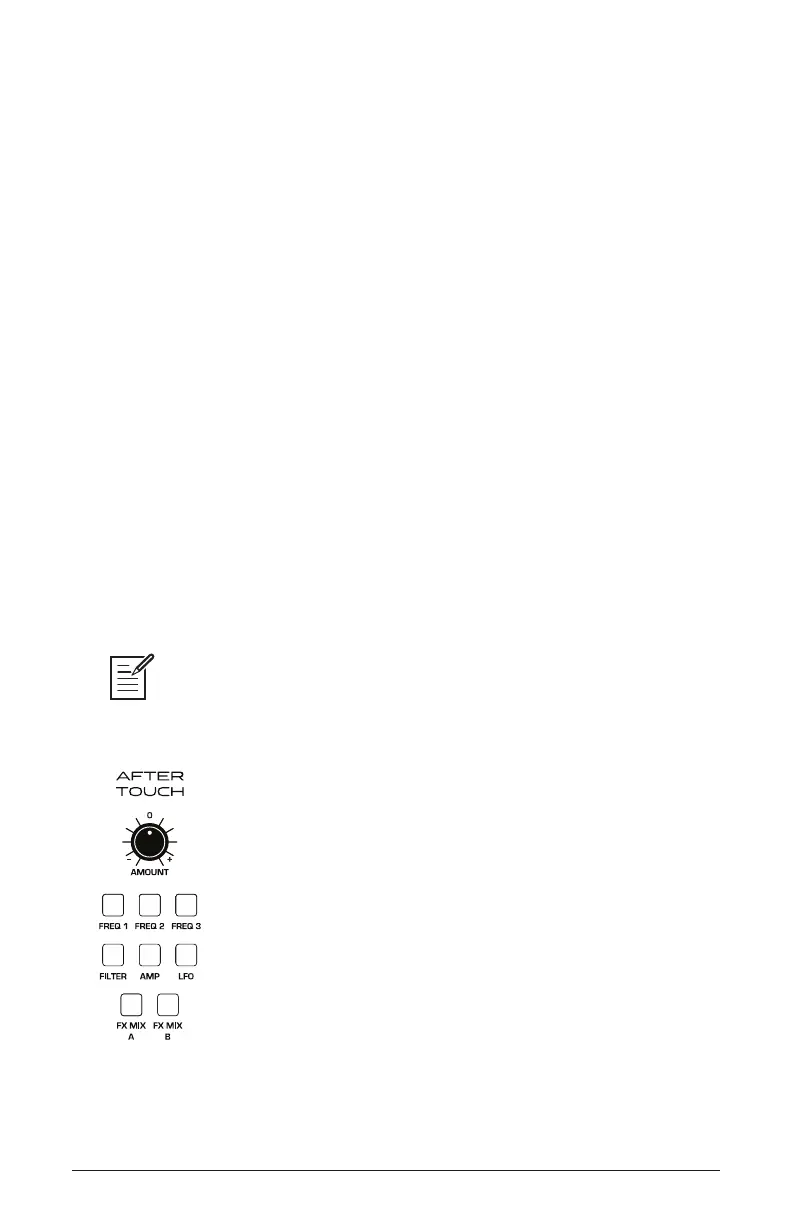
The Aftertouch section lets you choose the amount of modulation
applied using aftertouch and which parameters are modulated (oscilla-
tor frequency, lter cutoff, etc.). You can set either a positive or negative
amount.
For example, if you select the Low-Pass Filter as destination (filter),
set a positive amount of aftertouch, then press the keys harder, the lter
cutoff frequency will increase, making the lter open wider and the
sound become brighter.
Conversely, if you select the Low-Pass Filter as destination (filter), set a
negative amount of aftertouch, then press the keys harder, the lter cutoff
frequency will be lowered, making the lter close more and the sound
become more muted.
The Trigon-6 provides 8 different aftertouch response settings for your conve-
nience. The default setting provides a linear response. To choose a different response
curve, use the at response button in the globals section. See page 16 for more
details.
The Aftertouch controls















 To Next Page