51
Trigon-6 Operation Manual
Write
Write
The write button saves the currently active program. Saving a program
overwrites a previously saved program.
The Trigon-6 contains a total of 1000 programs. 500 are permanent and
500 can be overwritten. Banks 0-4 are User Banks that can be overwrit-
ten. Banks 5-9 are Factory Banks that are permanent. You can edit the
programs of either bank, but you can only save them to Banks 0-4. As
shipped from the factory, presets 000-499 are identical to 500-999.
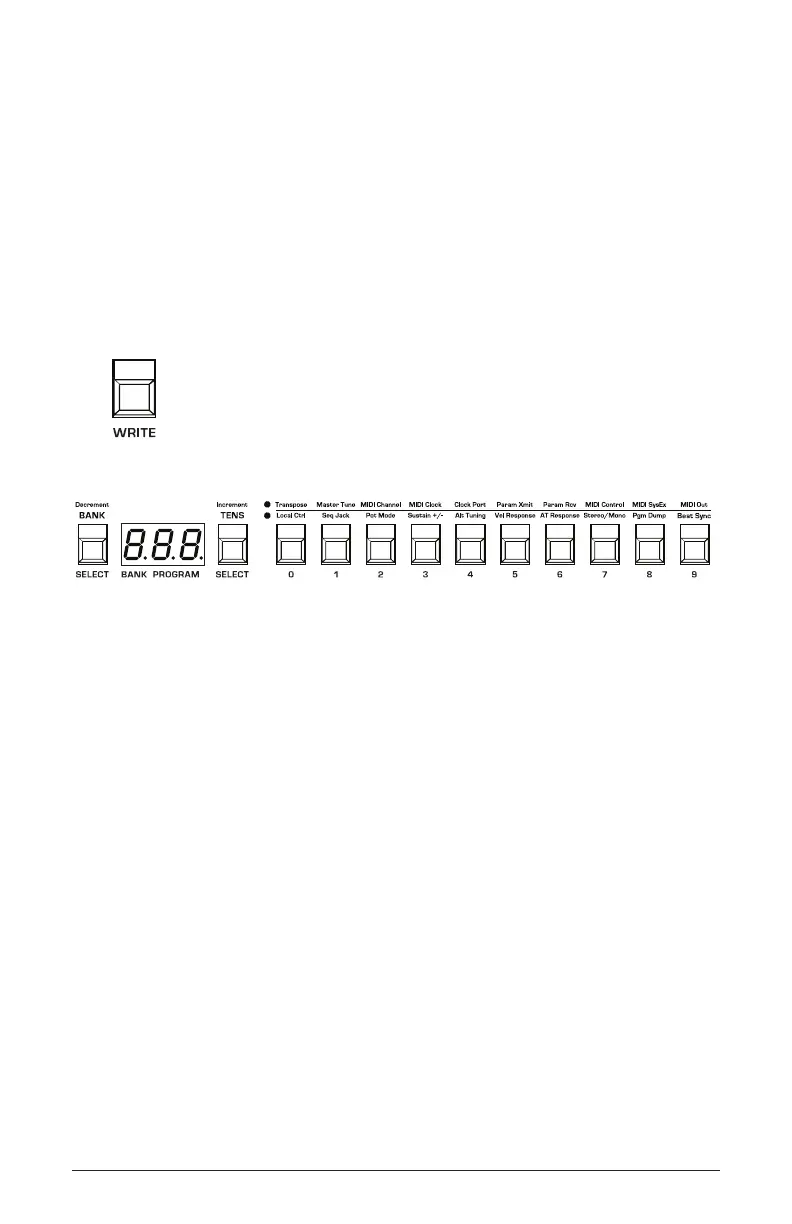
The Write button
Program bank, tens, and number selectors
To save a program to the same preset location:
1. Press the write button. Its LED begins blinking.
2. Press a program selector button (0-9) to specify the “ones” digit of the
program.
3. The write button LED stops blinking and the program is saved.
To save a program to a different bank location:
1. Press the write button. Its LED begins blinking.
2. Hold down the bank button then press a program selector button (0-9)
to specify the “hundreds” bank of the program. You can only save to
Banks 0-4.
3. Hold down the tens button then press a program selector button (0-9)
to specify the “tens” digit of the program.
4. Press a program selector button (0-9) to specify the “ones” digit of the
program.
5. The write button LED stops blinking and the program is saved.















 To Next Page