11
Trigon-6 Operation Manual
Connections
type can be used with the Trigon-6. Not sure which type you have? If the
behavior of the footswitch is the opposite of what is expected — that is,
down is off and up is on — changing this setting will correct that.” on
page 16 for more information.
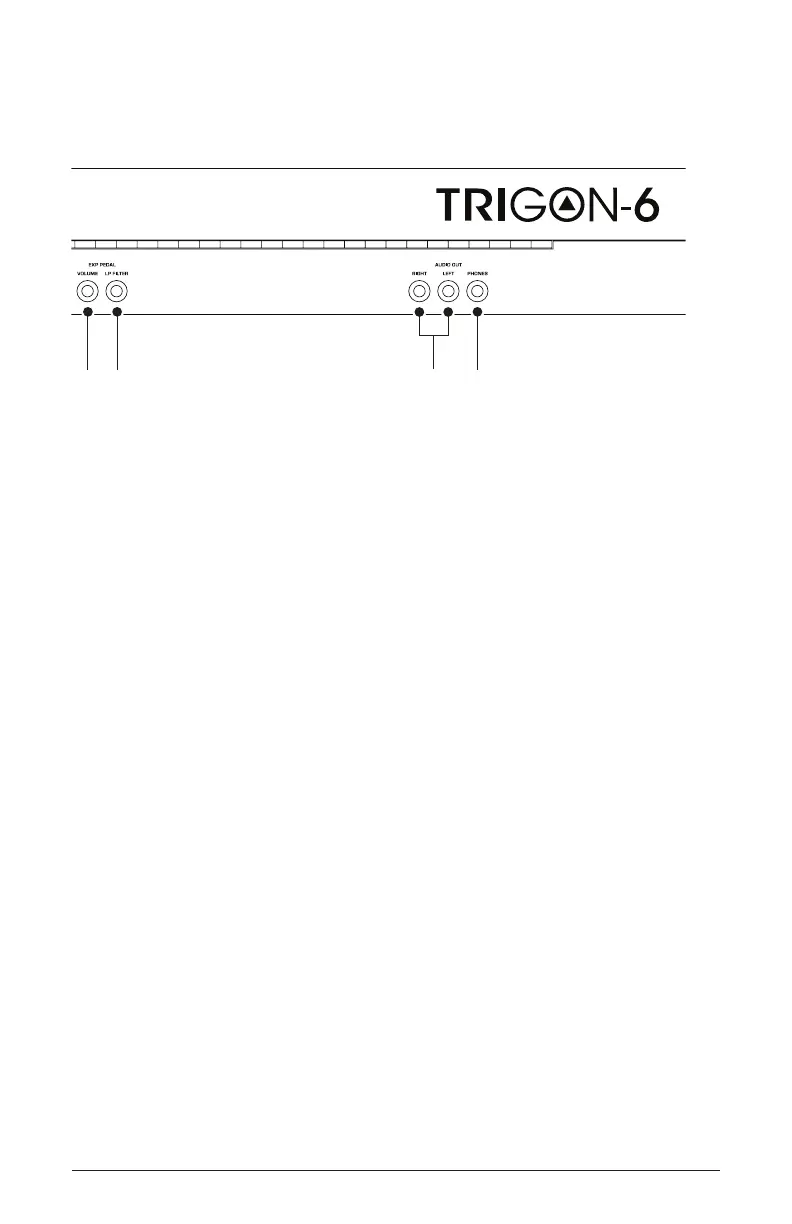
7. Expression Pedal-Volume—Accepts a standard expression pedal
that has a variable resistor on a TRS (tip-ring-sleeve) ¼ inch phone plug.
Once connected, you can use the pedal to control volume to add expres-
siveness and dynamics to live performance.
8. Expression Pedal-LP Filter—Accepts a standard expression pedal
that has a variable resistor on a TRS (tip-ring-sleeve) ¼ inch phone plug.
Once connected, you can use the pedal to control the cutoff frequency of
the low-pass lter to add expressiveness to live performance.
9. Audio Outputs—Unbalanced, ¼ inch audio outputs. The Trigon-6
sounds great in stereo, but can be switched to mono if needed. See
“Mono/Stereo” in Global Settings on page <?>.
10. Headphones—A ¼ inch stereo headphone jack. Headphone volume
is controlled by the master vol knob on the front panel.















 To Next Page