19
Trigon-6 Operation Manual
Volume
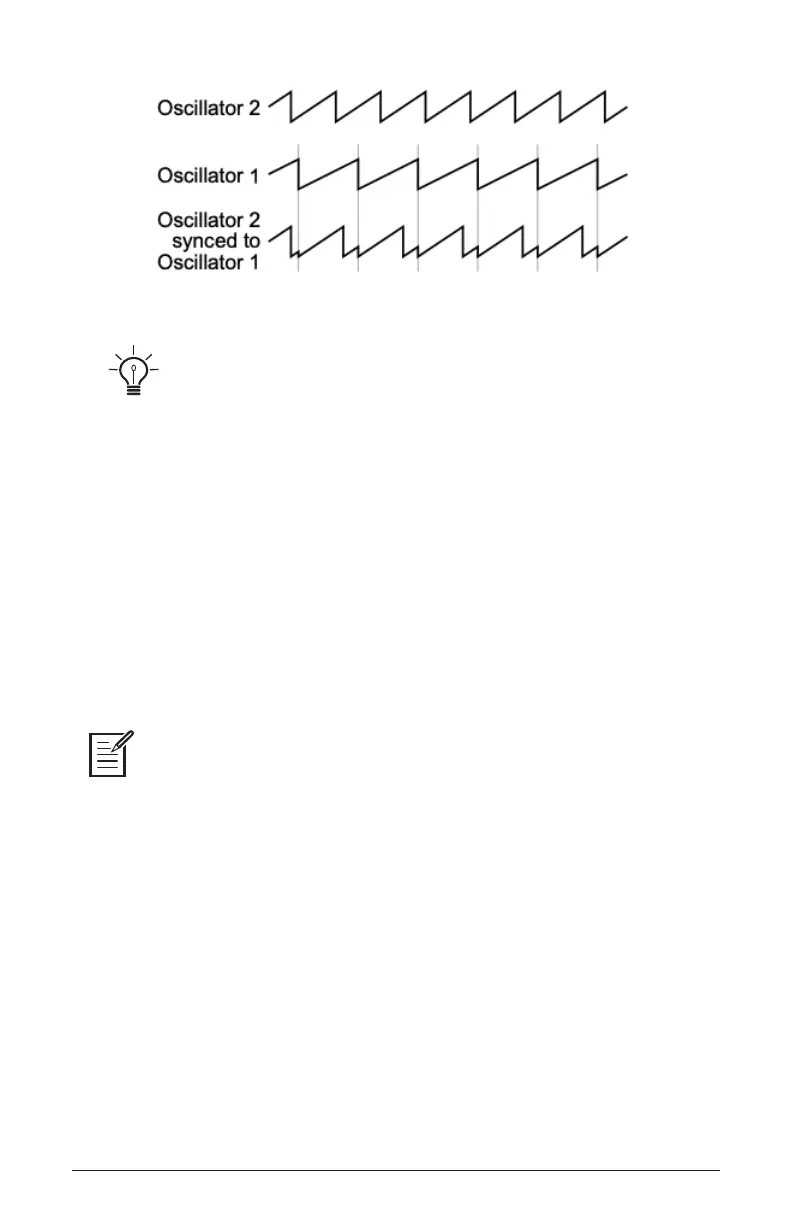
Oscillator hard sync
Use Poly Mod to sweep the pitch of Oscillator 2 when it is synced to generate
the classic, hard-edged sync sound.
Keyboard: Off, On—When off, Oscillator 3 ignores the keyboard and
note data received via MIDI and plays at its base frequency setting.
Oscillator 3 pitch can still be affected by modulation from other sources
when in this mode.
Volume
Each oscillator its own volme control. This allows you to mix the levels
of the three oscillators into the lter.
Rather than limit the Trigon-6’s outputs to keep the instrument from clipping, we
allow you to adjust levels at various points in its signal path. This gives you the option to
“overload” things in interesting ways, if you wish to do so. If not, try reducing the levels of
the oscillators useing the volume controls. volume at 50% results in relatively clean signals
into the lter.















 To Next Page