⑤ Repeat steps 2 to 4 to set rules for the second group of barcodes participating in sorting.
⑥ According to the set number of Multiple Symbols, after completing the above sort rule setting, scan
the Save barcode.
Chapter 10 Data Editing
10.1 Prefix/Suffix Overview
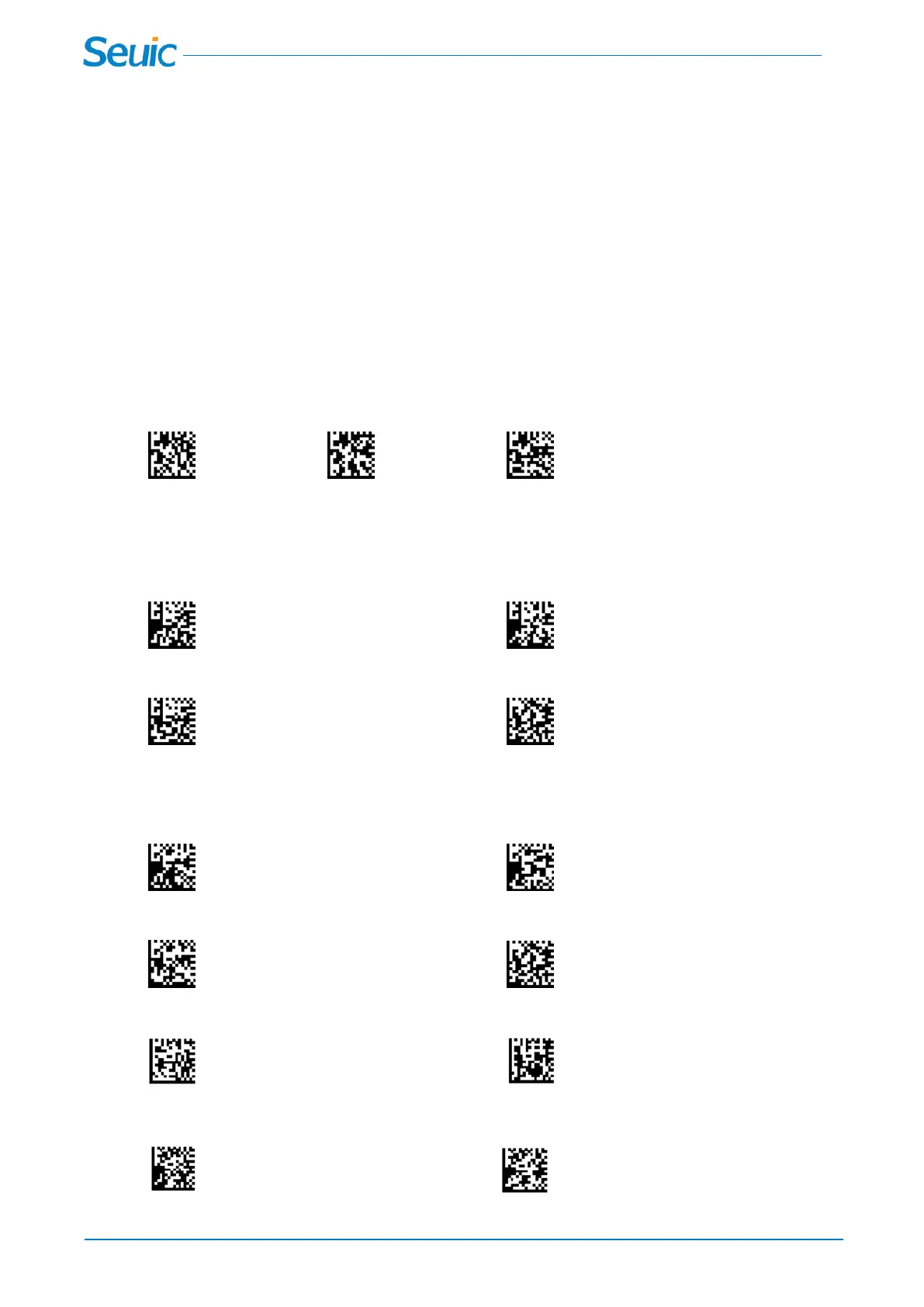
10.1.1 Add a Carriage Return Suffix to all Symbologies
Scan the following barcode if you wish to add a carriage return suffix to all symbologies at once.
No CR *CR Suffix CR and LF Suffix
10.1.2 To Add a Prefix
Users can add prefix before barcode data or suffix after barcode data, with a maximum of 32 characters.
Prefix Selections
* Prefix Off Prefix On
Add Prefix Save
10.1.3 To Add a Suffix
Suffix Selections
*Suffix Off Suffix On
Add Suffix Save
10.1.4 Clear Prefix or Suffix(Not included the CR Suffix)
Clear Prefix Clear Suffix
10.1.5 Data Formatting
Data Formatter On Data Formatter Off



 To Next Page