7
Operation
Manual mode with MOVISUITE®
Operating Instructions – MOVIMOT
®
flexible
177
7.3 Manual mode with MOVISUITE
®
Manual
mode with
MOVISUITE
®
For manual operation of the device, you can use the manual mode function of the
MOVISUITE
®
engineering software.
1. First connect the PC to the device, see chapter "PC connection".
2. Start the MOVISUITE
®
engineering software and add the device to MOVISUITE
®
.
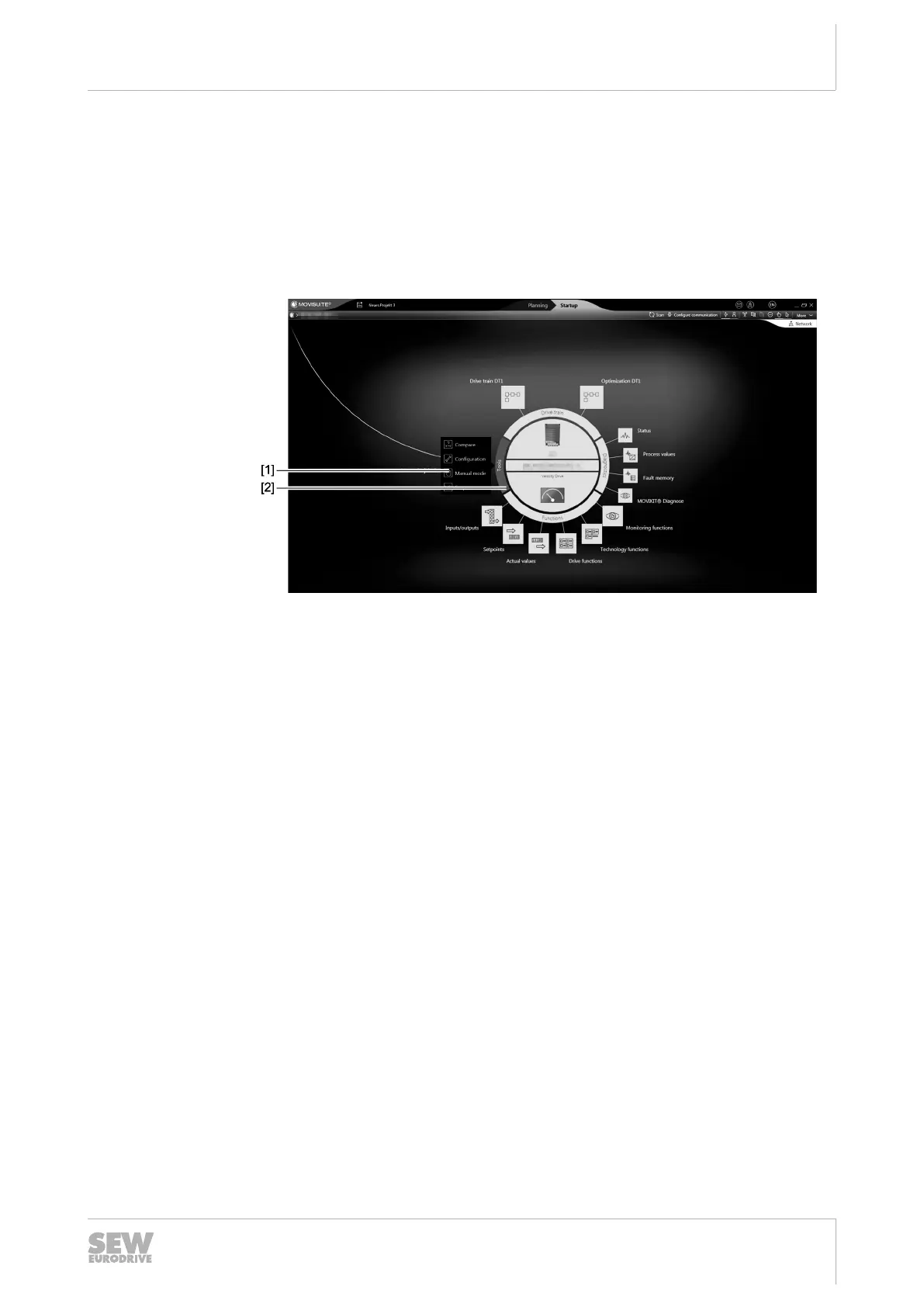
3. Next, click the "Tools" [2] choice box. Select the "Manual mode" [1] menu item.
27021619746386699
ð MOVITSUITE
®
opens the "Manual mode” window.
29129451/EN – 12/2019


 To Next Page
 Loading...