: Feb. 6 2004
1
AR-M550/M620/M700 DETAILS OF EACH SECTION 6 - 139
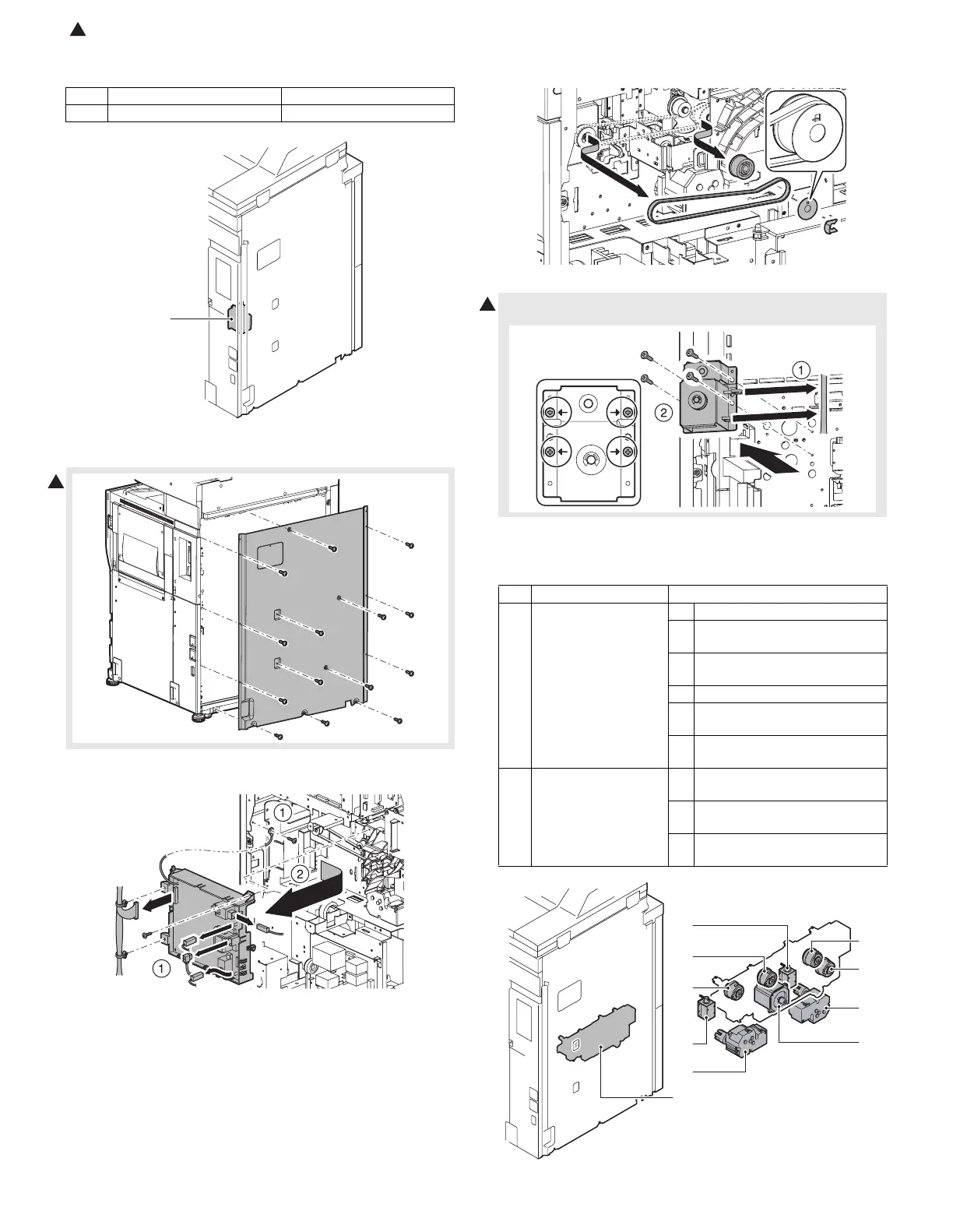
[Manual paper feed drive section]
(Replacement parts)
a. Manual paper feed drive unit
1) Remove the rear cabinet.
2) Disconnect the connector, the harness clamp, and the earth wire.
Remove the high voltage PWB unit.
3) Remove the plastic E-ring, the belt holding sheet, the belt, and the
pulley.
∗ When installing, be careful of the direction of the belt holding sheet.
∗ Remove the screw which was indicated with the arrow mark.
[1/2 paper feed drive section]
(Replacement parts)
No. Unit Parts
a Manual paper feed drive unit
a
1
4) Remove the harness from the clamp, and remove the manual
paper feed unit.
No. Unit Parts
a 1/2 paper feed drive
unit
1 Vertical paper transport motor
2 Paper feed tray 3/4 paper
transport clutch 2
3 Paper feed clutch (Paper feed
tray 1)
4 Horizontal paper transport clutch
5 Paper feed clutch (Paper feed
tray 2)
6 Paper pickup solenoid (Paper
feed tray 1)
b Other 1 Remove the paper tray lift-up
motor (paper feed tray 1)
2 Paper tray lift-up motor (Paper
feed tray 2)
3 Paper pickup solenoid (Paper
feed tray 2)
1
b-1
a-2
a-3
a-1
a-5
a-4
b-2
b-3
a
a-6









 To Next Page