AR-M550/M620/M700 SIMULATION 8 - 79
Operation/Procedure
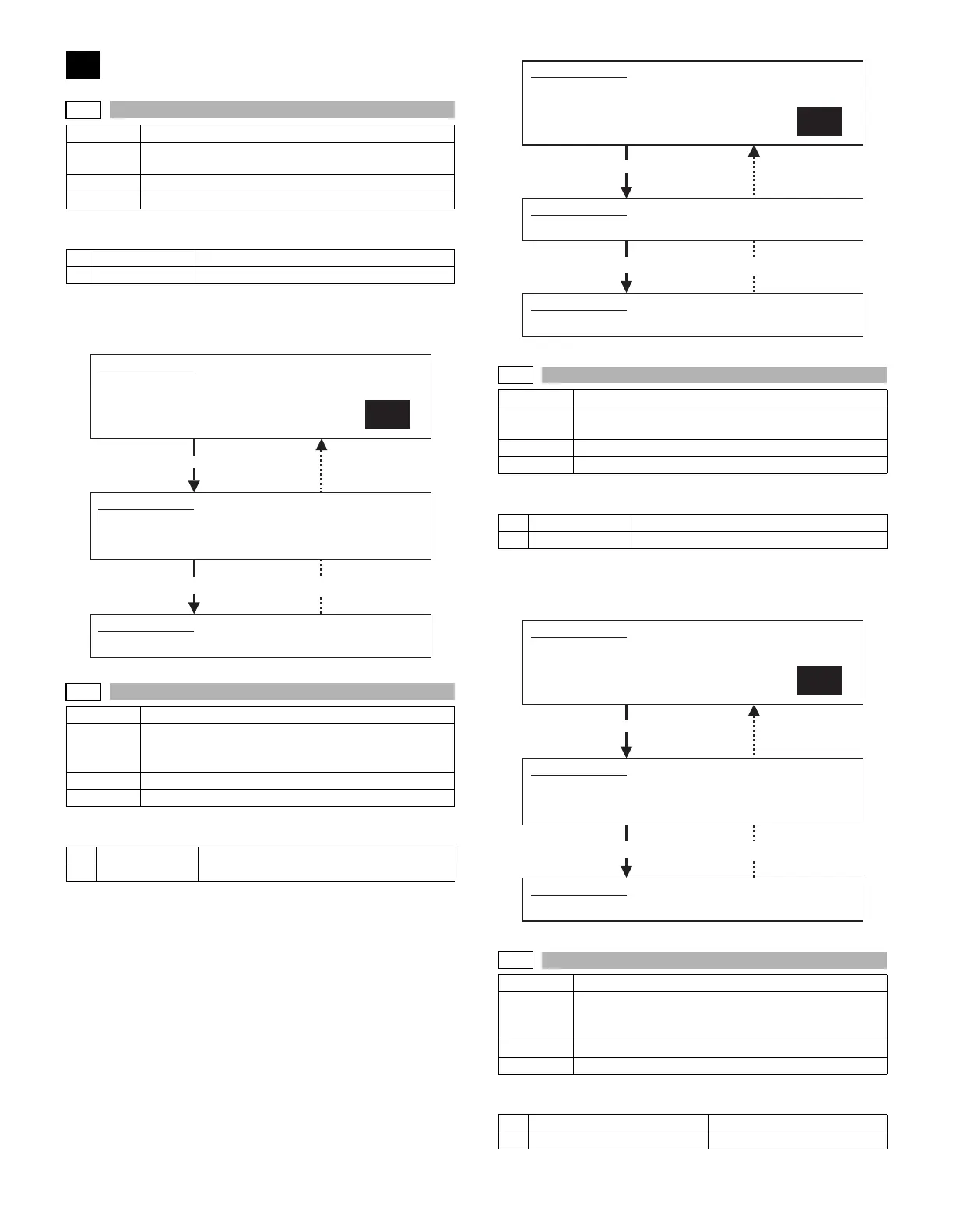
1) Select YES/NO of hard disk format.
2) Press [START] key.
During formatting, "EXECUTING" is displayed. When formatting is
completed normally, "OK" is displayed. If not, "NG" is displayed.
Operation/Procedure
1) Select YES/NO of hard disk read/write check.
2) Press [START] key.
During testing, "EXECUTING" is displayed. When test is completed
normally, "OK" is displayed. If not, "NG" is displayed.
Operation/Procedure
1) Select YES/NO of hard disk read/write check.
2) Press [START] key.
During testing, "EXECUTING" is displayed. When test is completed
normally, "OK" is displayed. If not, "NG" is displayed.
Operation/Procedure
1) Select the number corresponding to the self diag check mode.
62
62-1
Purpose Data clear
Function
(Purpose)
Used to format the hard disk.
Section MFP controller (HDD)
Item Clear
1 YES Execution
2 NO Cancel
Completion Press [CUSTOM SETTINGS] key.
62-2
Purpose Operation test/Check
Function
(Purpose)
Used to check the operation of the hard disk (read/
write). (Only in the model with a disk installed) (Partial
check)
Section MFP controller (HDD)
Item Operation
1YES Execution
2 NO Cancel
SIMULATION 62-1
HDD FORMAT.
ARE YOU SURE?
1. YES
2. NO
1
SIMULATION 62-1
HDD FORMAT. EXECUTING···.
Press [START] key.
SIMULATION 62-1
HDD FORMAT. OK. (or NG)
Completion Press [CUSTOM SETTINGS] key.
62-3
Purpose Operation test/Check
Function
(Purpose)
Used to check the operation of the hard disk (read/
write). (All areas check)
Section MFP controller (HDD)
Item Operation
1 YES Execution
2 NO Cancel
Completion Press [CUSTOM SETTINGS] key.
62-6
Purpose Operation test/Check
Function
(Purpose)
Used to check the operations of the hard disk. (The
self diag operation of the SMART function is
executed.)
Section MFP controller (HDD)
Item Clear
1 SHORT SELF-TEST Partial test
2 EXTENDED SELF-TEST All areas test
SIMULATION 62-2
HDD R/W TEST.
ARE YOU SURE?
1. YES
2. NO
1
Press [START] key.
SIMULATION 62-2
HDD R/W TEST. EXECUTING···.
SIMULATION 62-2
HDD R/W TEST. OK. (or NG)
SIMULATION 62-3
HDD R/W TEST(ALL).
ARE YOU SURE?
1. YES
2. NO
1
Press [START] key.
SIMULATION 62-3
HDD R/W TEST(ALL). EXECUTING···.
SIMULATION 62-3
HDD R/W TEST(ALL). OK. (or NG)









 To Next Page