84
PROGRAMMING
[EDITING/DELETING F-CODE PUBLIC BOXES]
9
Select "CHANGE" or "DELETE" with
the [ ] or [ ] key.
10
Press the [OK] key.
• If you selected "CHANGE" in step 9, follow the steps
in "Editing an F-code public box" which follows.
• If you selected "DELETE" in step 9, follow the steps
in "Deleting an F-code public box" which follows.
● Editing an F-code public box
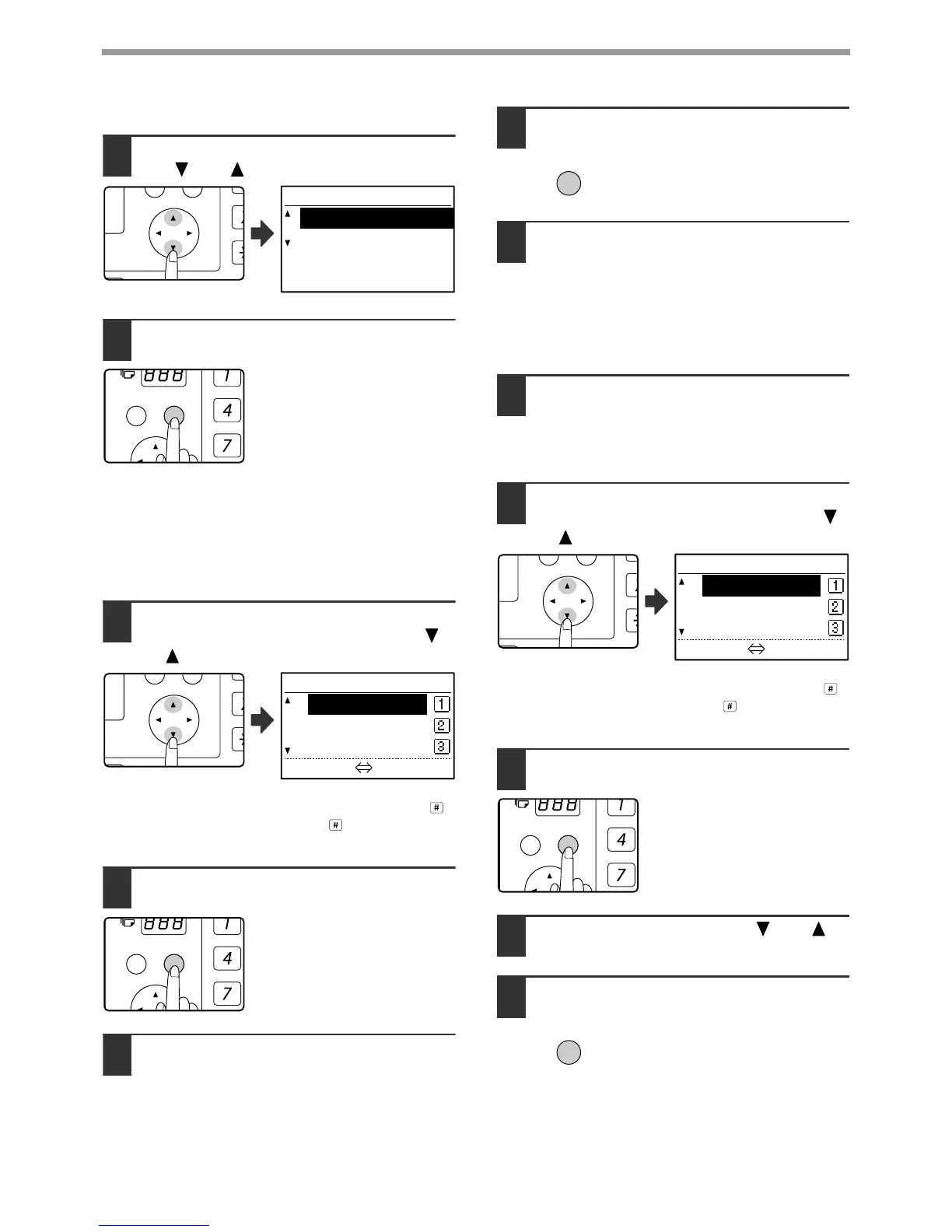
11
Select the name of the F-code public
box that you wish to edit with the
[]
or
[]
key.
If not all letters of the box name appear, press the
key to display all letters. Press the key once again
to return to the original screen.
12
Press the [OK] key.
13
Edit the name of the F-code public box
(see "ENTERING CHARACTERS" on
page 86).
•
See step 9 of "PROGRAMMING F-CODE PUBLIC
(POLLING MEMORY) BOXES" (page 81).
• If you do not wish to edit the name, go to the
next step.
14
Press the [OK] key.
15
Edit the sub-address and passcode
(maximum 20 digits) with the numeric
keys.
• See steps 3 to 6 on page 69.
• If you do not need to edit the sub-address and
passcode, press the [OK] key and go to the
next step.
16
Press the [OK] key and then press the
[BACK] key to exit.
● Deleting an F-code public box
11
Select the name of the F-code public
box that you wish to delete with the [ ]
or [ ] keys.
If not all letters of the box name appear, press the
key to display all letters. Press the key once again
to return to the original screen.
12
Press the [OK] key.
13
Select "DELETE" with the [ ] or [ ]
key.
14
Press the [OK] key.
You will return to step 11. If you
wish to delete another public box,
repeat steps 11 through 14. To
exit, press the [BACK] key.



 To Next Page