6.1 Outline
33
Power Supply Unit
INSTRUCTION MANUAL
6
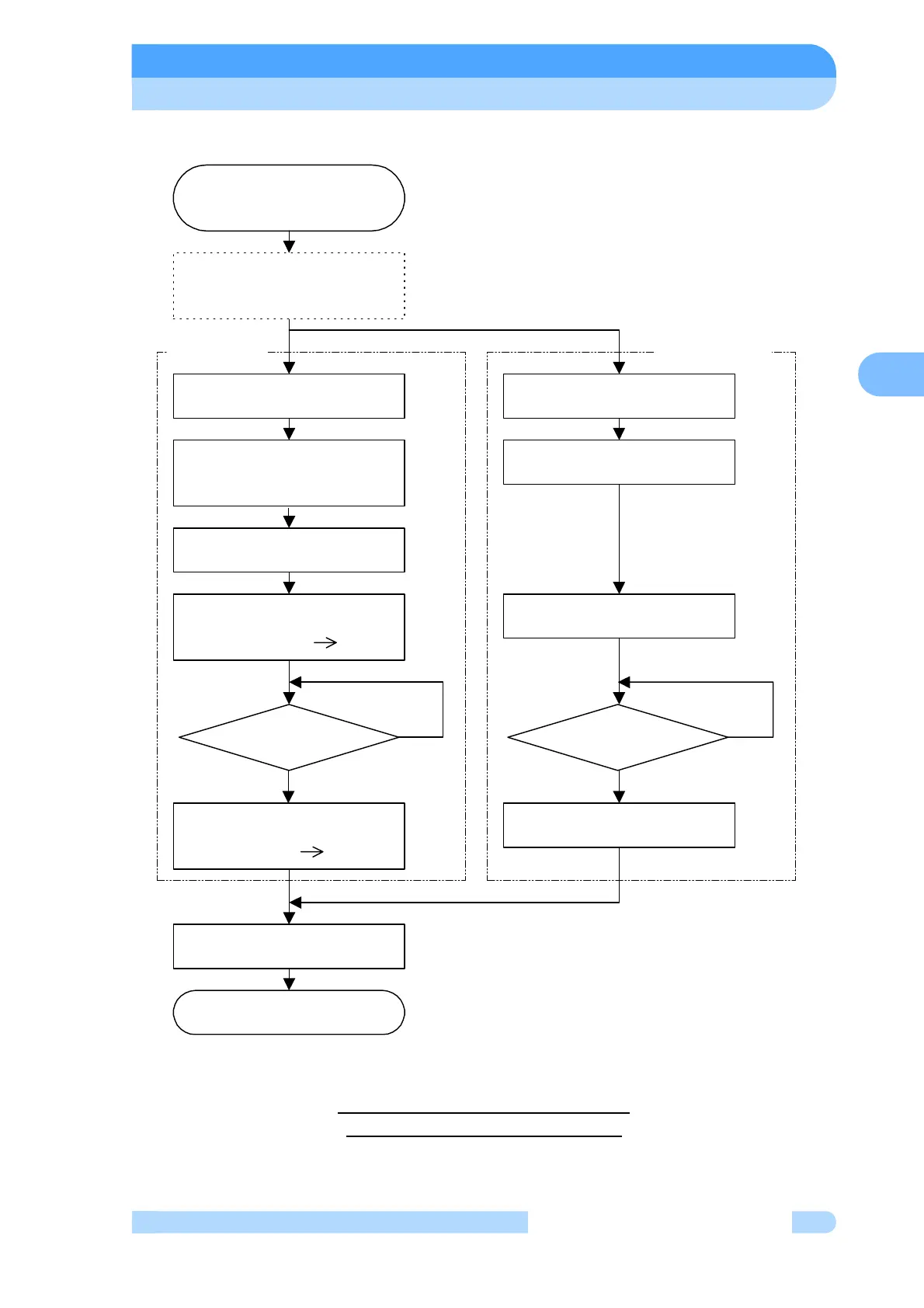
Rated Speed to Low Speed Rotation
Fig. 6-5 Speed Setting Flowchart
Select the LOW SPEED mode
using the LCD setting mode/
speed setting.
NO
YES
Speed setting complete.
"
∗
" is displayed after the LCD
monitor mode/speed display
Set the low speed value in the
LCD setting mode.
Input "LOW SPEED" signal.
"NORMAL" signal output OFF.
"BRAKE" signal output ON.
Speed setting flowchart
Rated speed to low speed
rotation
(Note 1)
Speed >
low-speed value
The speed is maintained at the
low-speed value.
Set the low speed value in the
LCD setting mode.
(Note 1)
(Note 1) After this setting has been made once,
it does not have to be repeated each time.
"BRAKE" signal output OFF.
"NORMAL" signal output ON.
LOCAL
operation
REMOTE
operation
Rated speed rotation or when
accelerating at a speed above
the low speed.
NORMAL SPEED lamp goes out.
LCD monitor mode/operation mode
Display : "NORMAL" "BRAKE"
NORMAL SPEED lamp lights.
LCD monitor mode/operation mode
Display : "BRAKE" "NORMAL"
NO
YES
Speed >
low-speed value



 To Next Page