Copyright © Shimmer 2017
Realtime Technologies Ltd Shimmer User Manual
All rights reserved Rev3p
21
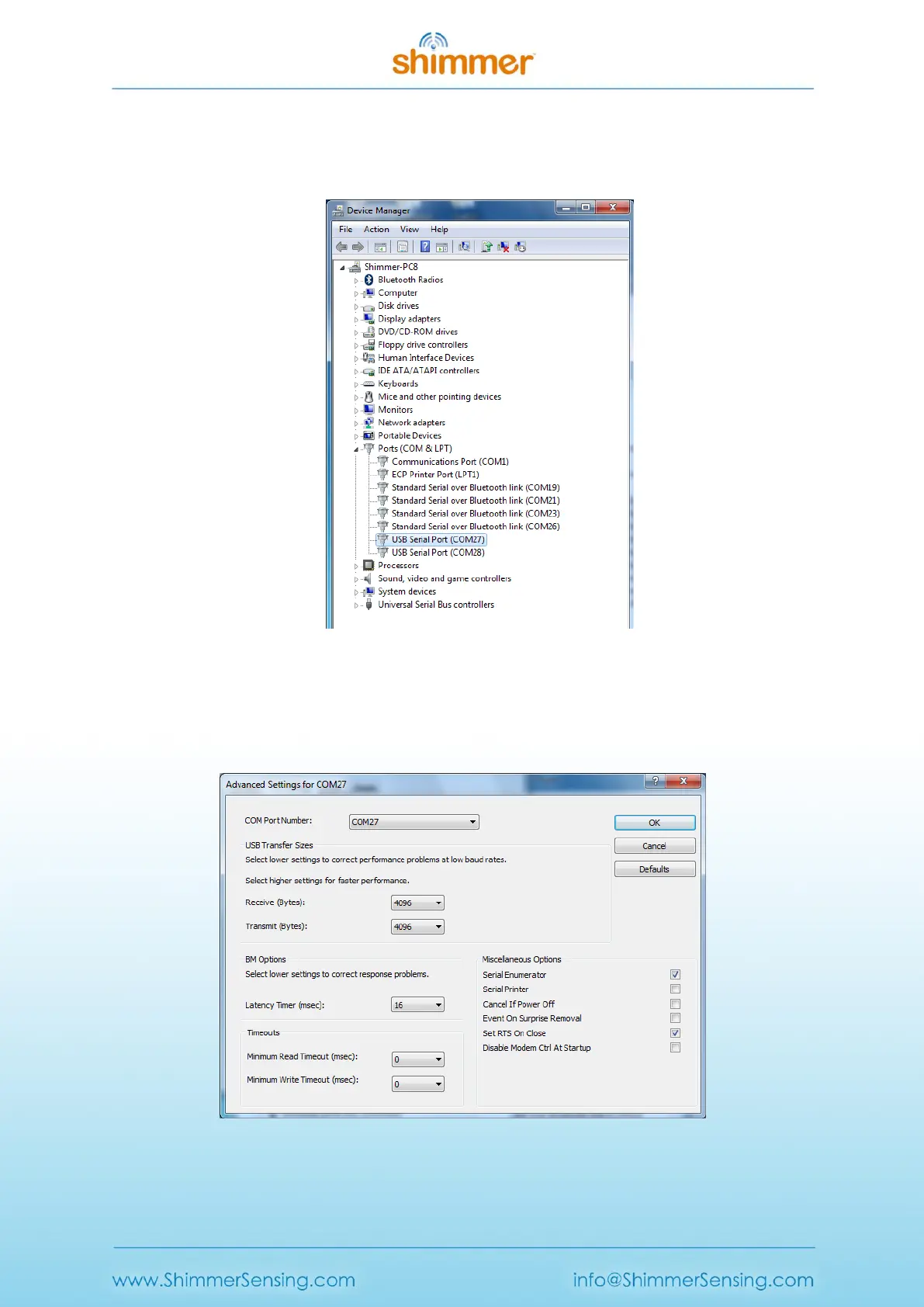
IV. Next, under the Ports (COM & LPT) entry in the Device Manager, you should see two new
USB Serial Port entries, each with an associated COM port number, as shown in Figure 3-6.
The USB Serial Port with the lowest number is the Programming Port.
Figure 3-6 Device Manager showing Dock USB Serial Ports
V. Double-click on each of these USB Serial Port entries and, under the Port Settings tab, click
on Advanced.... In the Miscellaneous Options at the bottom right-hand side of the window,
ensure that Set RTS On Close is ticked, as shown in Figure 3-7.
Figure 3-7 Advanced Port Settings: Select Set RTS On Close



 To Next Page