Shini Group
Technology & Marketing Dept
Issued by department: Date: Language: Document Name: Revision: Page:
Shini/CSC-TM
2013-11 zh-cn Shini product repair manual.doc
1.0 11 (62)
Catalog:
template:Standard_CN.dot; filename: Shini product repair manual; Printdate: 8/1/2014 1:58:00 PM; savedate: 8/1/2014 1:58:00 PM
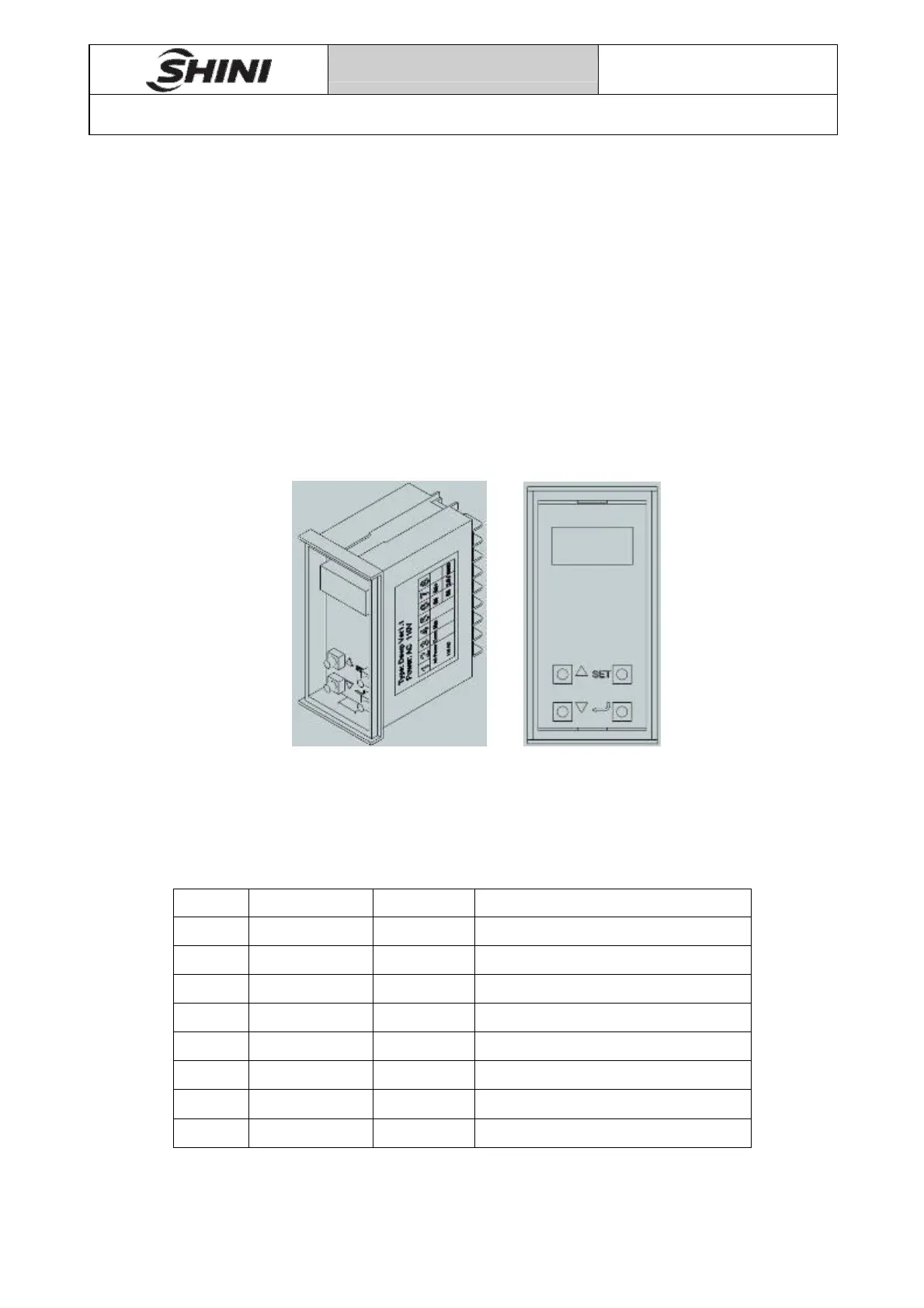
Pic 3-3 Remove Dewpoint monitor lid
3.6.2 How to Set Parameters
After opening the lid, you can see four buttons, which are up, down, set and enter
key.
Press the up and down keys for 5 seconds, you can enter the dewpoint monitor
parameter setting interface.
Use the up and down keys to change parameters.
Use the enter key to view and save parameters.
Use the set key to return to the first layer parameters.
Pic 3-4 Dewpoint monitor buttons distribution
Dewpoint monitor factory parameters value
List 3-1 Dewpoint monitor factory parameters value
No. parameters set value Meaning of the parameters
1 F-01 30 Average filter value
2 F-02 5 Sampling time
3 F-03 ℃ Unit selection
4 F-04 -5 Offset compensation
5 F-05 20 20mA input value
6 F-06 -60 4mA input value
7 F-07 -10 Maximum display
8 F-08 -45 Minimum display


 To Next Page