Shini Group
Technology & Marketing Dept
Issued by department: Date: Language: Document Name: Revision: Page:
Shini/CSC-TM
2013-11 zh-cn Shini product repair manual.doc
1.0 31 (62)
Catalog:
template:Standard_CN.dot; filename: Shini product repair manual; Printdate: 8/1/2014 1:58:00 PM; savedate: 8/1/2014 1:58:00 PM
11. SCR Crystallization and Unloading Abnormal
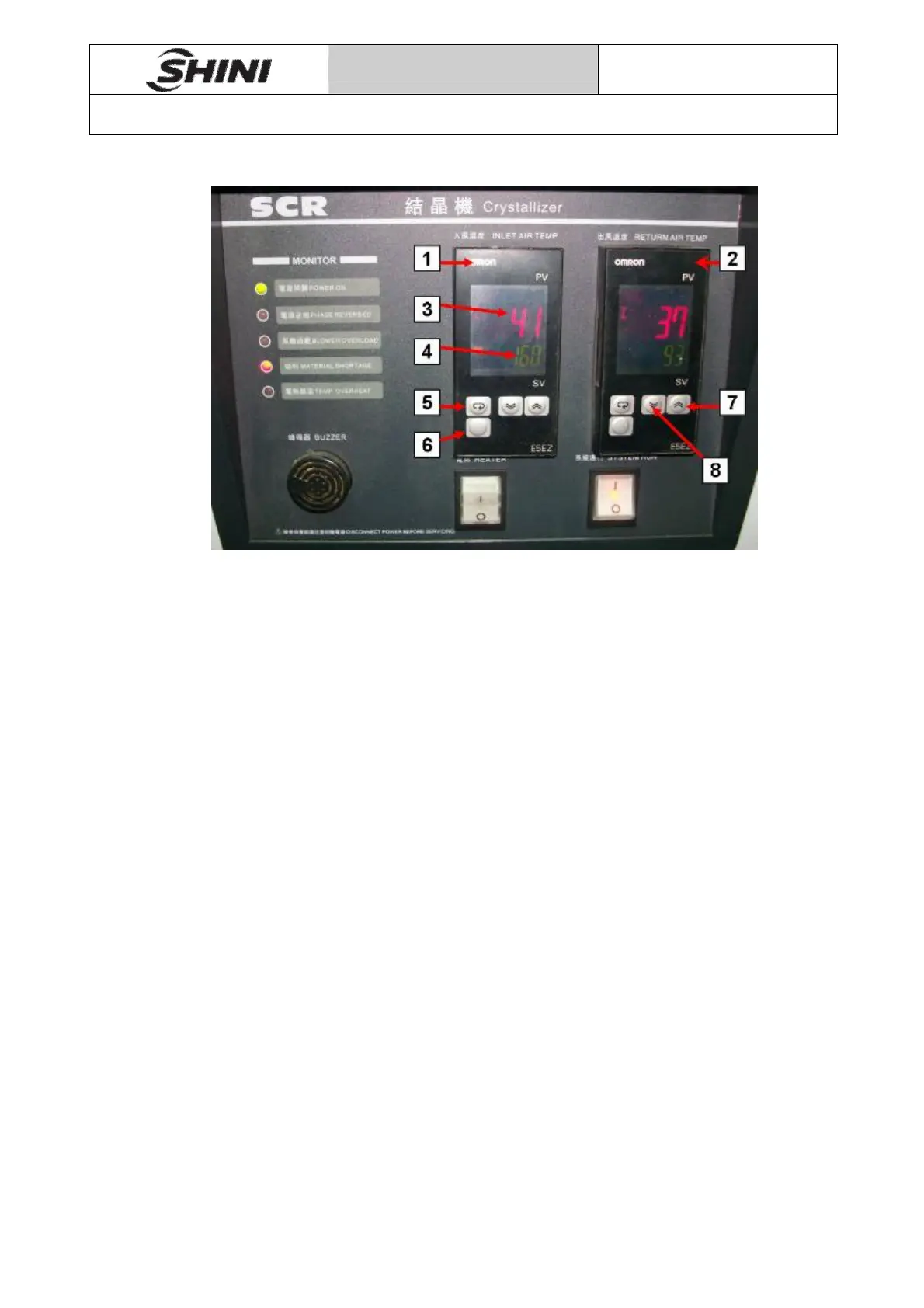
Pic 11-1
1-air inlet temperature-controlled meter
2-air outlet temperature-controlled meter
3-crystallization actual temperature
4-crystallization set temperature
5-mode 6-menu 7-up 8-down
1. set air inlet temperature-controlled meter
After energize controller, air inlet temperature is set to 160℃ through button 7
and 8.
2. set air outlet temperature-controlled meter
a) Set alarm 1 type(ALT1) and alarm 2 type(ALT2) : Controller enters the run
menu after energize, press button 6 for at least 3 seconds, controller enter
initial menu, press button 5 to switch to ALT1 and ALT2, ALT1 and ALT2
value are both set to 2(alarm type is upper limit alarm), press button 6 for
at least 1 seconds to return run menu.
b) set alarm 1 value(AL1) and alarm 2 value(AL2) : In run menu, press
button 5 to switch to AL-1, set the value to 0; press button 5 to switch to
AL-2, set the value to -22, press button 6 for at least 1 seconds to return
run menu.


 To Next Page