Shini Group
Technology & Marketing Dept
Issued by department: Date: Language: Document Name: Revision: Page:
Shini/CSC-TM
2013-11 zh-cn Shini product repair manual.doc
1.0 22 (62)
Catalog:
template:Standard_CN.dot; filename: Shini product repair manual; Printdate: 8/1/2014 1:58:00 PM; savedate: 8/1/2014 1:58:00 PM
8. Cleaning Coolers
8.1 Applicable Models
SD-H
SDD
SCD
8.2 Cleaning Steps
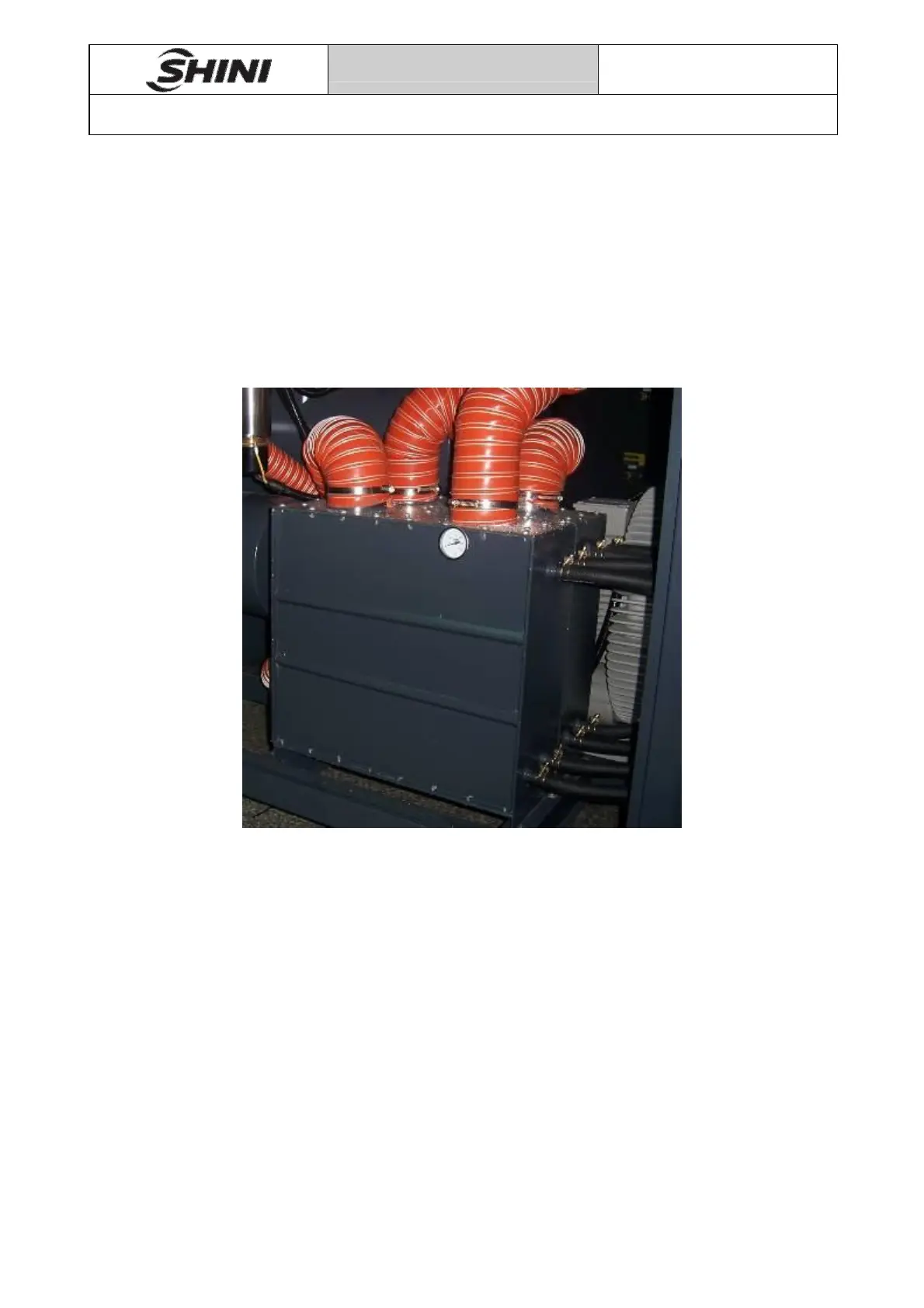
Pic 8-1
1. Remove the cooler pipe and screws between the cooler and the main machine,
take the cooler out of machine body;
2. Loosen the screws of cooler above and below cover plate, remove the above and
below cover plate;
3. Remove dust and debris on the cooler fins and brass with brush, high-pressure
air gun and low-pressure water, note dry the water on the fins and brass with
high-pressure air gun after water cleaning.
4. Paint the cooler junction of above and below cover plate with silicone after clean,
then lock the above and below cover plate with screws;
5. Place cooler in a cool and dry place for 4 hours, until the silicone dry, replace the
cooler and connect the machine to pipe.


 To Next Page