Shini Group
Technology & Marketing Dept
Issued by department: Date: Language: Document Name: Revision: Page:
Shini/CSC-TM
2013-11 zh-cn Shini product repair manual.doc
1.0 35 (62)
Catalog:
template:Standard_CN.dot; filename: Shini product repair manual; Printdate: 8/1/2014 1:58:00 PM; savedate: 8/1/2014 1:58:00 PM
13. Check Microswitch
13.1 Products Information
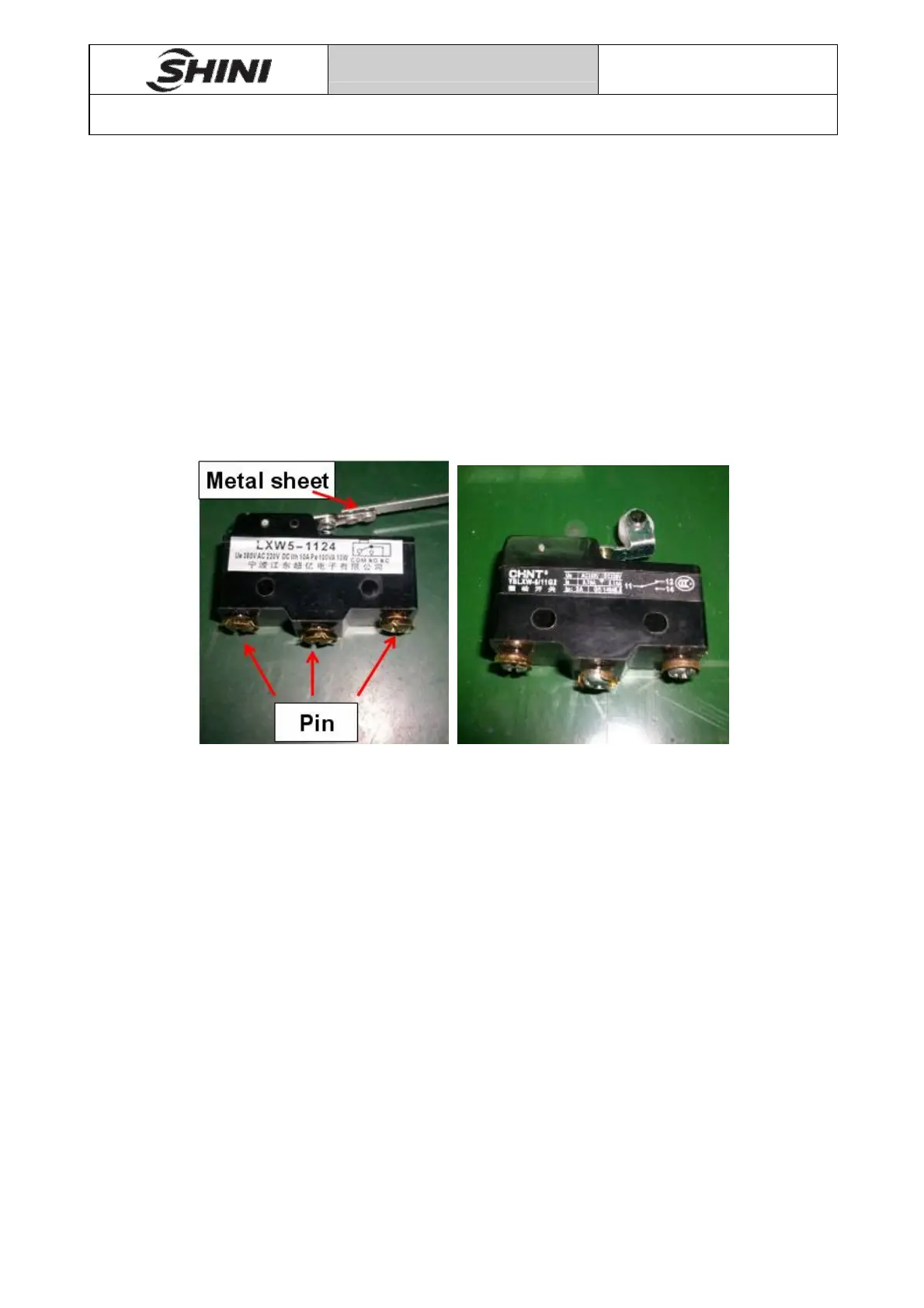
There are two types of microswitch our company is currently using, models are: J
LXW5-1124 and CHNT YBLXW-5/11G2.
13.2 Applicable Models
LXW5-1124 fit for:STM、SD-H、SDD、SCD。
CHNT YBLXW-5/11G2 fit for:SAL、SMH。
13.3 Check for Damage
Pic 13-1
1. Microswitch has three wiring pins which corresponding “COM” “NO” and “NC”
ports, among them, “COM” is common port, “NO” is normally open port, “NC” is
normally close port.
2. Use a multimeter to measure the resistance between “COM” pin and “NO” pin,
normally resistance is infinite, if it is 0, indicating microswitch is broken and
need to replace a new one; the resistance should be 0 when press metal sheet,
if it is infinite, indicating microswitch is broken and need to replace a new one.
3. Use a multimeter to measure the resistance between “COM” and “NC” pin,
normally the resistance is 0, if it is infinite, indicating microswitch is broken and
need to replace a new one; resistance should be infinite when press
sheetmetal, if it is 0, indicating microswitch is broken and need to replace a new
one.


 To Next Page