Shini Group
Technology & Marketing Dept
Issued by department: Date: Language: Document Name: Revision: Page:
Shini/CSC-TM
2013-11 zh-cn Shini product repair manual.doc
1.0 20 (62)
Catalog:
template:Standard_CN.dot; filename: Shini product repair manual; Printdate: 8/1/2014 1:58:00 PM; savedate: 8/1/2014 1:58:00 PM
6. 24hr timer(Panasonic 24Hr A-TB-72-D 230V/50HZ/60HZ)
6.1 Applicable Models
SHD-XX-T
SDL-XX-T
CD
6.2 Timing Setting
1. Under the premise that all switches are open, open the timer setting switch .
2. Remove the outer transparent cover of timer, turn the timer upper left corner of
the small gray switch to Auto state. Turn the upper right corner of voltage
frequency to the voltage frequency which user is currently using.
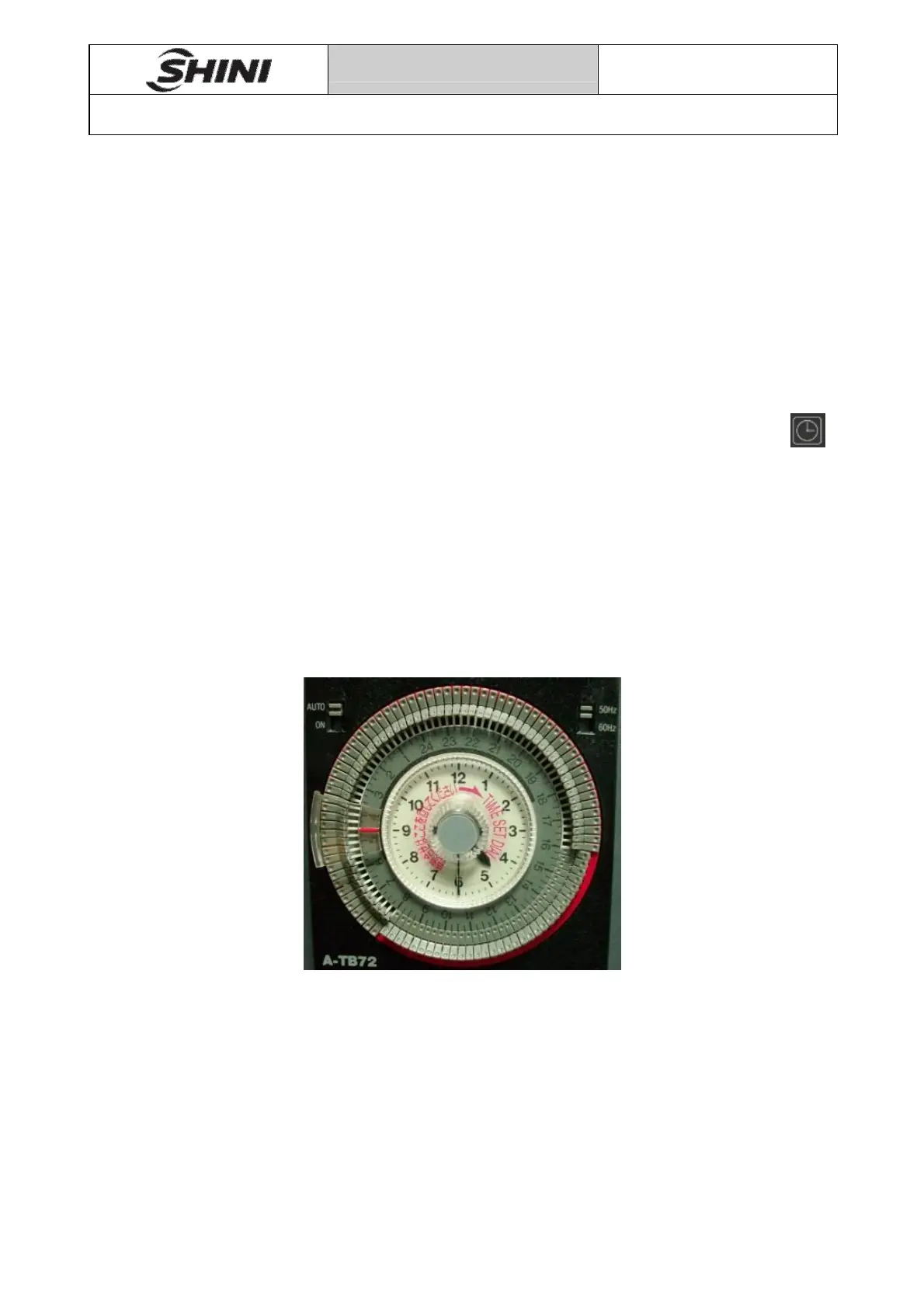
3. Set the current time. As shown in following figure, set the current time in the
middle of the timer "TIME SET DIAL" knob by clockwise rotation. By the white
circle in the middle of a 12-hour dial, dial on the outer circle is 24-hour format,
please note the distinction. As shown, the current time is set for 4:30.
Pic 6-1
4. Set the required drying time. The timer outer tooth is pressed, the pressure range
is from the beginning to the end of the drying time range. As shown in above
figure, the machine began to work at 8:00 until 16:00, the machine stops, and
every day cycle.


 To Next Page