③ Log Off
Logs the user out of the software.
④ Shure Link
Links to the Shure website at www.shure.com.
⑤ Language Selection
Selects the language for the control software interface. This setting will be saved to the computer.
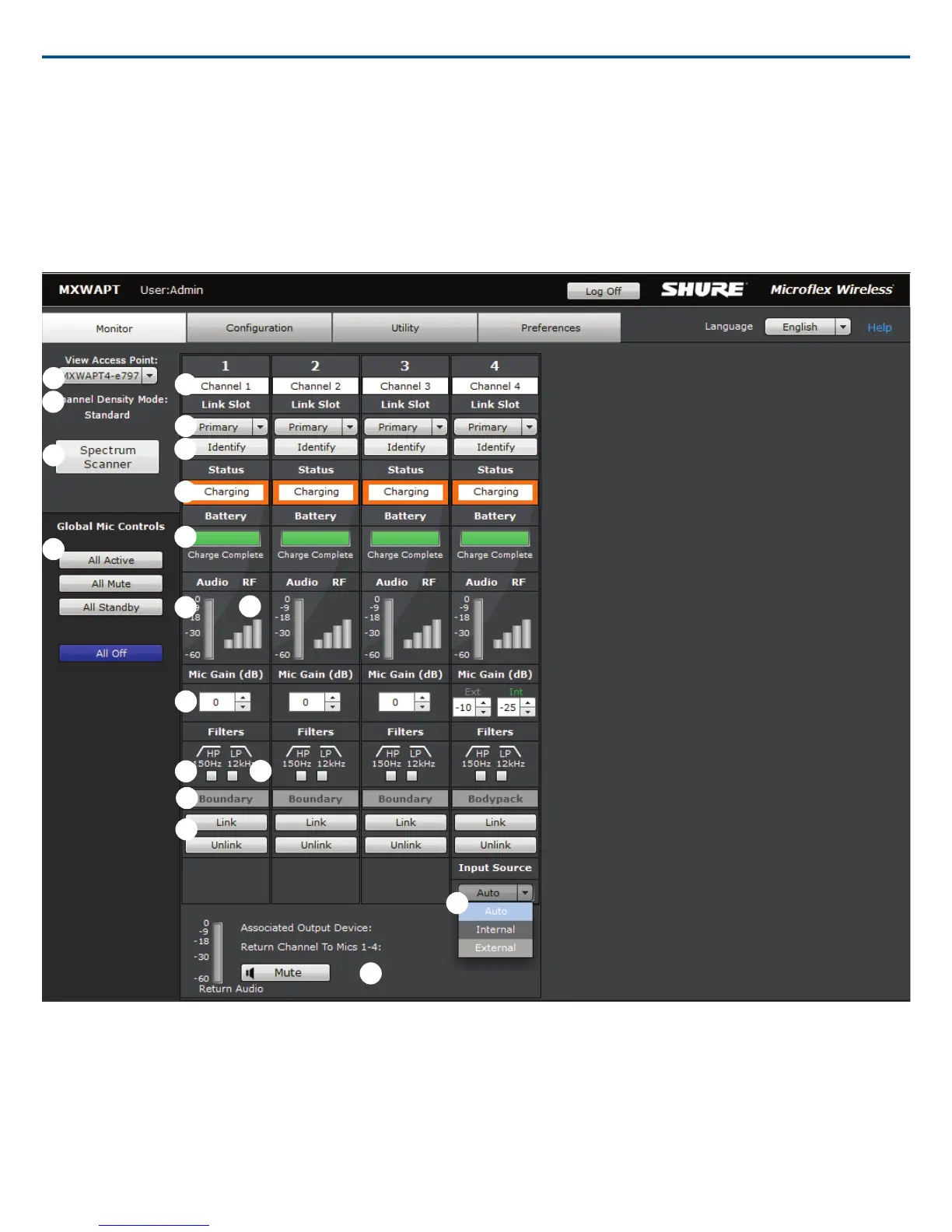
Monitor Tab
① Access Point Selection
Determines which Access Point displays on the tab.
② Density Mode Selection
Displays the density mode as selected in the APT device properties.
③ Spectrum Scanner
Opens the Spectrum Scanner window. See Scanning Available RF Spectrum section for more details.
④ Global Mic Control
Controls the status of all microphones in the configuration (all groups made from the Configuration tab).
Shure IncorporatedMXW
47/722017/05/17














 To Next Page