50
DUPLICATION PROCESSES
QBLUE
QUARTZ-EQUIPPED FIX CODES 26 - 41 MHz
Cod. 6910291
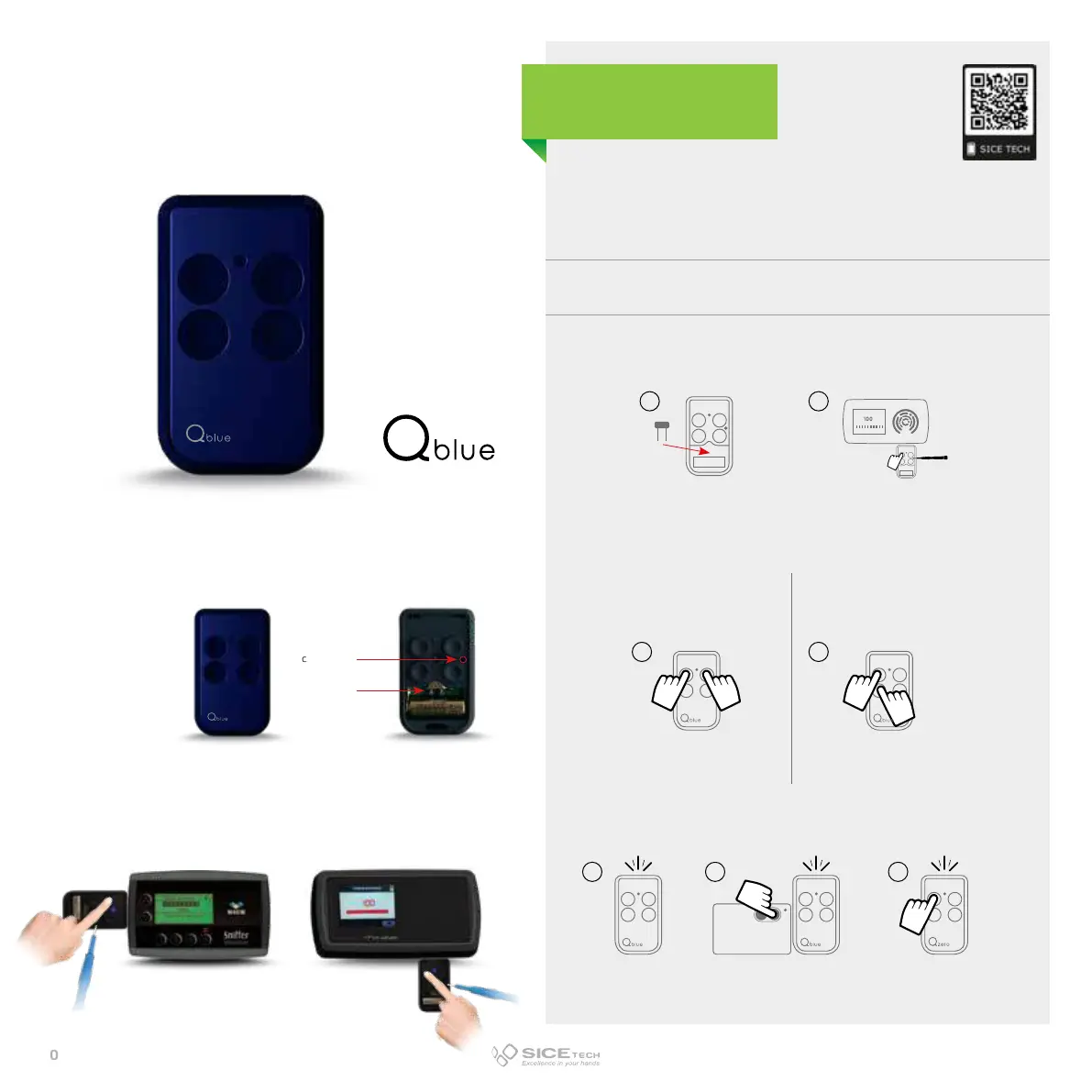
calibration
Quartz
insert
Best position
for duplication
1 2
3 4
QUARTZ-EQUIPPED
Self-learning
FOR FULL INSTRUCTIONS
visit our website sicetech.it
keep pressing a button and
adjust the signal strength with
the appropriate tool
Insert the quartz with
the same frequency as
the remote control to be
duplicated
Intensity adjustment tools
(please use a ceramic screwdriver)
press and hold button 1
and simultaneously
press 4 times button 2
STANDARD
x4
LED flashes
every 2 sec.
press and hold the
button to copy
ALTERNATIVE
press and hold button 1
and simultaneously
press 4 times button 3
x4
when LED is flashing fast, press
the button where you want to
memorise the code, until LED
turns o.
In case the STANDARD
process was not successful
1 2
3 3
4 5 6



 To Next Page