PLC WorkShop for Simatic TI505 FTTrend •
••
• 7
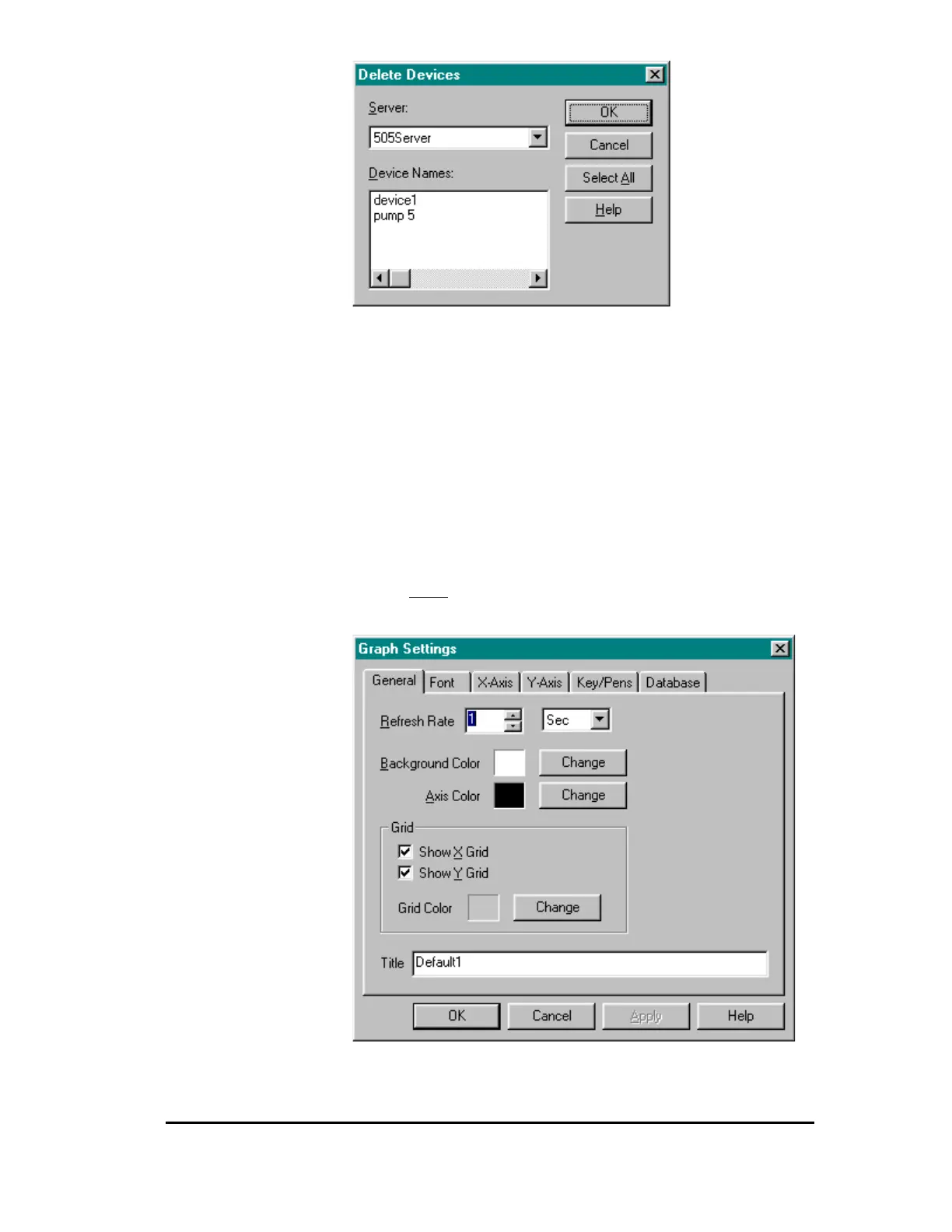
Figure 9
Clicking on “Select All” followed by “OK” will delete all the devices for
a selected server. You can also click in the “Device Names” list box to
manually select which devices to delete.
Trend Window Graph Setup
To setup the graph settings:
1. Select Graph from the Setup menu.
Result: The Graph Settings tab dialog box appears (Figure 10).
Figure 10
There are six pages belonging to this property sheet.



 To Next Page