EasyManua.ls Logo

Siemens SIMATIC V2 - User Manual

Siemens SIMATIC V2
139 pages
Print Icon
To Next Page IconTo Next Page
Loading...
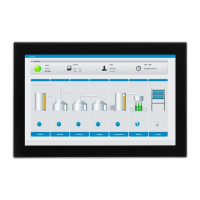
IFP V2, IFP V2 PRO, IFP V2 ETH
SIMATIC HMI
Industrial Flat Panels V2
IFP V2, IFP V2 PRO, IFP V2 ETH
Operating Instructions
03/2023
A5E46641410
-AE
Preface
Overview
1
Safety instructions
2
Installing and connecting
the device
3
Commissioning the IFP
4
Operating the IFP
5
Device maintenance and
repair
6
Technical information
7
Technical Support
A
Markings and symbols
B
List of abbreviations
C

Table of Contents

Questions and Answers

  • J
    Johnathan GuzmanAug 11, 2025
    What to do if commissioning of Siemens Industrial Equipment Ethernet Monitor software has failed?
    • C
      christineharperAug 11, 2025
      If the commissioning of the Ethernet Monitor software has failed, it could be due to a couple of reasons. First, if the device has already been used in a different setup, you'll need to restore the factory settings on the devices and reinstall the original PC operating system using the Restore DVD for an IPC. Another possible cause is starting the installation over a WLAN network connection. WLAN is not supported, so disable the WLAN adapter on your PC before starting the installation.
  • K
    kerry83Aug 20, 2025
    Why is the Windows Start screen not visible on Siemens Industrial Equipment?
    • C
      carrielynchAug 20, 2025
      The Windows Start screen might not be visible because you are uninstalling with an Ethernet Monitor. Uninstalling cannot be performed with an Ethernet Monitor. Use a different monitor for uninstalling.
  • C
    Chris DouglasAug 31, 2025
    What to do if Siemens Industrial Equipment Ethernet Monitor start screen remains in 'Connected' state with green text?
    • R
      robertsimmonsAug 31, 2025
      If the Ethernet Monitor start screen remains in the 'Connected' state with green text, try the following: 1. Switch off the power supply of both the Ethernet Monitor and the PC. 2. Wait 10 seconds. 3. Switch the power supply of both devices back on.

Siemens SIMATIC V2 Specifications

General IconGeneral
BrandSiemens
ModelSIMATIC V2
CategoryMonitor
LanguageEnglish

Related product manuals