Repairs
2015-09-07 / DIS 113_58300000171499_ara_en_c Copyright by BSH Hausgeräte GmbH Page 41 of 65
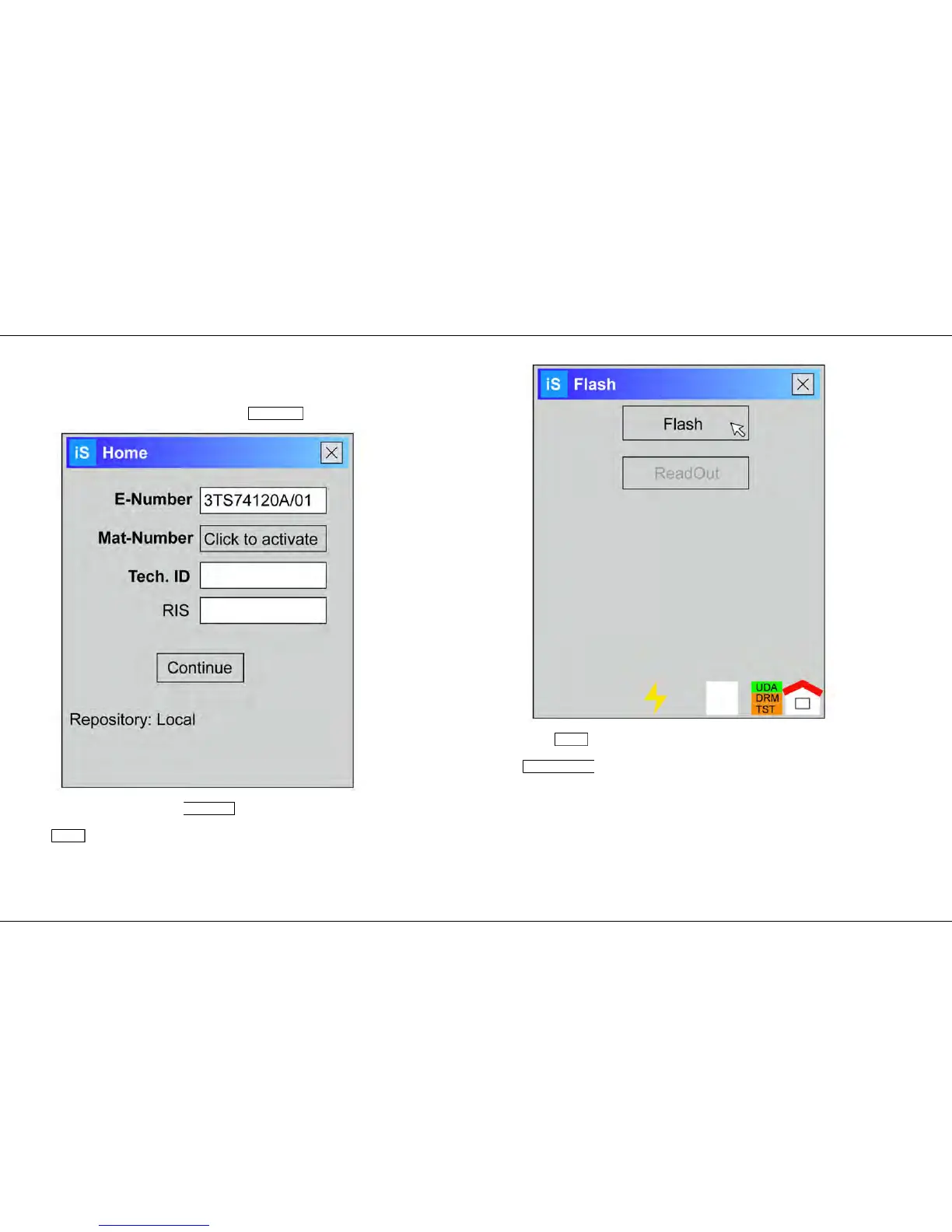
6.6.2 Flashing module with I-Service
1. Start I-Service software on the customer service PC.
2. Enter E-number of the appliance in the E-number field.
3.
4. Confirm entry by pressing Continue button.
Result:
Flash window is displayed.
5.
6. Press Flash button.
Result:
Start flashing window is displayed.



 To Next Page