Repairs
2015-09-07 / DIS 113_58300000171499_ara_en_c Copyright by BSH Hausgeräte GmbH Page 40 of 65
6.6 Flashing the power module
Required tools:
? IS (BSH I-Service software)
? UDA kit ([ 341247] )
Prerequisite:
• I-Service software has been installed on the customer service PC.
• Worktop has been removed.
• New power module has been fitted.
6.6.1 Connecting UDA to the appliance
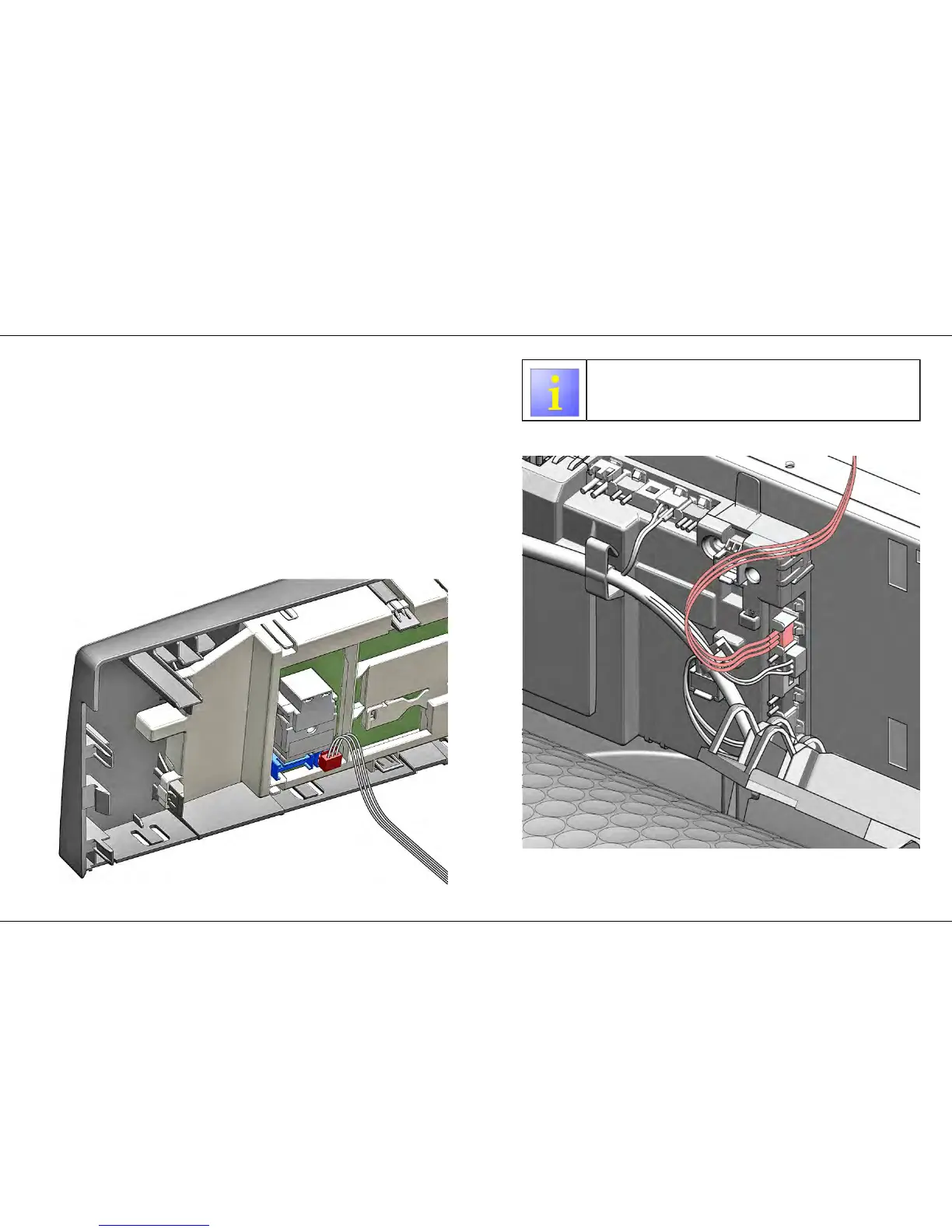
1. Connect the data cable between the UDA and the electronics module.
2. Connections option 1
3.
Use connections option 2 if there is no SI connection on the
operating module.
Connections option 2
4. Connect appliance to the power supply and switch on.



 To Next Page