Sierra Wireless FX30 User Guide
Rev 4 March 2019 26 41110030
Digital Input
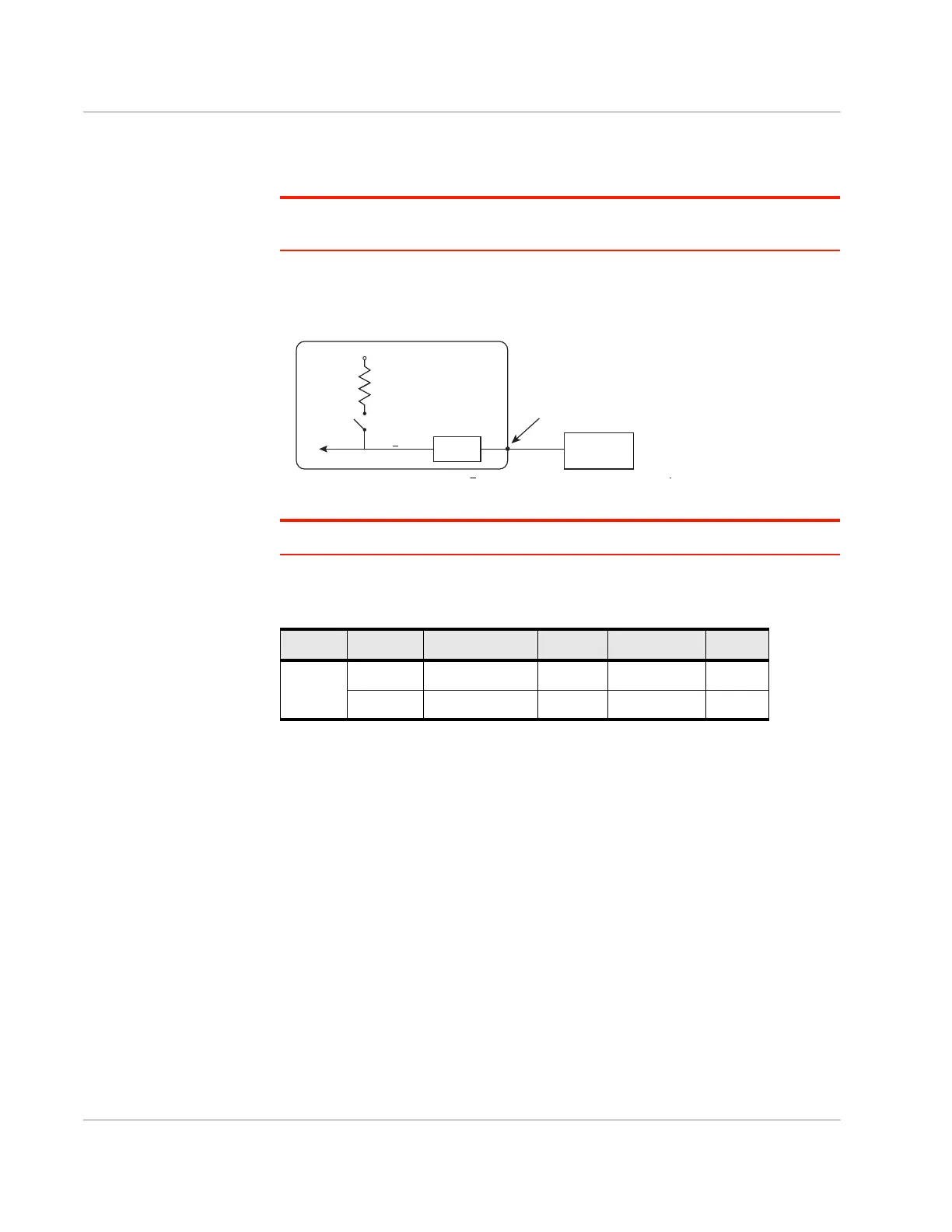
Digital input is available on I/O 1, I/O 2, and I/O 3 on the power connector.
Note: To use I/O 3 as a digital Input, GPIO56 (that drives I/O 3 when used as a digital
output) must be low.
You can connect any of these pins to a digital input to detect the state of a digital
sensor or pulse counter.
Figure 2-19: Digital Input
Note: When using a digital input, the pull-up should be Off.
Gateway
Off
V
in
or 3.3 V*
Internal Pull-up
10 k
Resistor
FX30
Digital input
Internal pull-up
NſUHVLVWRU
Off
V
High ! 3.0 V
I/O 1, I/O 2, I/O 3
RQWKHSRZHUFRQQHFWRU
3URWHFWLRQ
FLUFXLWU\
Vin RU V
Table 2-2: Digital Input
Pull-up State Minimum Typical Maximum Units
Off Low — — 1.0 V
High 3.0 — Vin V















 To Next Page