EasyManua.ls Logo

Silicon Graphics UV 2000 - User Manual

Silicon Graphics UV 2000
116 pages
Print Icon
To Next Page IconTo Next Page
Loading...
SGI
®
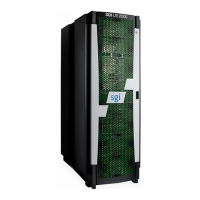
UV 2000 System User Guide
Document Number 007-5832-002

Table of Contents

Questions and Answers

  • H
    hannah11Aug 9, 2025
    What to do if the amber LED of my Silicon Graphics UV 2000 IRU power supply is on?
    • J
      James MatthewsAug 9, 2025
      If the amber (yellow) status LED of an IRU power supply is lit, or the LED is not lit at all, ensure the power cable to the supply is firmly connected at both ends and that the PDU is turned on. Also, check and confirm the supply is fully plugged in. If the green LED does not light, contact your support organization.
  • J
    Julian CastilloAug 14, 2025
    How to troubleshoot a Silicon Graphics UV 2000 that will not power on?
    • D
      donna29Aug 14, 2025
      If your Silicon Graphics Server system will not power on, ensure that the power cords of the IRU are properly seated in the power receptacles. Also, make sure that the PDU circuit breakers are on and properly connected to the wall source. If the power cord is plugged in and the circuit breaker is on, contact your technical support organization.
  • J
    Justin FrancisAug 19, 2025
    What to do if an individual Silicon Graphics Server IRU will not power on?
    • Y
      ymurphyAug 19, 2025
      If an individual IRU will not power on, ensure the power cables of the IRU are plugged in and confirm the PDU(s) supporting the IRU are on.
  • M
    martinezmikeAug 25, 2025
    What to do if the Fault LED of a populated PCIe slot is illuminated on Silicon Graphics UV 2000?
    • S
      scottsmithAug 25, 2025
      If the Fault LED of a populated PCIe slot is illuminated, reseat the card. If the fault LED remains on, replace the card.
  • T
    Thomas LewisAug 29, 2025
    What to do if the PWR LED of a populated PCIe slot is not illuminated on Silicon Graphics UV 2000 Server?
    • M
      Miranda RogersAug 29, 2025
      If the PWR LED of a populated PCIe slot is not illuminated, reseat the PCI card in your Silicon Graphics Server.
  • C
    courtneykingSep 3, 2025
    What to do if no status LEDs are lighted on an individual blade of Silicon Graphics UV 2000 Server?
    • J
      Julie RodriguezSep 3, 2025
      If no status LEDs are lighted on an individual blade of your Silicon Graphics Server, confirm the blade is firmly seated in the IRU enclosure.

Silicon Graphics UV 2000 Specifications

General IconGeneral
BrandSilicon Graphics
ModelUV 2000
CategoryServer
LanguageEnglish

Related product manuals