SD9K digital drum kit User manual
42
Saving Setup
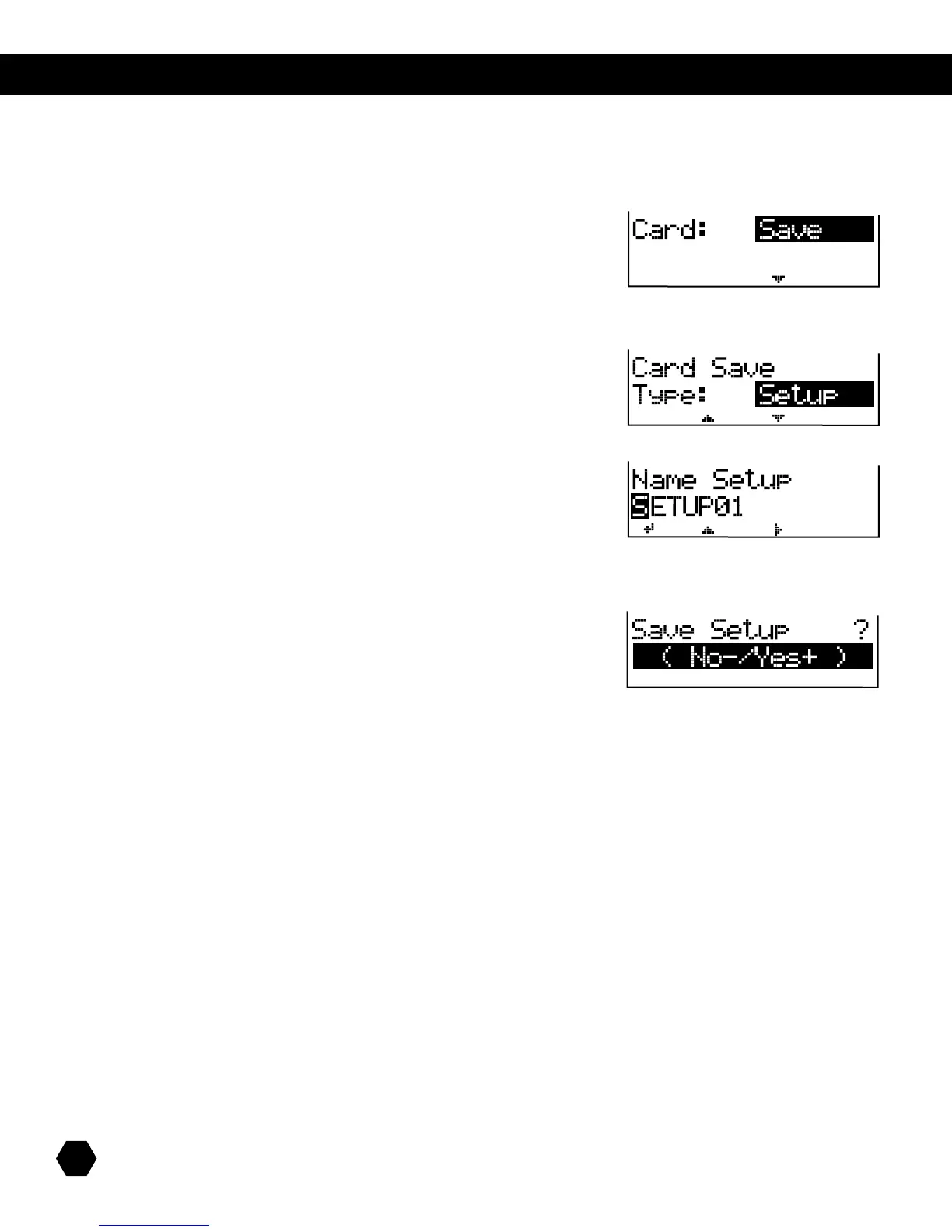
YoucansaveSD9Ksetupdatatothecard.SetupdataincludesglobalsettingssuchasPad,Click,MIDI,etc.
Select Card: Save option:
Press [PAGE DOWN] to select the Type of file to save.
To save a setup file to card, select Type: Setup:
Press [PAGE DOWN]togototheSetuple-namingpage:
UsetheDatawheelor[+]/[-] buttons to change characters and the [PAGE] buttons to move the cursor.
Press [+] to save or [-] to cancel.
Afterthesaveoperationiscompleted,thescreenwillbrieydisplay“SaveOK!,”thenreturntotheCardSaveTypepage.



 To Next Page