OPERATION
19 988-12718-003
4 OPERATION
This section describes the main operating procedures used when
operating the GC80/85 Compact MK2 Gyro compasses.
4.1 System start-up and shut-down
A GC80/85 Compact Gyro system is usually left with power on. If the
system has to be shut down and restarted, follow the procedures
described in the following sections.
Start-up
Caution
Before the Gyro compass is turned into normal operation, it has to be
configured according to the description in System start-up and
software configuration page 61 onwards.
1 Turn ON the Gyro system by pressing the POWER button on the
Control panel. Follow the start-up sequence.
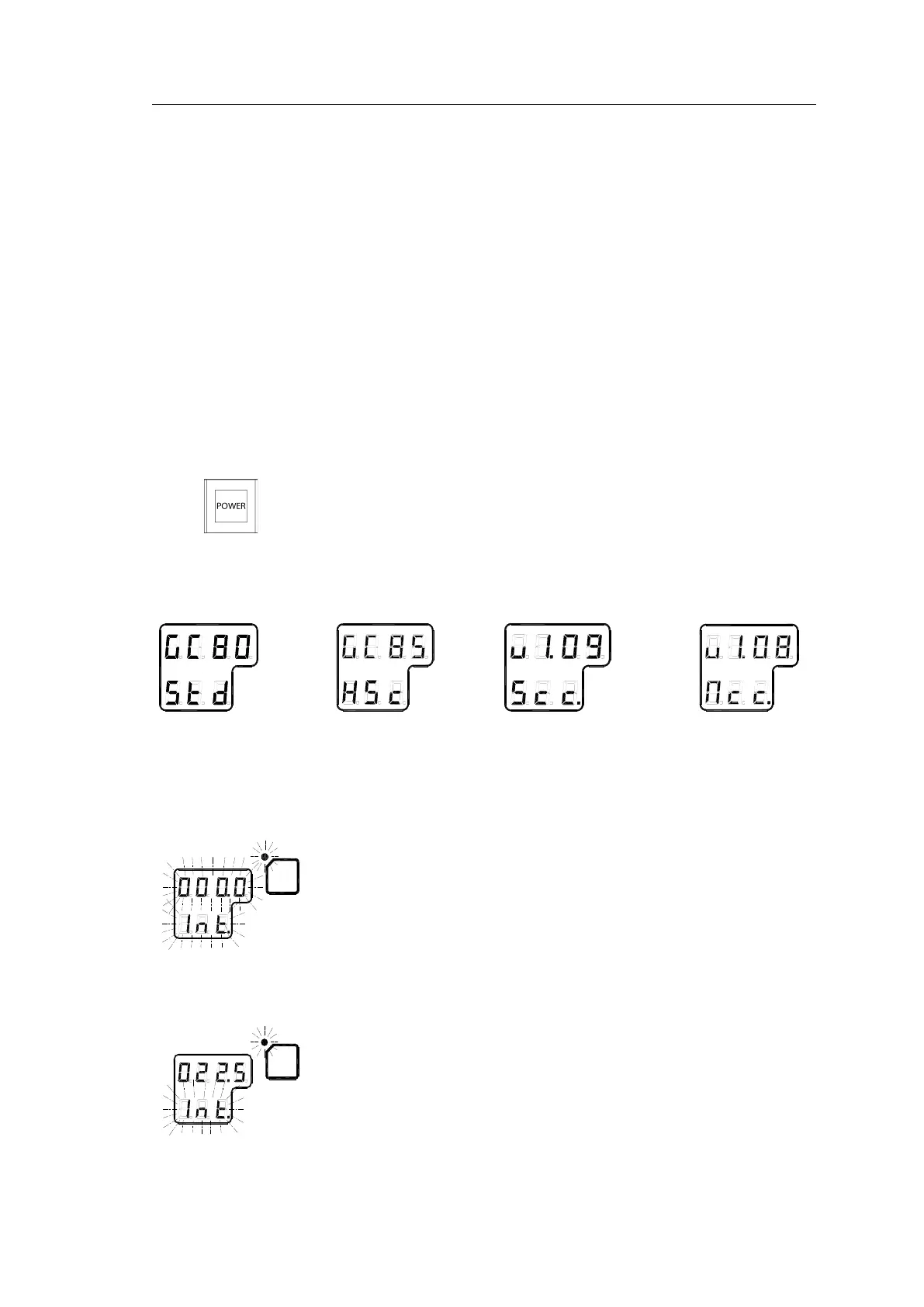
2 Control unit type (GC80 Std, or GC85 HSc), software version for
Control unit and for Master compass is displayed in rapid succession.
Examples of display text are shown below:
GC80 CONTROL
UNIT
STD VERSION
GC80 CONTROL
UNIT
HIGH SPEED
VERSION
SOFTWARE VERSION
CONTROL UNIT
SOFTWARE VERSION
MASTER COMPASS
3 If the rotor is not completely stopped when the POWER button is
pressed, a rotor break function will be activated to stop the rotor.
Active rotor break is indicated with flashing display.
4 When the turning stops, the Sensitive element starts rising
horizontally and the compass rotates 360° clockwise. The display
shows decreasing bearing as the compass is turning.
5 When the compass has rotated 360°, start bearing is indicated with
flashing text in the display. The start bearing will be the same as
active bearing when the compass was turned OFF.



 To Next Page