Simrad GC80/85 Compact MK2 Gyro Compass
988-12718-003 64
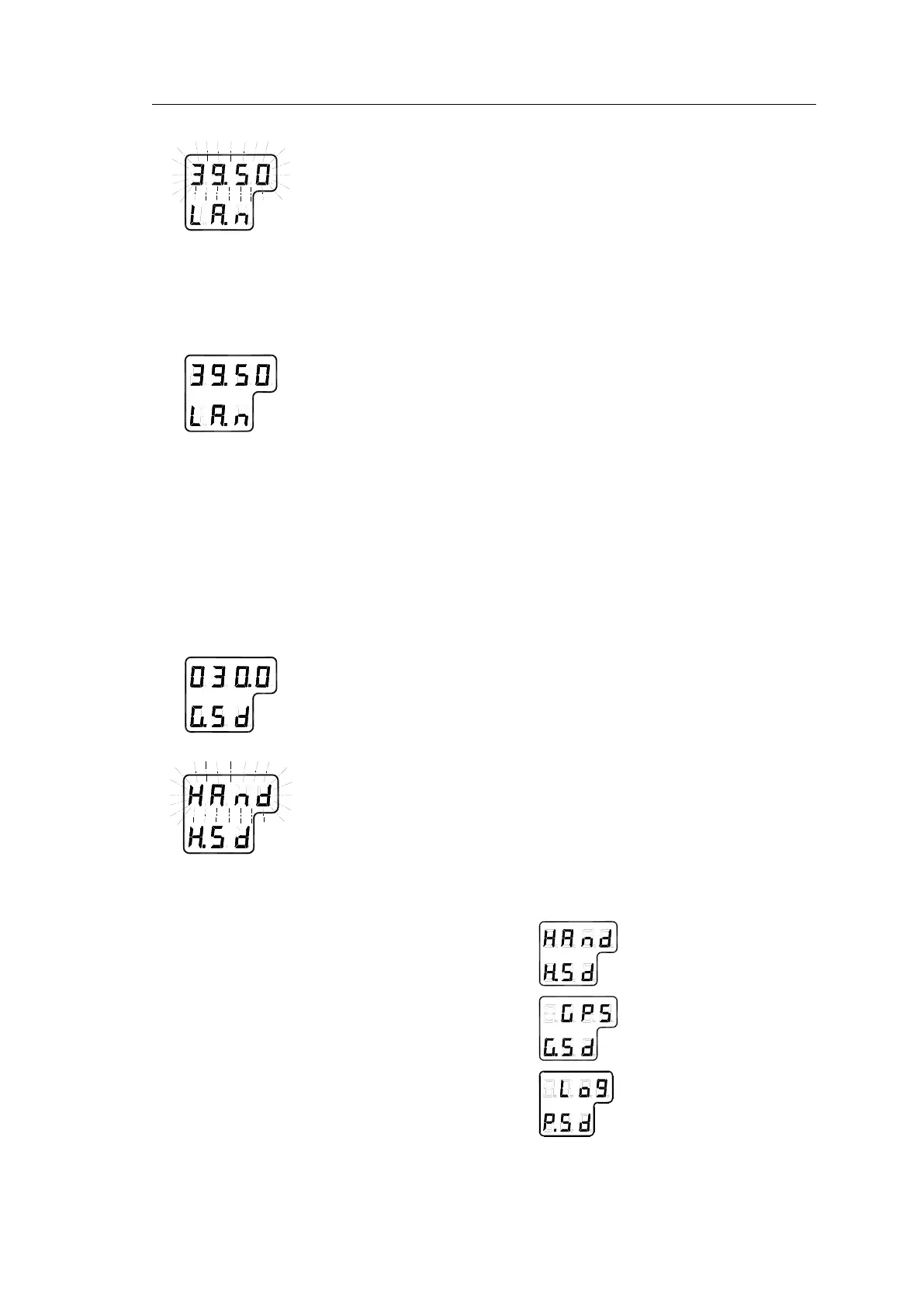
- If Gyro is selected, the display will change to flashing numbers
- If GPS is selected, the display will show the latitude value read from
the GPS
4 When Gyro is selected and the numbers are flashing, press the
ARROW buttons to increase/decrease the latitude value and
confirm the entry with the ACK/ENT button.
- This entered latitude value is used, together with speed and
bearing information, to calculate the vessel’s current latitude.
5 The display will return to show latitude value without flashing.
Note!
If GYRO is selected you need to verify that GPS connection is set to Non in
extension menu A-2, 2.9.G.
Setting the Speed input source
When the system is configured as described in
Configuring the Gyro
system
on page 62 onwards, the speed input source can be changed as
described below:
1 Press the DISP button until the display shows speed value and
speed input source.
2 Press the SET button once, and the upper line in the display starts
flashing.
3 Use the ARROW buttons to toggle between available speed input
sources:



 To Next Page