CONTROL SYSTEM
AB16EJ Plus Maintenance Manual 113
© Mar. 2023
10.5 SETTING
Personnel who have not been professionally
trained and authorized by Sinoboom are not
allowed to modify the options in parameter
setting (including joystick calibration, sensor
calibration, standardization setting, overload limit
setting, travel limit setting, interlock unlocking
and position parameter setting); otherwise they
will be responsible for the consequences.
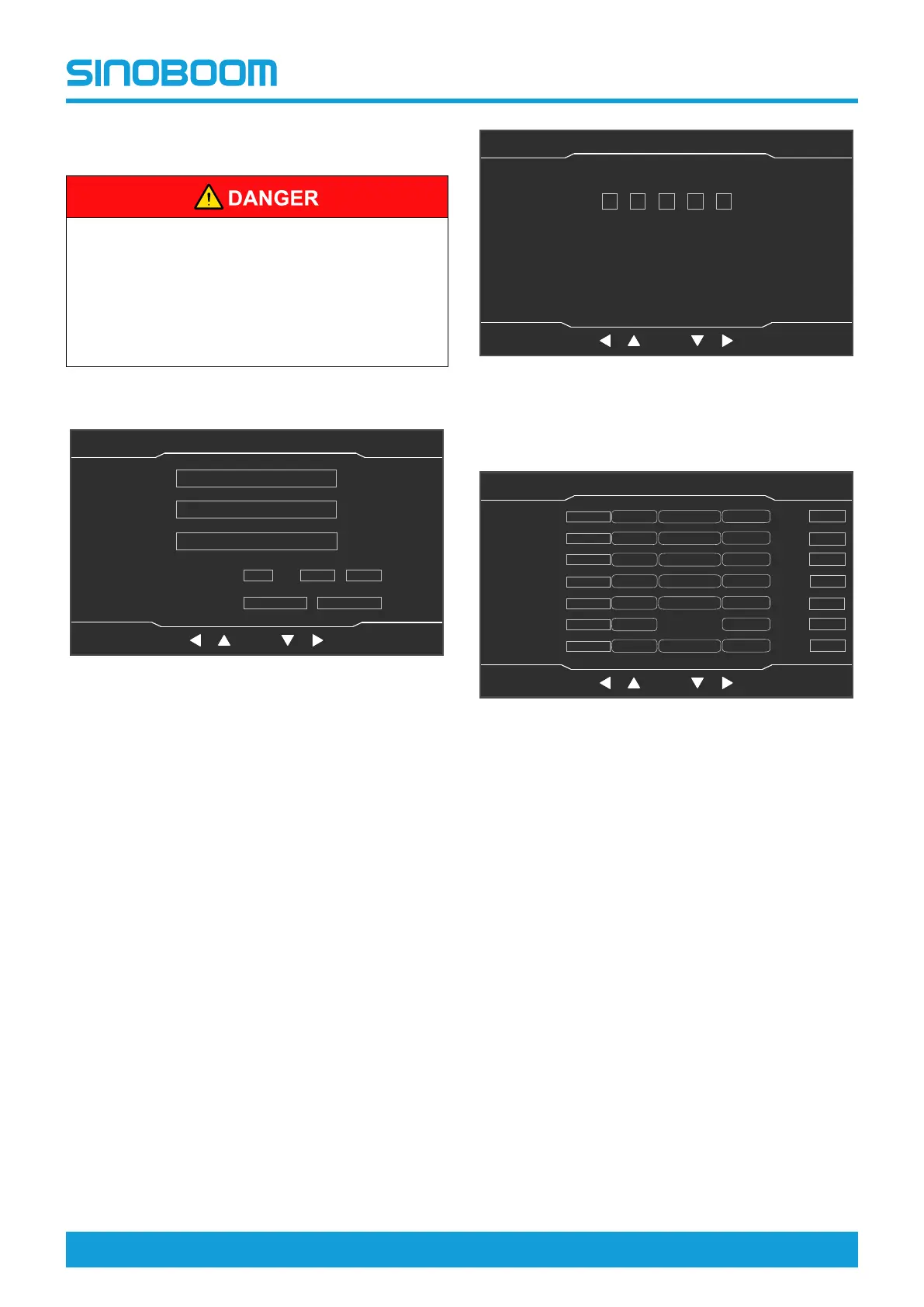
On the Home interface, press the Setting button to enter
the System Setting interface.
Fig 7 System Setting interface
Machine Parameter Setting
1. On the System Setting interface, select Machine
Parameter Setting by pressing the up shift key and
down shift key, and press OK button to enter Ma-
chine Parameter Setting (1/7) interface.
Note: A password is required to enter this interface.
Use the left shift key and right shift key to change
the selected item, and use the up shift key and
down shift key to adjust the value of the selected
item.
Fig 8 Password interface
2. The Machine Parameter Setting (1/7) interface is
mainly used for joystick calibration.
Fig 9 Machine Parameter Setting (1/7) interface
1) Select the calibration item by pressing the up
shift key, down shift key, left shift key and right
shift key, push the joystick to the corresponding
position, and press and hold the OK button for 3
seconds to save and complete the calibration.
2) If the parameters of the item need to be re-cali-
brated, press the Setting button to return to the
System Setting interface, then re-enter the Ma-
chine Parameter Setting (1/7) interface, and re-
peat the previous steps.
3) Press the Home button to return to the Home in-
terface, and power off the machine as needed.
3. On the Machine Parameter Setting (1/7) interface,
press the Next button to enter the Machine Parame-
ter Setting (2/7) interface, which is mainly used for
sensor calibration.
OK
System Setting
主页面 主页面 状态监控 状态监控 参数设置 参数设置
故障查询 故障查询
OK
设备状态(1/3)
主辅臂检测开关
机器处于工作状态
脚踏开关
折臂降到位开关
折臂升到位开关
主臂降到位开关
主臂升到位开关
主臂缩到位开关
后方检测开关
水平开关
Machine Parameter Setting
System Time Setting
Machine Info
Language
中文
English
日本
語
Unit
Internation Imperial
Home StateMonitor Seeting Faults
OK
Password
主页面 主页面 状态监控 状态监控 参数设置 参数设置
故障查询 故障查询
OK
设备状态(1/3)
主辅臂检测开关
机器处于工作状态
脚踏开关
折臂降到位开关
折臂升到位开关
主臂降到位开关
主臂升到位开关
主臂缩到位开关
后方检测开关
水平开关
0 0 0 0
0
Home Setting
FaultsStateMonitor
OK
Machine Parameter Setting(1/7)
主页面 主页面 状态监控 状态监控 参数设置 参数设置
故障查询 故障查询
OK
设备状态(1/3)
主辅臂检测开关
机器处于工作状态
脚踏开关
折臂降到位开关
折臂升到位开关
主臂降到位开关
主臂升到位开关
主臂缩到位开关
后方检测开关
水平开关
Turntable
Swing Joystick
MB Lift
Joystick
MB Telescope
Joystick
Drive Joystick
Steer Joystick
Platform Poten
tionmeter
Jib Rotate
Joystick
0
Min Value Median Value
Max Value
Dead
Value
0
0 Min Value Median Value
Max Value
Dead
Value
0
0
Min Value Median Value
Max Value
Dead
Value
0
0
Min Value Median Value
Max Value
Dead
Value
0
0 Min Value Median Value
Max Value
Dead
Value
0
0
Min Value
Max Value
Dead
Value
0
0 Min Value Median Value
Max Value
Dead
Value
0
Home Setting
Faults
Next








 To Next Page