CONTROL SYSTEM
AB16EJ Plus Maintenance Manual 115
© Mar. 2023
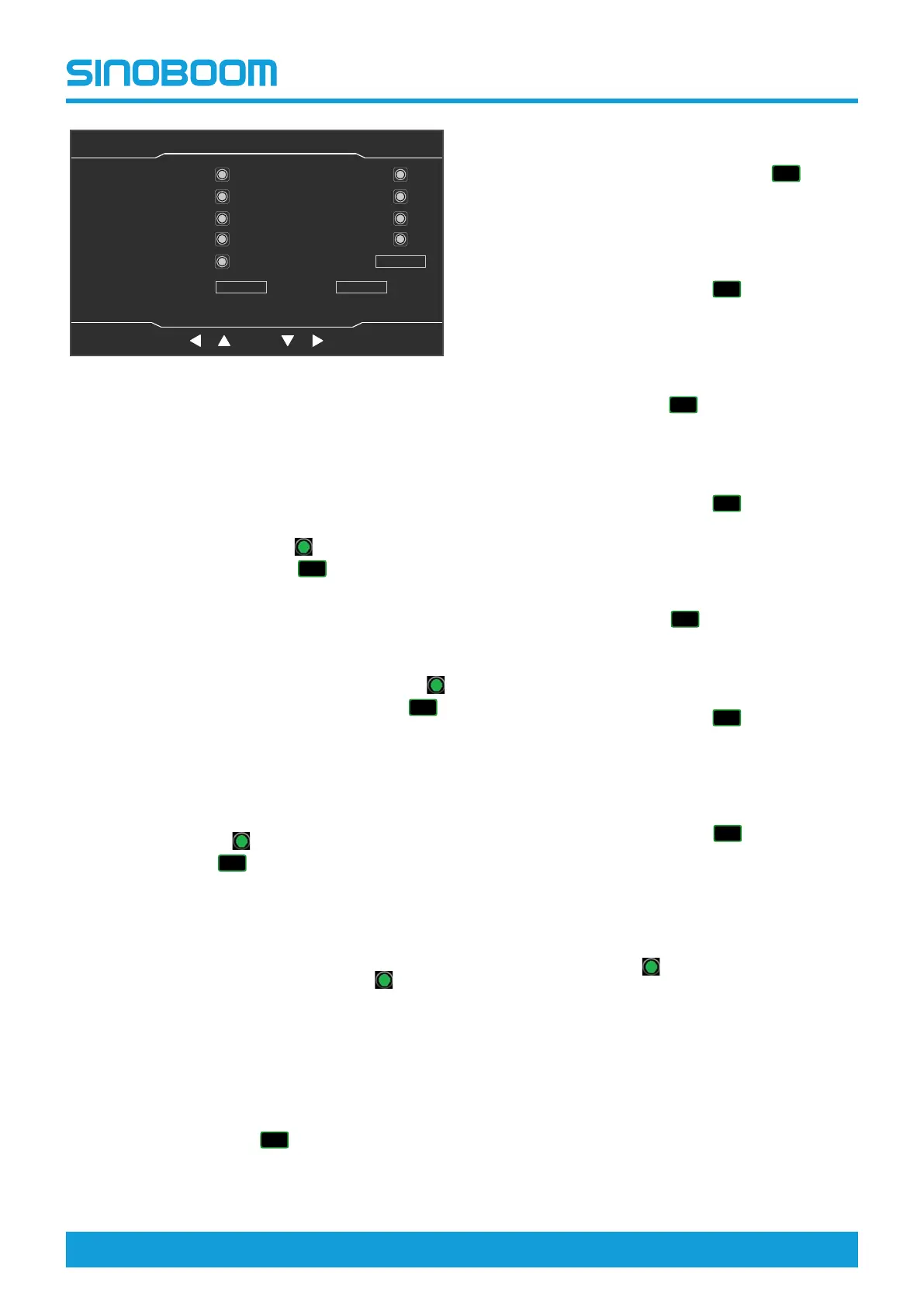
Fig 12 Machine Parameter Setting (4/7) interface
1) On the interface, select the required standard or
function by pressing the up shift key, down shift
key, left shift key and right shift key.
2) Overload limit setting: Select the Overload
Limit option, and press and hold the OK button
for 3s to confirm the setting. The corresponding
indicator light will light up
after successful
setting, and the KG icon ( ) will be dis-
played in the upper right corner of the Home
interface.
3) Drive Limit (Work State) setting: Select the
Drive Limit (Work State) option, and press and
hold the OK button for 3s to confirm the setting.
The corresponding indicator light will light up
after successful setting, and the DR icon ( )
will be displayed in the upper right corner of the
Home interface.
4) Interlock Remove (Drive/Boom) setting: Se-
lect the Interlock Remove (Drive/Boom) option,
and press and hold the OK button for 3s to con-
firm the setting. The corresponding indicator
light will light up
after successful setting, and
the D/B icon ( ) will be displayed in the
upper right corner of the Home interface.
5) Standard setting: Select the Standard Set op-
tion, change the value by pressing the up shift
key and down shift key, and press and hold the
OK button for 3s to confirm the setting. The cor-
responding indicator light will light up
after
successful setting.
• After changing the value to “0” and confirm-
ing the setting, the program will not imple-
ment any standard restrictions.
• After changing the value to “1” and confirm-
ing the setting, the program will implement
the restrictions of CE standard, and the icon
of CE standard ( ) will be displayed in
the upper right corner of the Home interface.
• After changing the value to “2” and
confirming the setting, the program will im-
plement the restrictions of ANSI standard,
and the icon of ANSI standard ( ) will be
displayed in the upper right corner of the
Home interface.
• After changing the value to “3” and confirm-
ing the setting, the program will implement
the restrictions of CSA standard, and the
icon of CSA standard ( ) will be dis-
played in the upper right corner of the Home
interface.
• After changing the value to “4” and confirm-
ing the setting, the program will implement
the restrictions of AS standard, and the icon
of AS standard ( ) will be displayed in
the upper right corner of the Home interface.
• After changing the value to “5” and confirm-
ing the setting, the program will implement
the restrictions of KCS standard, and the
icon of KCS standard ( ) will be dis-
played in the upper right corner of the Home
interface.
• After changing the value to “6” and confirm-
ing the setting, the program will implement
the restrictions of JIS standard, and the icon
of JIS standard ( ) will be displayed in
the upper right corner of the main interface.
• After changing the value to “7” and confirm-
ing the setting, the program will implement
the restrictions of EAC standard, and the
icon of EAC standard ( ) will be dis-
played in the upper right corner of the Home
interface.
• After changing the value to “8” and confirm-
ing the setting, the program will implement
the restrictions of UKC standard, and the
icon of UKC standard ( ) will be dis-
played in the upper right corner of the Home
interface.
6) Reserve Bit setting: the reserve bit is re-
served for later use. Select the Reserve Bit op-
tion, and press and hold the OK button for 3s to
confirm the setting. The corresponding indicator
light will light up
after successful setting.
7) Clear Total Work Time setting: Select the Clear
option, and press and hold the OK button for 3s
to complete the clearing. The total work time
can only be cleared once (after clearing, the to-
tal work time will be about 36.5h), so please use
the function with caution.
8) If re-selection is required, press the Setting but-
ton to return to the System Setting interface,
then enter the Machine Parameter Setting (4/7)
interface again and repeat the previous steps to
select the required option.
OK
Machine Parameter Setting(4/7)
主页面 主页面 状态监控 状态监控 参数设置 参数设置
故障查询 故障查询
OK
设备状态(1/3)
主辅臂检测开关
机器处于工作状态
脚踏开关
折臂降到位开关
折臂升到位开关
主臂降到位开关
主臂升到位开关
主臂缩到位开关
后方检测开关
水平开关
Overload Limit
Reserve Bit1
0.01h
Reserve Bit3
Reserve Bit5
Interlock Remove(Drive/
Boom)
Clear Total Work Time
Drive Limit(Work State)
Reserve Bit2
Clear
Reserve Bit4
Reserve Bit6
Standard Set
0
Home Setting
Faults
Next








 To Next Page