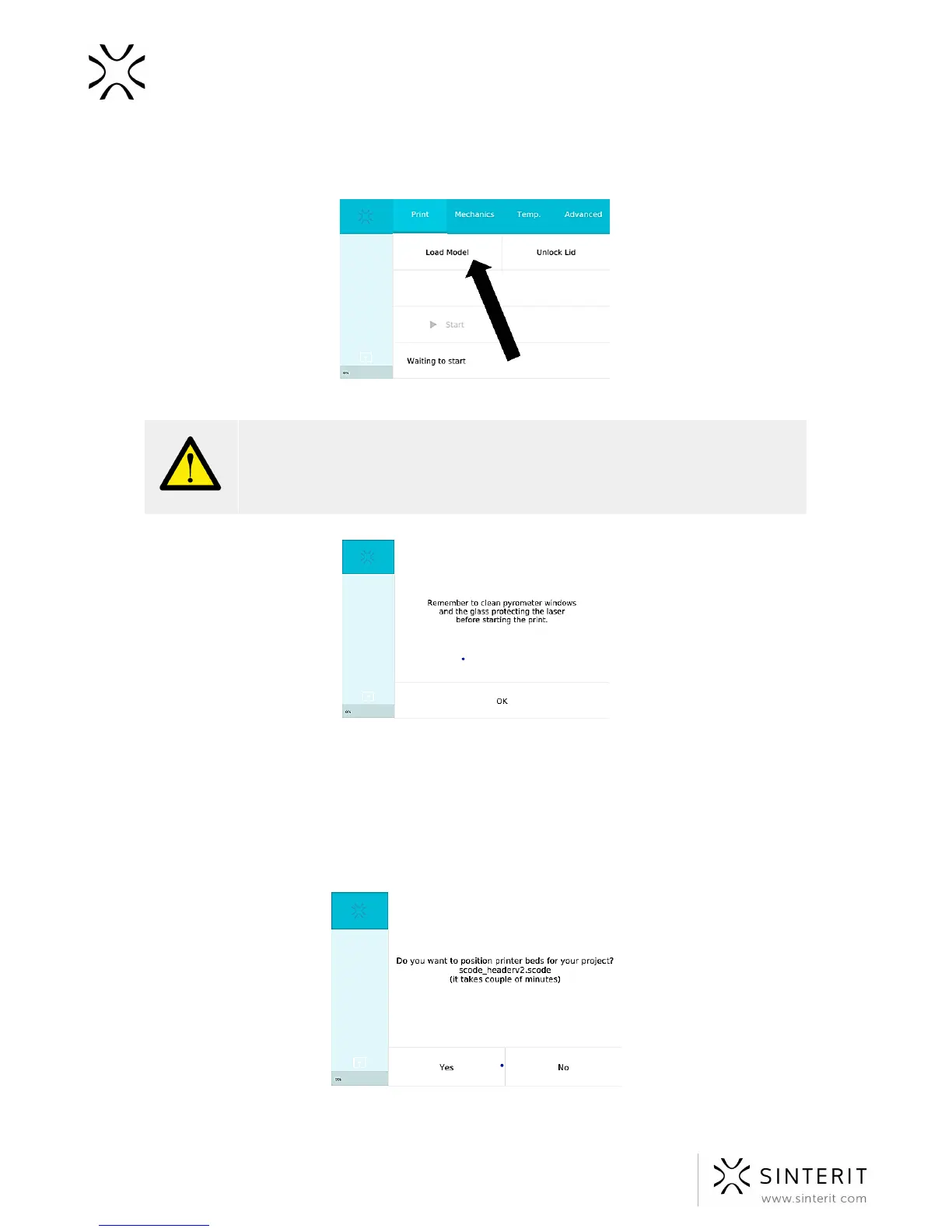
d. in order to load a file already stored in the printer’s internal memory, select:
PRINT//RECENT MODELS//file name.
Image.Loading file for printing.
WARNING!
Carefully read all messages displayed on the screen when preparing the
printing process. Skipping the described operations may result in incorrect
printing or device failure.
Image. Example message – reminding to clean the pyrometer and camera windows.
2. After the model has been loaded to the internal memory, a message concerning the
positioning of the Beds will be displayed. In order to initiate it, press YES. The
process approximates the usage of powder required for printing. During this
operation, the height of both Beds is set in accordance with the currently selected
printing process.
Image.Message/question concerning positioning the BEDs.
48 Sinterit Lisa USER MANUAL



 To Next Page