64 57 498 D3543
134 D3543.201.01.05.02 08.2016
4Operation Sirona Dental Systems GmbH
4.5Dentist element Operating Instructions INTEGO
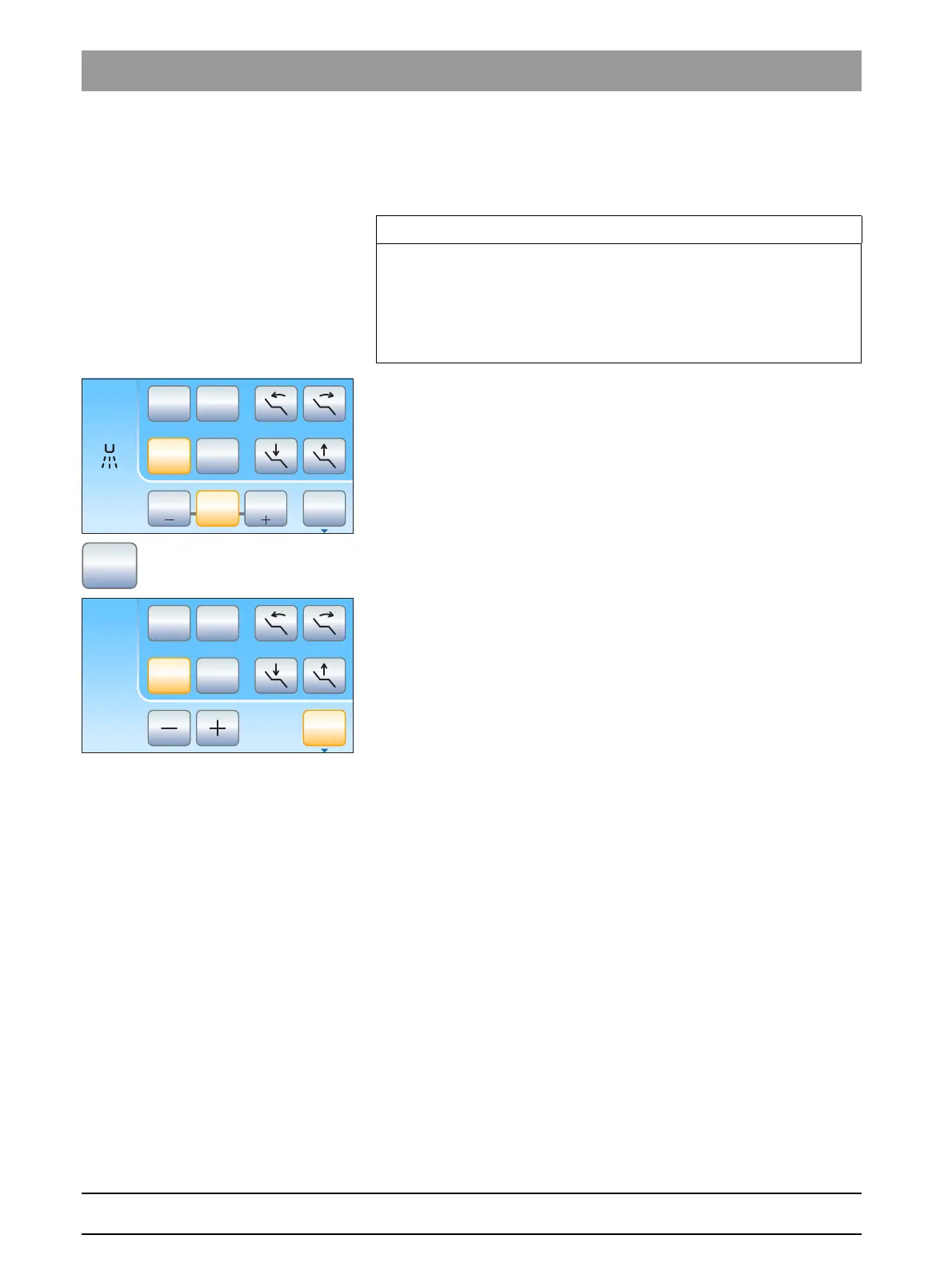
Switching on the endodontics function
The intensity of the endodontics function is limited for safety reasons,
e.g., in order to prevent broken needles.
Ultrasoni c handpiece, Endo i ntensity values
✔ The SIROSONIC L scaler is removed.
✔ The
Ultrasonic dialog
is displayed on the touchscreen.
➢ Touch the
Endo
key.
The key is highlighted orange. In the ultrasonic dialog, the
endodontics intensity is displayed instead of the ultrasonic
intensity.
IMPORTANT
Endo intensity values
The intensity can be adjusted from 1e to 5e. Please note that the
endodontics intensity values of 1e to 5e do not match the values of 1 to
5 in the calculus removal mode.
Always use the endo function for endodontics!
B
10:45:03
2
1
0S
50
Endo
1 10050
Set















 To Next Page