64 57 498 D3543
D3543.201.01.05.02 08.2016
291
Sirona Dental Systems GmbH 5Care, cleaning and maintenance by the practice team
Operating Instructions INTEGO 5.7Fuse of the external device connection
båÖäáëÜ
5.7
Fuse of the external device connection
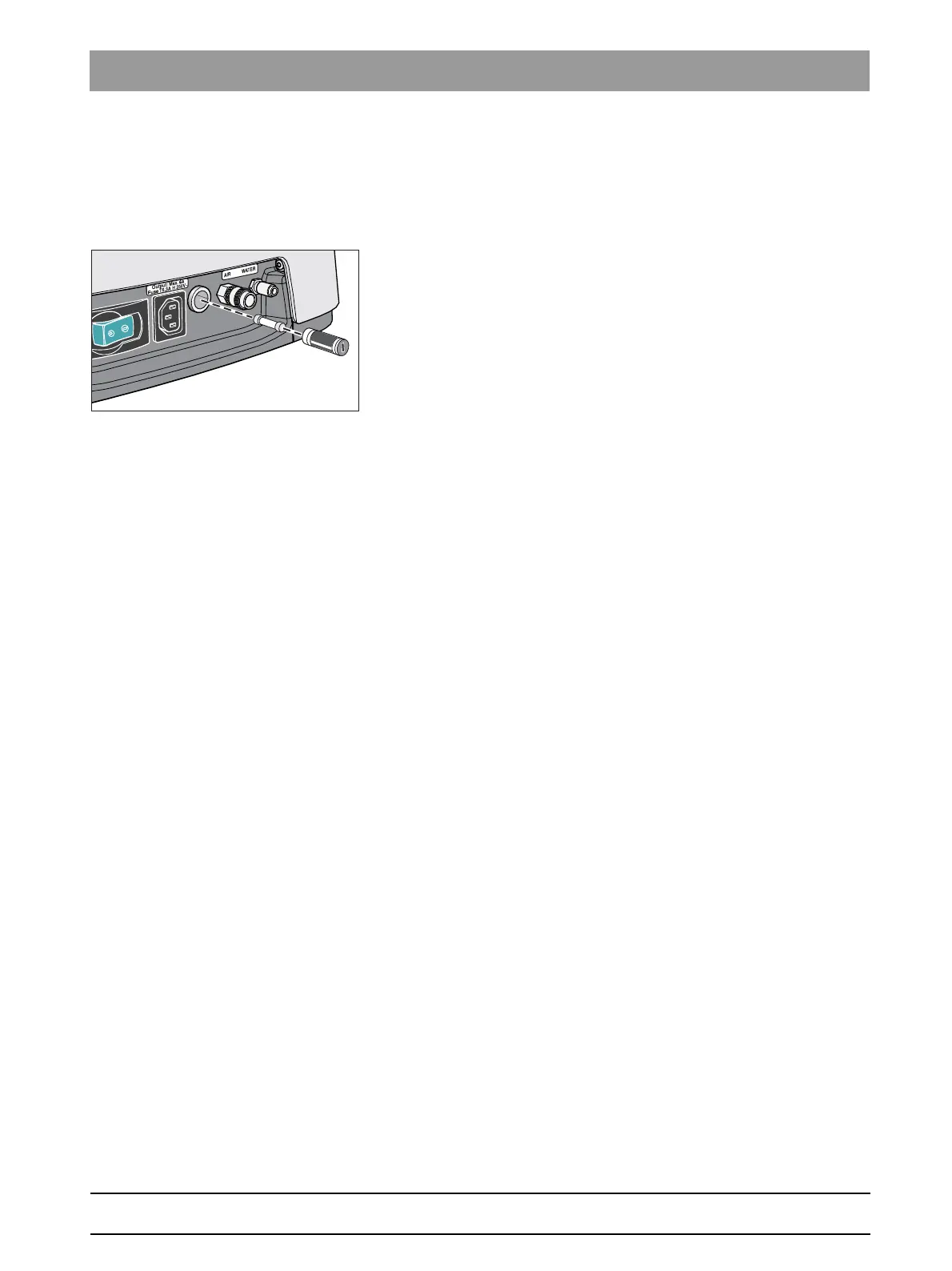
Changing the fuse of the external device connection
The inlet connector remains live even when the power switch is turned off.
The fuse can nevertheless be changed.
To reorder the fuse, see "Spare parts and consumables" [ → 299].
✔ The inlet connector is not supplying any power.
1. Pull the plug of the connected device out of the inlet connector.
2. Use a screwdriver to unscrew the fuse sleeve.
3. Replace the fuse (T 6.3 A, 250 VAC) and screw the fuse sleeve back
in.
4. Reconnect the external device to the inlet connector.
If the inlet connect still is not supplying any power, contact the
manufacturer of the connected device or your local distributor.















 To Next Page