64 57 498 D3543
290 D3543.201.01.05.02 08.2016
5Care, cleaning and maintenance by the practice team Sirona Dental Systems GmbH
5.6Sanitizing Operating Instructions INTEGO
5.6.3 Display sanitation report
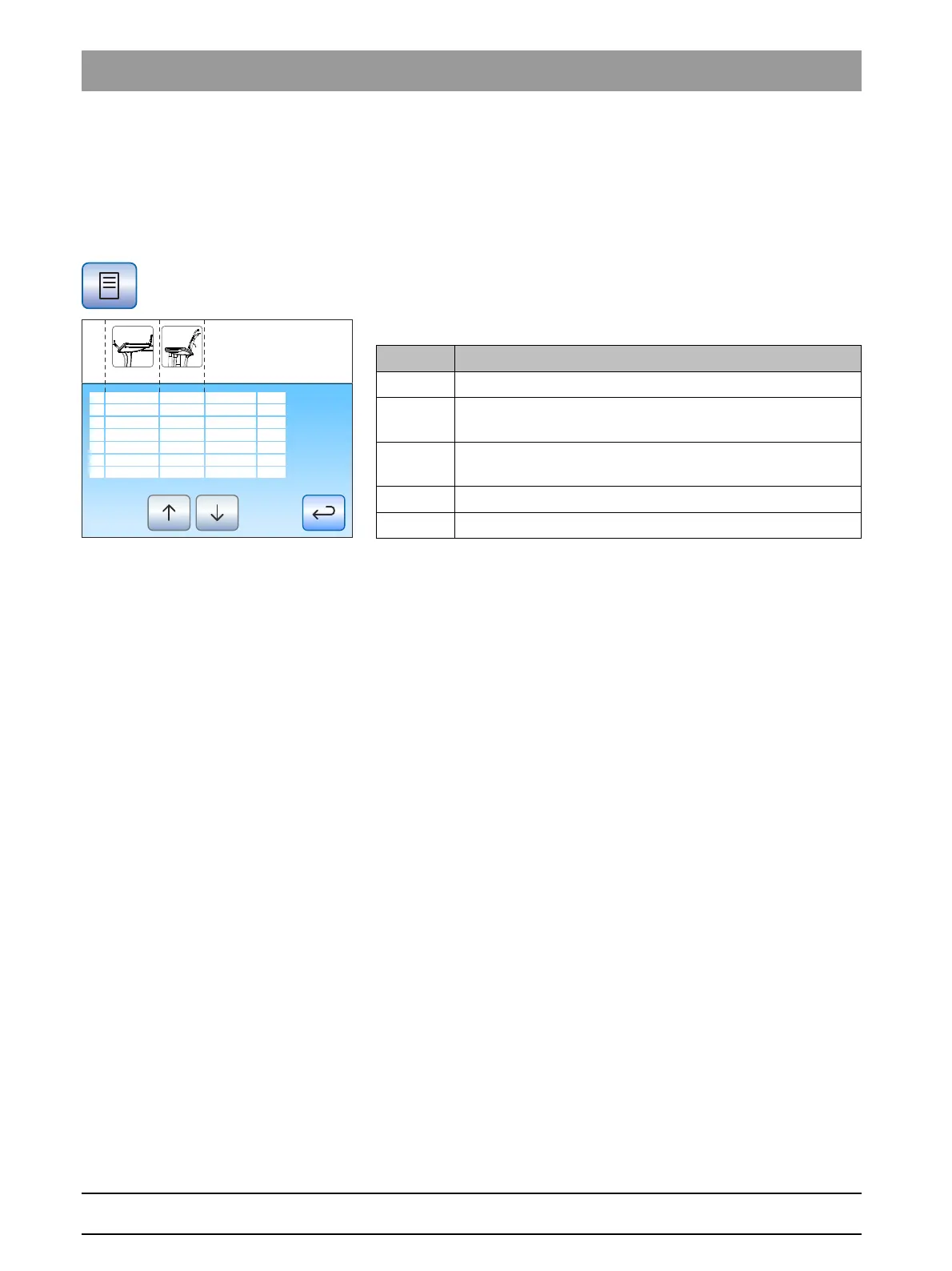
Sanitation process with Comfort user interface
If the treatment center is equipped with the EasyTouch comfort user
interface, sanitation processes with a reaction time of at least 24 hours
can also be displayed on the touchscreen.
✔ The
Sanitation program
is displayed on the touchscreen.
➢ Press the
Sanitation program
key to display the log.
The sanitation report is displayed.
The sanitation report contains the following data:
5 instrument holders on the dentist element
The status of column 3 and 4 can assume the following values:
+ = successful sanitation
- = Sanitation was not completed (e.g., interruption)
5.6.4 Biofilm removal by the service technician
If the microbiological test of the water from the treatment center does not
correspond with the hygiene requirements in spite of regular sanitization
of the water lines and/or regular purge/autopurge cycles, the biofilm must
be removed using special chemicals.
Biofilm removal should be performed if the bacterial count is significantly
above 100 colony forming units per mililiter.
Biofilm removal may only be done by a trained service technician. In this
case, please contact your dental depot.
Before initiating biofilm removal it must be ensured that the reason for the
raised bacterial count is not due to inflowing water.
AE
1 2 3 4 5
ASE
1 2 3 4
21.04.2014
15.05.2014
09.06.2014
07.07.2014
27.07.2014
22.08.2014
----------------
+ +
-
+
-
+ + + + -
+ + + + -
+
-
+
+-
+ + + + -
5
6
7
8
9
10
---
08:54
07:40
06:12
08:33
20:30
06:45
--------
+---
-
-
--
+
---
----
+---
+ + + + - + - - -
-----------------------------
Column Display
1 Sequential number
2 Status of sanitized instruments in dentist element, holder 1
to 5
3 Status of sanitized instruments in assistant element, holder
1 to 4
4 Date of sanitation
5Time















 To Next Page