64 57 498 D3543
302 D3543.201.01.05.02 08.2016
10Overview of all function keys Sirona Dental Systems GmbH
10.1Fixed keys Operating Instructions INTEGO
10
Overview of all function keys
For Instructions for Use
The following contains a brief description of the fixed keys on the dentist
and assistant elements and the function keys on the touchscreen and to
provide the reader with a quick overview of the significance of the
symbols on the keys. Detailed descriptions can be found in the
corresponding sections of this document.
10.1
Fixed keys
10.1.1 Dentist element with EasyPad
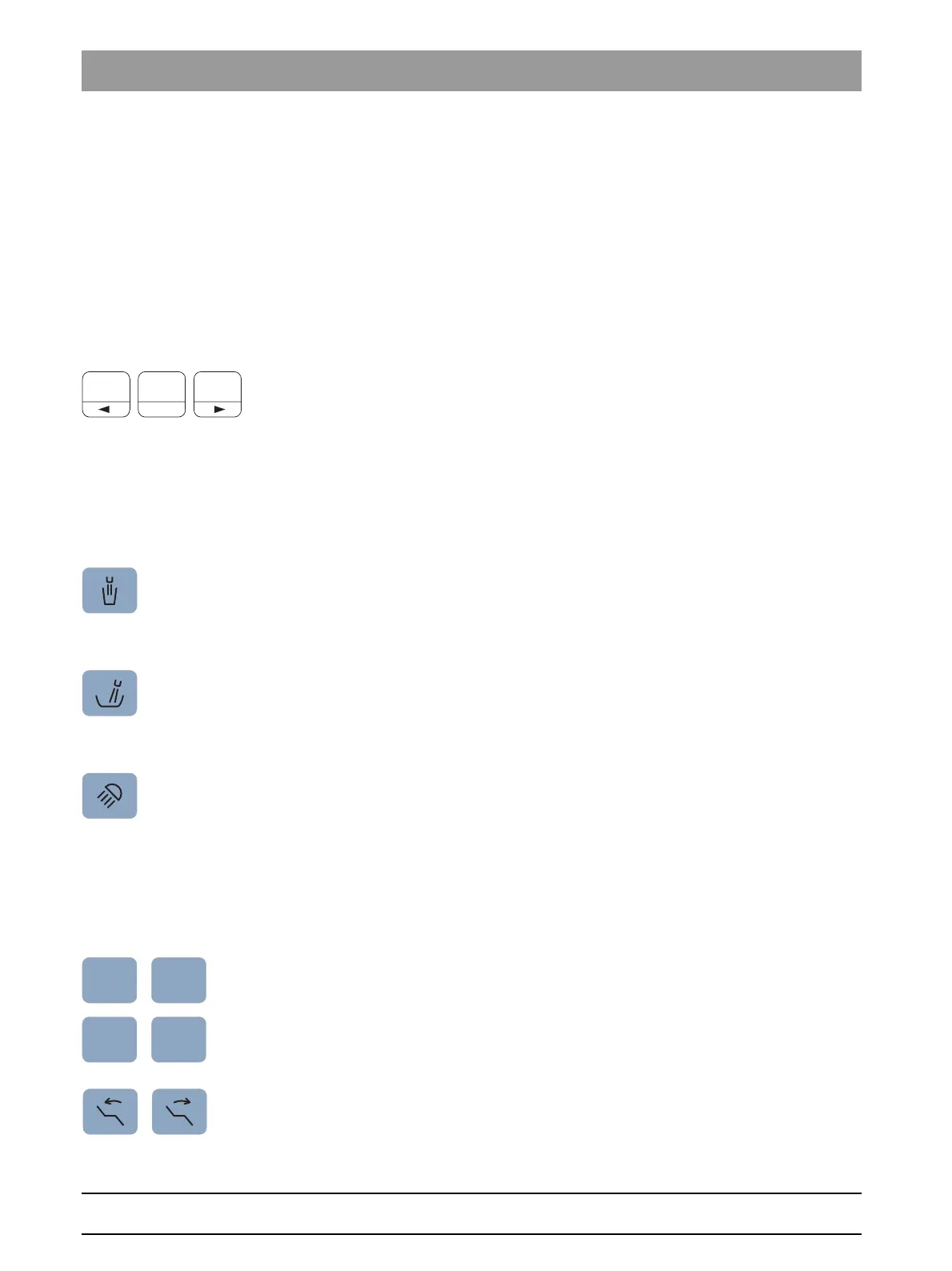
Favorite key pad
Resets the speed of the electric motor or intensity of the
scalerSIROSONIC L
For saving the instrument settings speed or intensity, maximum torque if
torque control is activated, and activating spray (only with C
+
electronic
foot control) on function keys 1, 2, and 3.
For custom configuration of the treatment center by the user.
Changing other settings, such as flushing and purging times.
Tumbler filling
Starts or stops the tumbler filling function.
Pressing the
Tumbler filling key
(> 2 s) displays the setting text for
coupling the tumbler filling to mouth rinsing position S and filling time.
Flushing
Starts or stops cuspidor flushing.
Pressing the
Flushing
key (> 2 s) displays the setting text for coupling
flushing to mouth rinsing position S and flushing time.
Operating light
Switches the operating light on, to the composite function, or off.
The composite function is used to prevent premature curing of composite
materials.
Operating context operating light
With the LEDlight, light intensity is set using the contactless sensor. With
the LEDview and LEDview
PLUS
, when the
Operating light
key is pressed
(> 2 s), the operating context for the light appears. The temperature of the
light can be set with LEDview
PLUS
.
Chair programs
Mouth rinsing position S with last-position memory function
(programmable)
Entry/exit position 0 (programmable)
Chair programs 1 and 2 (programmable)
Backrest tilt
Moves the seat and backrest without any compression or stretching
effects for the patient















 To Next Page