SMART Board User’s Guide
5
SMART Board Software
SMART Board Software Service
The SMART Board software service is the driver component of SMART Board software. It runs in the
background, translating interactive whiteboard contact into mouse behavior.
As soon as you install SMART Board software on a computer that’s connected to a SMART interactive
product, you’ll have touch control of the computer. You can activate programs, open and scroll through
files, even surf the Internet at the interactive screen. With SMART Board software, the hardware
automatically becomes touch sensitive each time you start your computer.
TIP
Use the on-screen keyboard to log on – before the SMART Board tools are even active.
When the log-on screen appears, press the Keyboard button on the pen tray. The on-
screen keyboard appears and you can type your user name and password without
moving to an actual keyboard.
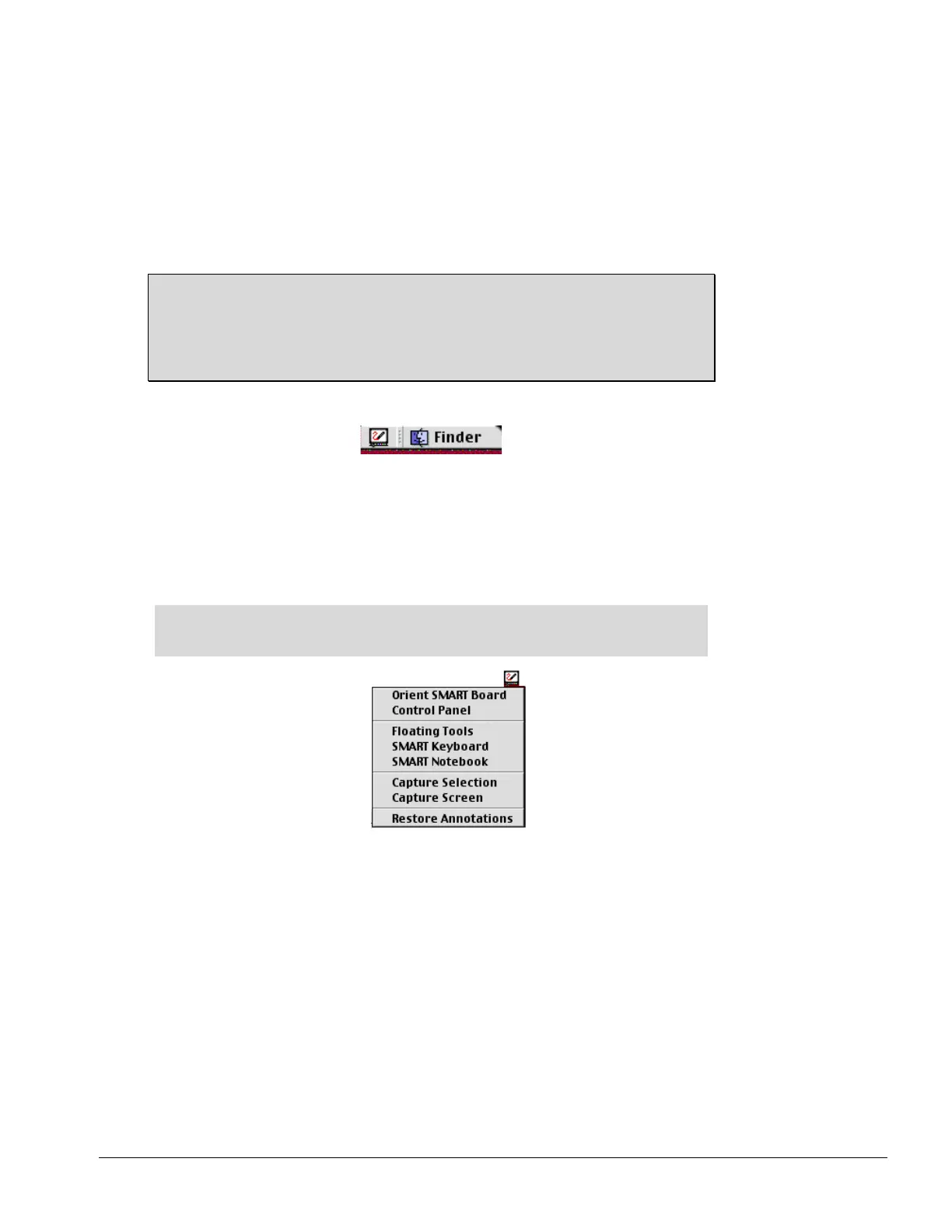
You’ll know this service is active when you see the SMART Board icon in the menu bar.
SMART Board Icon in the Menu Bar
SMART Board Tools
The remaining program components of SMART Board software – the SMART Board tools – provide all the
functionality beyond basic touch control and pen tray button use. Specifically, the SMART Board tools
provide you with annotation and tool-configuration capabilities. You can access the SMART Board tools by
pressing the SMART Board icon in the menu bar.
NOTE: The SMART Board tools must be running to use the pen tray styluses and
eraser. In other words, if you want to write on the interactive whiteboard with a pen tray
stylus, make sure the SMART Board icon appears in the menu bar.



 To Next Page