Basic Operation
102 smart CX01
6. If automatic time setting (GMT Usage) is switched off, then date and time
should be manually entered:
For this, select the item Date, select the position to be changed by using the
keys / or / , and enter the current date by using the numeric keys.
Then, select the item Time, select the position to be changed by using the keys
/ or / , and enter the current time by using the numeric keys.
7. Leave the menu by pressing EXIT until the screen shows the TV picture.
5.8 TV
You have several possibilities to select a channel:
x Direct channel selection;
x Channel selection via selection window; and
x Channel selection via search function;
as explained in the following sections.
5.8.1 Direct Channel Selection
¾ Select the desired channel by using the keys / PR+ and / PR-.
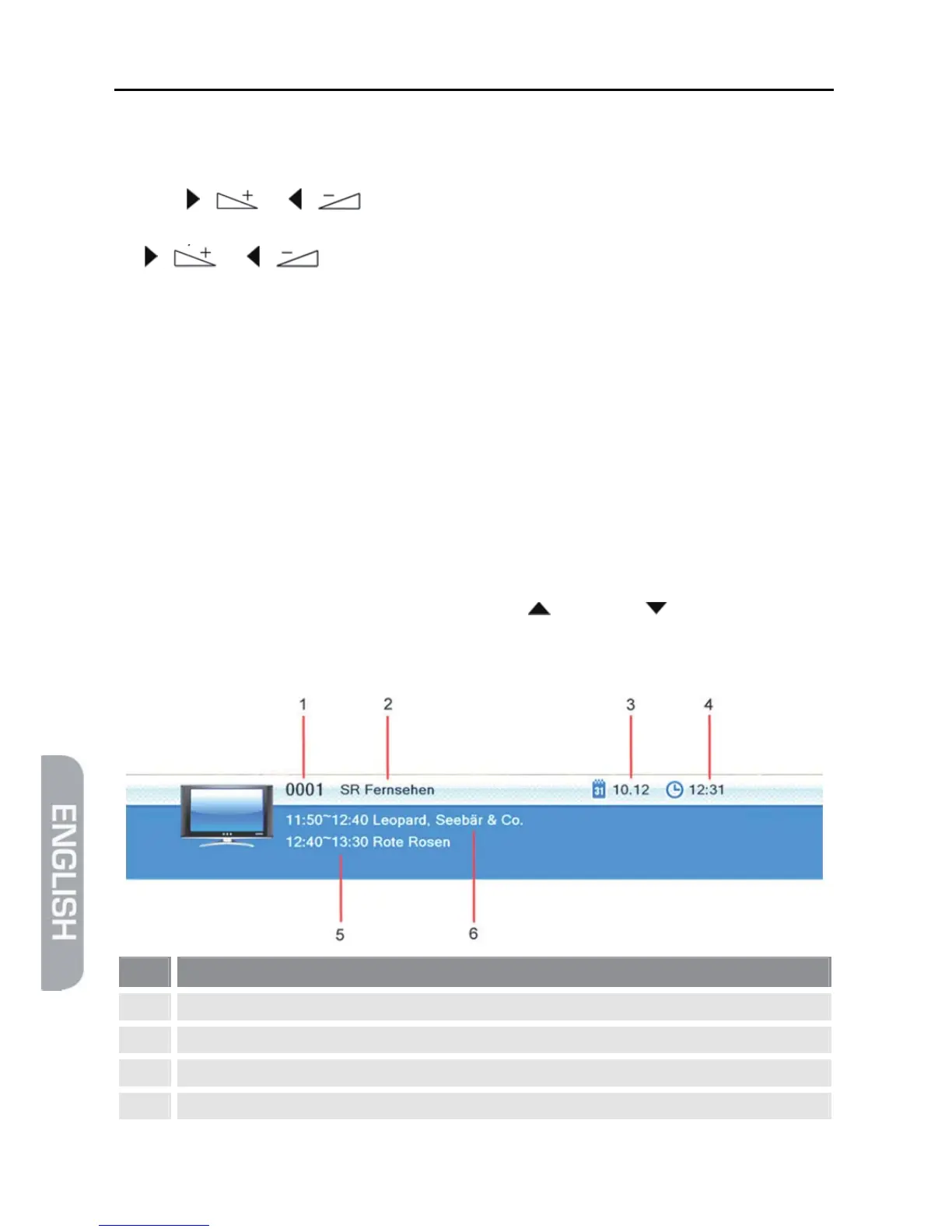
With each change of channel, an information window with information on the cur-
rent channel will be displayed:
No. Description
1 Channel number of current channel in current channel list
2 Channel name of current channel
3 Date
4 Time



 To Next Page