Basic Operation
94 smart CX01
5 Basic Operation
This chapter describes the required steps to be able to use the offer of radio and TV
channels provided via satellite.
5.1 Switch on Receiver
1. Switch on all connected devices.
2. Ensure that the correct AV input is selected at the TV set (i.e. that the signals
from the receiver are displayed).
3. Ensure that the correct audio input is selected at the connected home cinema or
hi-fi system.
4. Switch on the receiver by using the power switch (on the rear panel of housing)
(I, ON).
5.2 Installation
After first switching-on or after resetting the receivers, various windows will open:
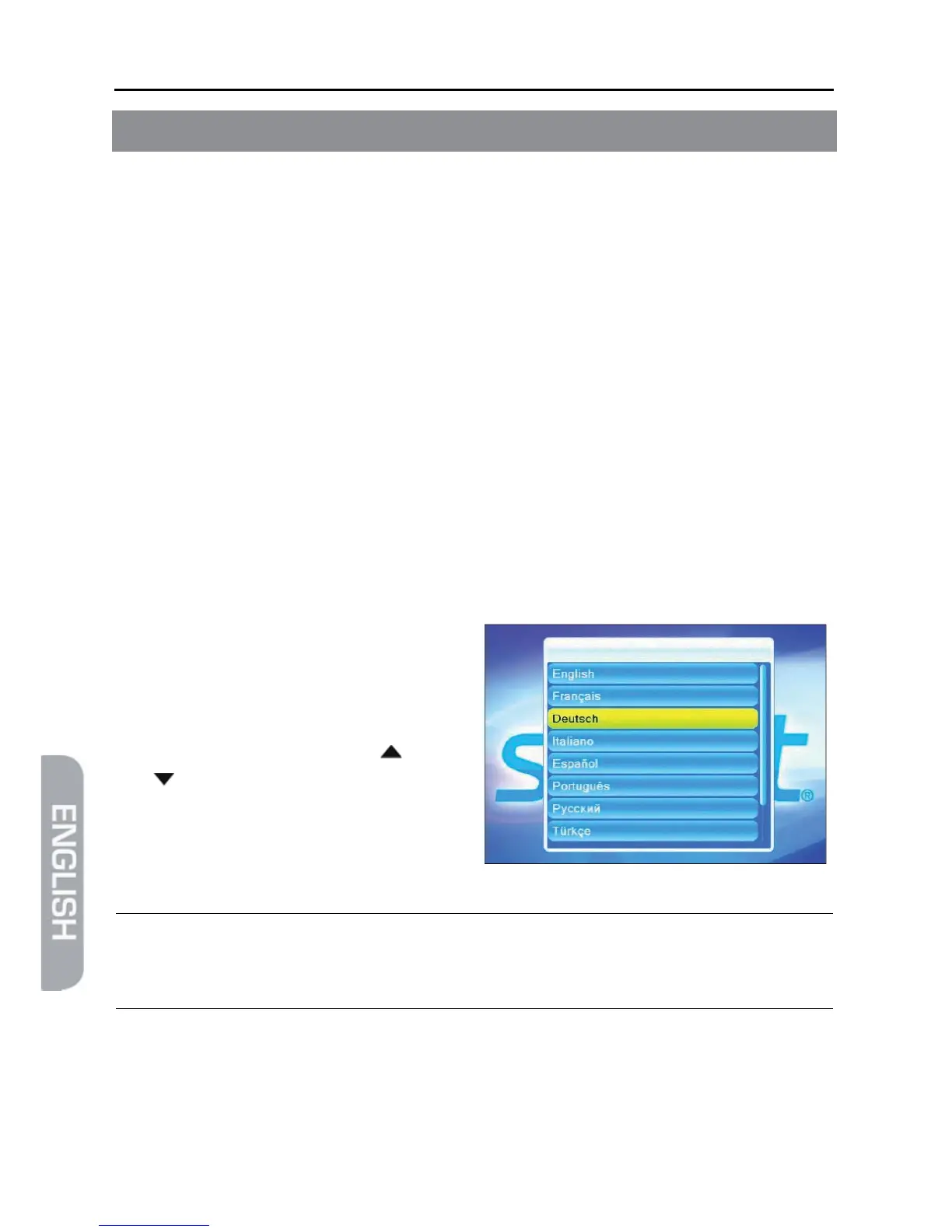
5.2.1 Language
By default, the smart CX01 language is
preset to Deutsch [German].
Please ensure that the setting is correct;
you may change your settings by corre-
spondingly pressing the keys / PR+
and / PR-.
¾ Confirm by pressing OK to go to the next window.
)
The submenu Language can be accessed anytime via the
menu Language.
5.2.2 RAPS Start
Your receiver is equipped with RAPS. RAPS means Receiver Automatic Program-
ming System. RAPS can automatically update the channel lists of your receiver.



 To Next Page