Basic Operation
110 smart CX01
5.8.7 Teletext
Teletext is an information system displayed on your TV set. Teletext is only possible
if the selected channel supports such function.
¾ Press the TXT key to activate teletext.
¾ Press the EXIT or TXT key to deactivate teletext.
5.8.8 Aspect Mode
¾ Press the V-MODE key several times to set the aspect ratio. Possible values:
Auto, 4:3PS, 4:3LB, 16:9LB (see table in section 7.3.1, page 128).
)
Setting of aspect ratio is also possible via the menu (see section
7.3.1)
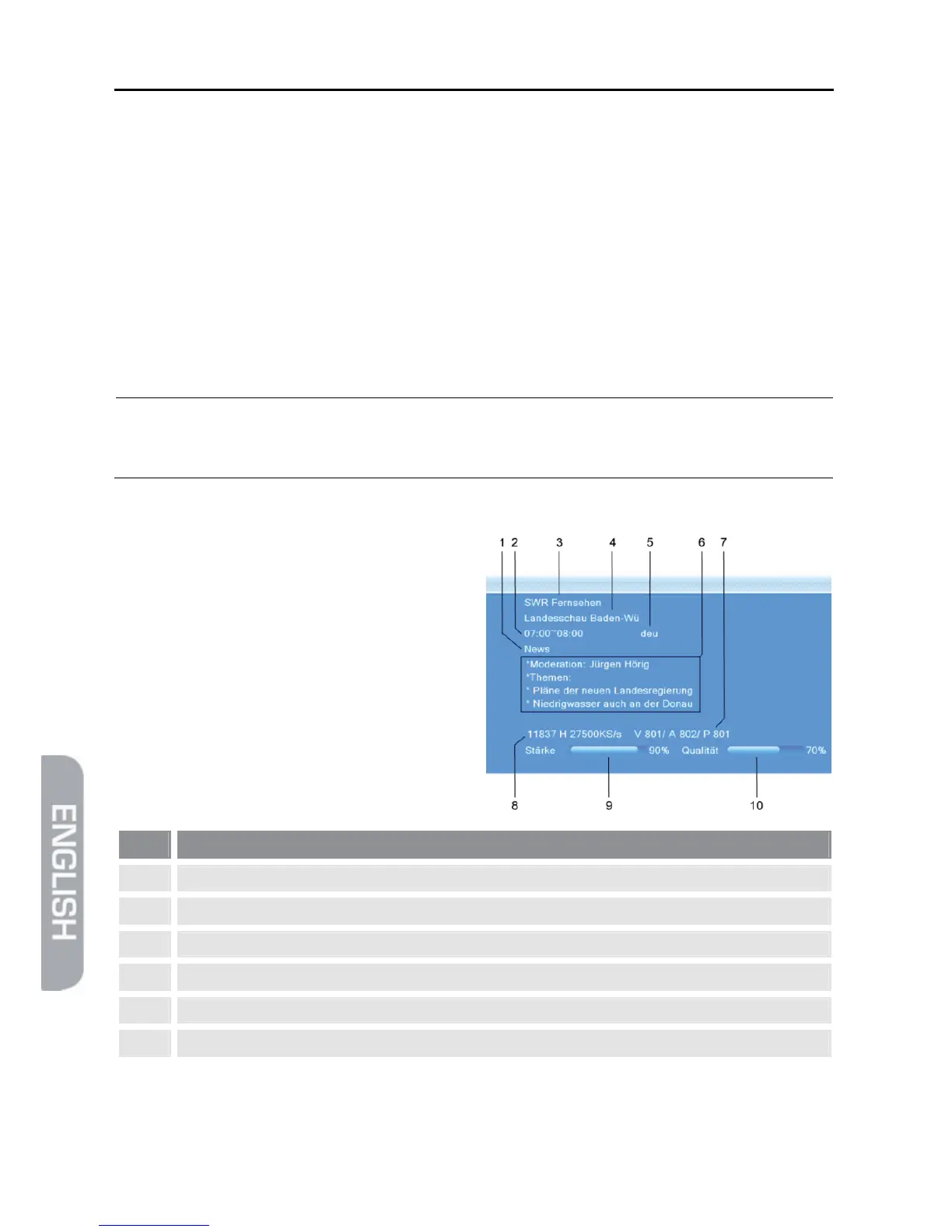
5.9 Program Information
Press the INFO key twice. The window
on the right will be displayed:
No. Description
1
Genre
2
Start time and end time of current program
3
Name of current channel
4
Name of current program
5
Language of current program
6
Detailed information on current program



 To Next Page