Basic Operation
smart CX01 103
No. Description
5 Name of next program
6
¾ Name of current program
)
¾ Press the INFO key to call this window at any time.
¾ Set display time at OSD Timeout (see section 7.3.3, page 131).
¾ Press EXIT two times to close the information window.
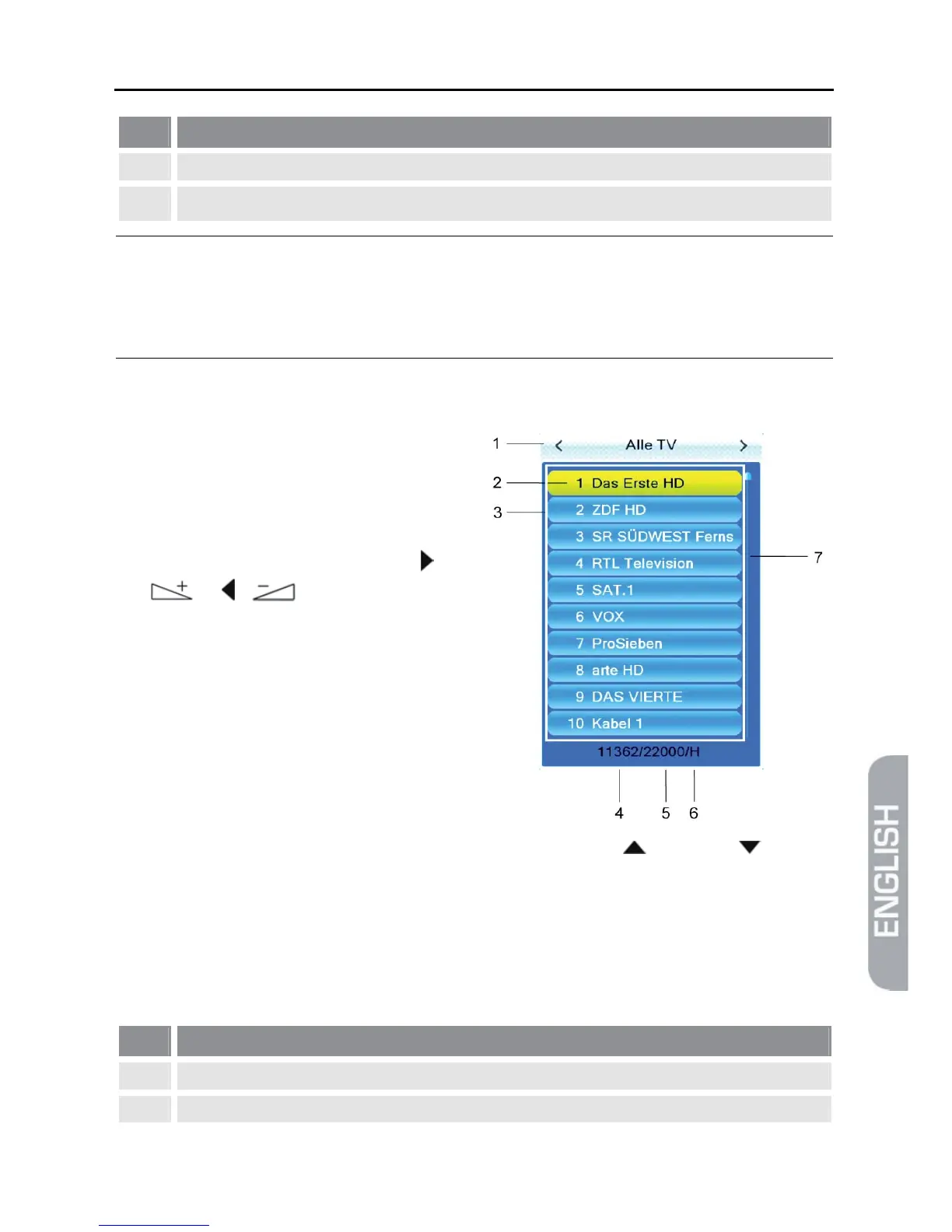
5.8.2 Channel Selection via Selection Window
1. Press the OK key to display a selec-
tion window with all available chan-
nels (3).
2. Select the channel list with the de-
sired channel by using the keys /
or / (1)
or
Press the FAV key to select from
your favorite lists (see p. 116).
3. Select the channel to be displayed (2) by using the keys / PR+ and / PR-
for single steps or P+ and P- for steps of ten, and confirm your selection by
pressing OK.
The channel will be correspondingly switched.
4. Press OK or EXIT to close the selection window.
Channel selection window:
No. Description
1 Display of current channel list
2 Marked channel



 To Next Page