Media Player
112 smart CX01
6 Media Player
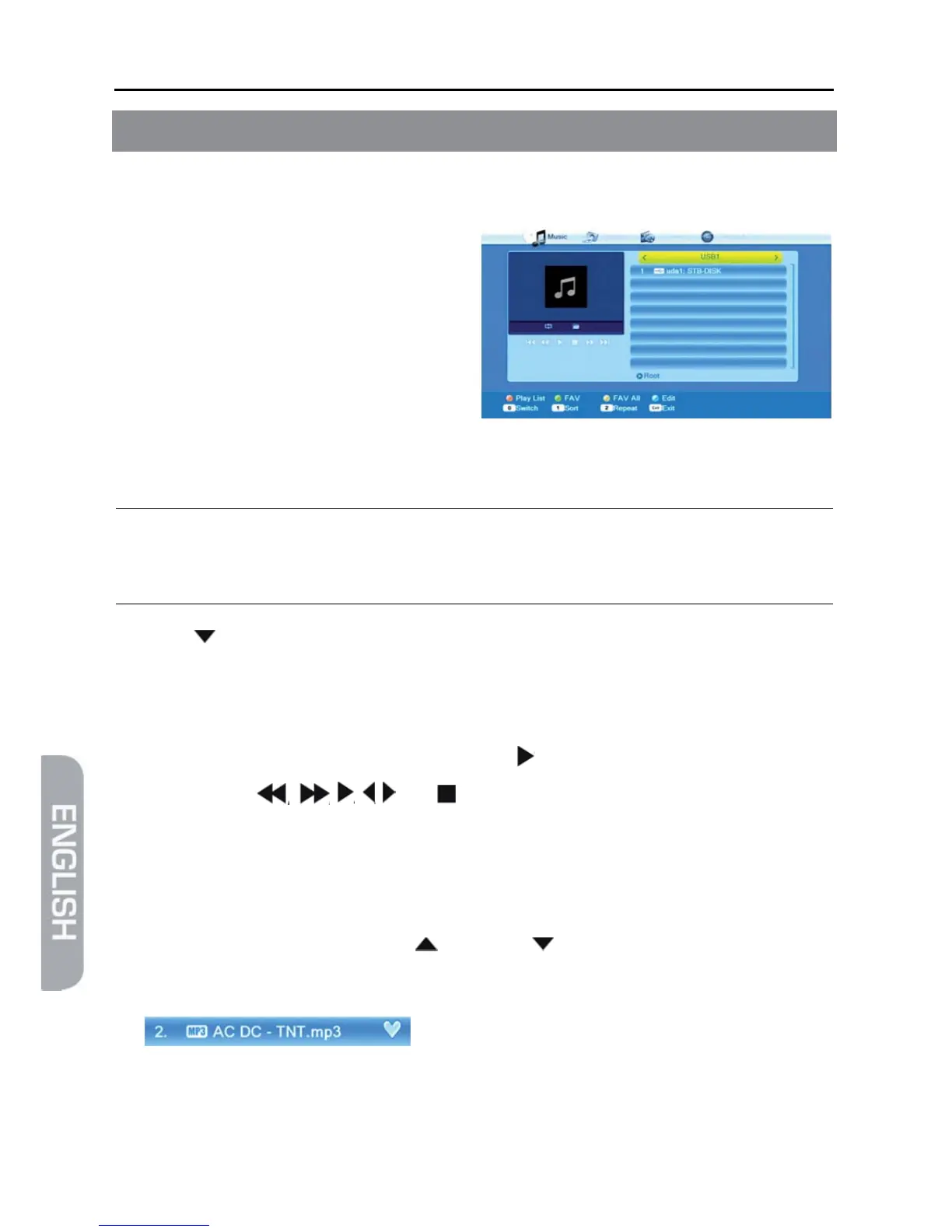
The Media Player can be used to play MPEG, MP3 and JPG files available on the
data storage.
1. Open the Media Player by selecting
the item Media Player in the menu
REC and confirming by pressing OK.
2. Press the key 0 until the upper line
states the desired file on the very
left.
The folder structure now only dis-
plays the files corresponding to the
desired file type.
)
Only after selecting e.g. music, this will display available music
files.
3. Press / PR- to select the connected data storage, and confirm by pressing OK.
The present directories (and files as far as they correspond to the selected file
type) will be displayed.
4. Select the file to be played (press OK to open a directory).
5. Press OK to start playback (or press the key ).
6. Use the keys , , , , and to control playback.
The buttons on the bottom edge of the Media Player window provide further func-
tions. Such functions depend on the selected file type (music, images, videos).
6.1 Example: Music
¾ Select a track by using the keys / PR+ and / PR- and press the green func-
tion key to add this to the play list (favorite list).
The respective track is marked with a heart symbol.
You can repeat this procedure for all tracks to be added to the play list.
¾ Press the yellow function key to add all tracks from the current directory to the
play list.



 To Next Page