Product Description
smart CX01 85
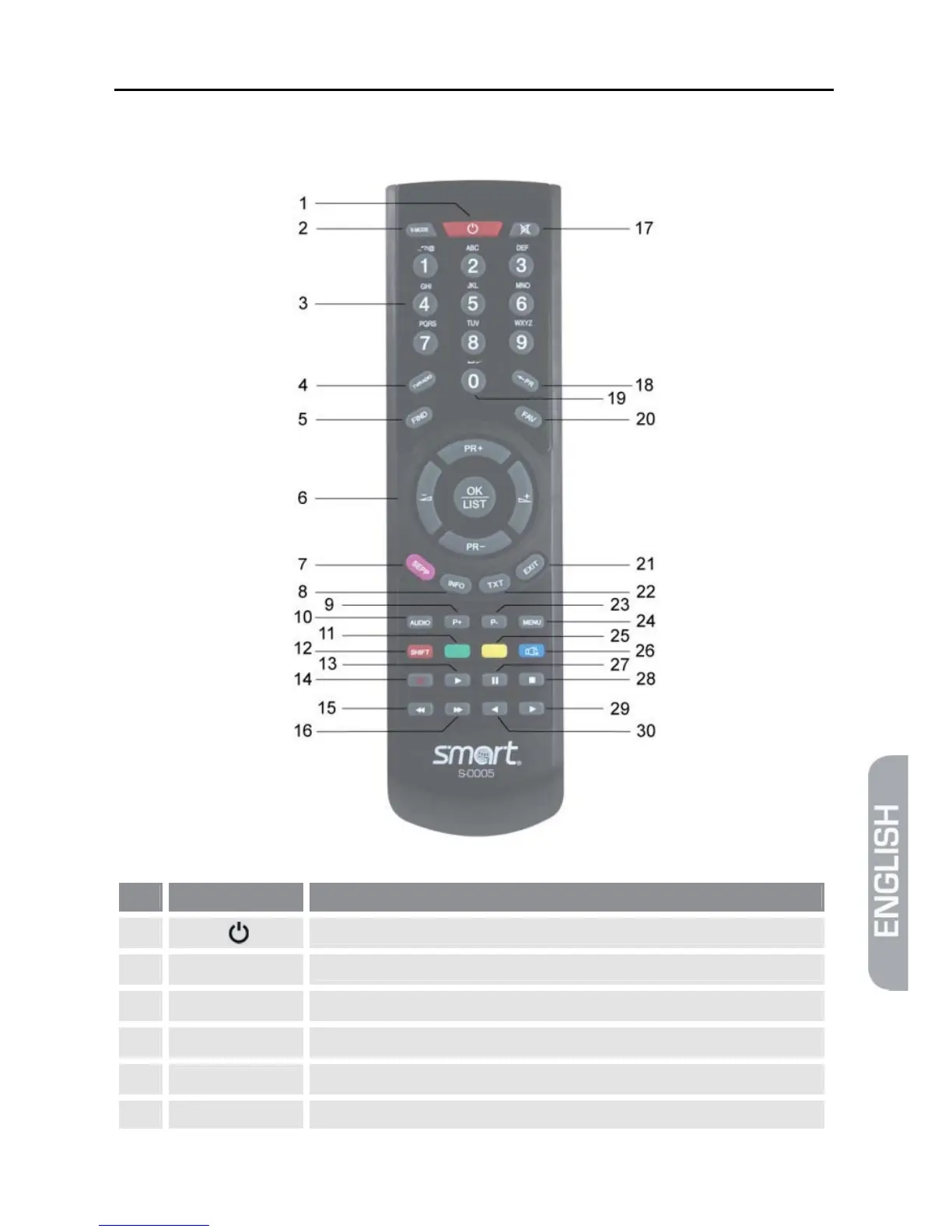
2.3 Remote Control
No. Key Description
1
Switch between operational and standby mode.
2
V-MODE Switch aspect mode
3
1 - 9 Direct channel selection
4
TV/Radio Switch between TV and radio mode
5
FIND Call of channel search function
6 PR+ Channel + or up-navigation in menu



 To Next Page