Extended Settings and Functions
124 smart CX01
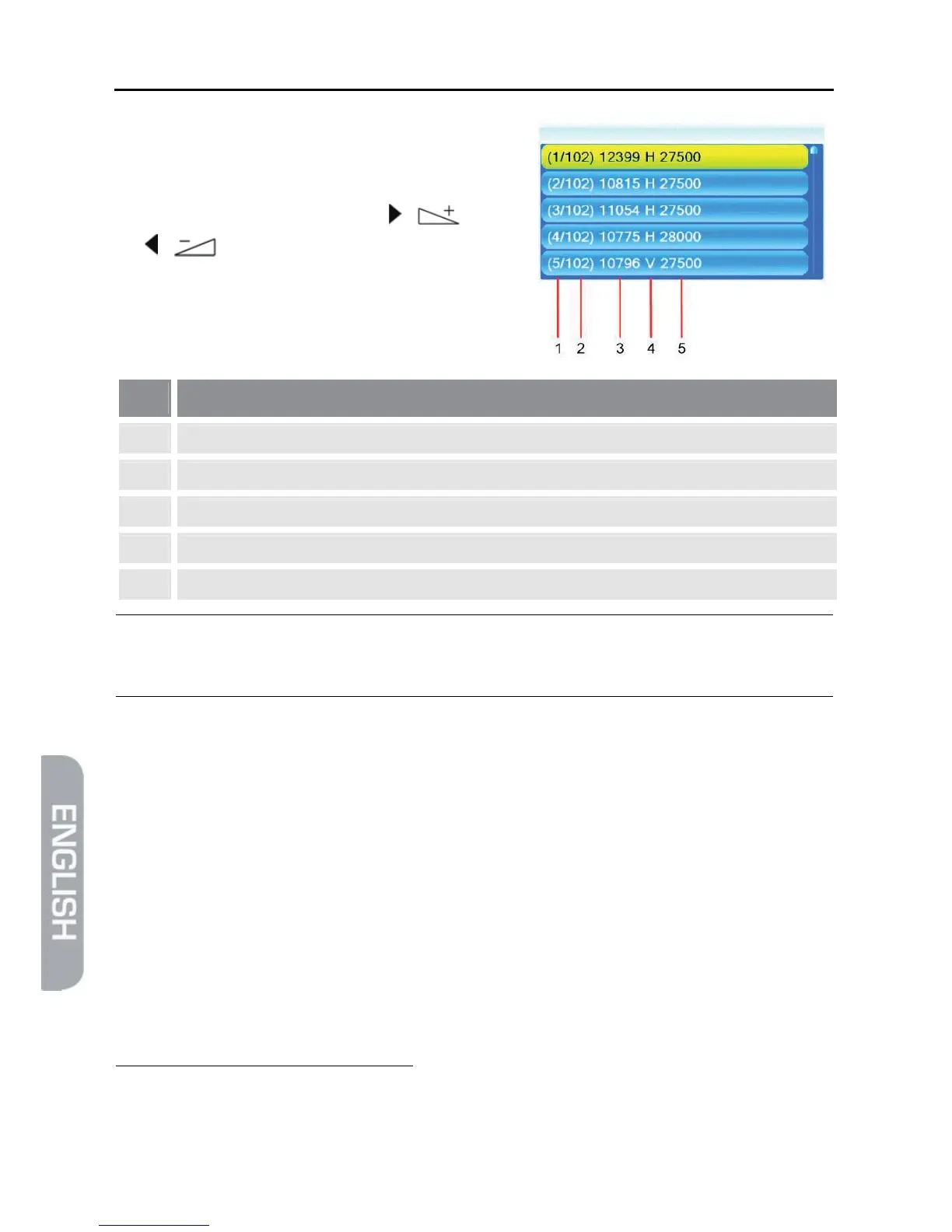
¾ At Transponder, select the transponder
for which signal strength and signal quali-
ty should be displayed at the lower win-
dow edge by using the keys / and
/ (or select Transponder, press OK,
select the desired transponder from the
list und confirm by pressing OK).
No. Meaning
1 Sequential number of selected transponder
2 Total number of receivable transponders
3 Frequency (MHz)
4 Polarization, H = horizontal, V = vertical
5 Symbol rate (MS/s)
)
Orientation of your antenna is optimal with maximum signal
strength.
¾ When using a multi-feed antenna, select the port for the respectively selected
satellite at DiSEqC
8
1.0
9
.
¾ If you want to receive signals from more than four satellites, select the port for
the respectively selected satellite at DiSEqC1.1
10
. This is set to Disable by de-
fault.
¾ Select the menu item 22K to permanently switch on or off the 22 kHz control
voltage for high-low band switching (this is required e.g. for certain antenna
systems or to avoid disturbances). In most cases, Auto is to be selected (factory
setting).
¾ At Polarity, select the correct value for the selected channel. Possible settings
are H (horizontal), V (vertical) and Auto. Factory setting is made to Auto.
8
DiSEqC = Digital Satellite Equipment Control, a digital control signal technology with satellite receiving
systems
9
DiSEqC1.0 supports four satellite positions
10
DiSEqC1.1 supports 16 satellite positions



 To Next Page