Locating the Hub
The hub can be installed in a standard 19-inch equipment rack,
or on a desktop or shelf. Be sure to follow the guidelines
below when choosing a location:
• Select a suitable location for the hub:
• It should be accessible for installing, cabling, and main-
taining the hub.
• The temperature and humidity should be within the
ranges listed in Appendix A.
• The status LEDs should be clearly visible.
• There should be adequate space (approximately two
inches) on all sides for proper air flow.
• Make sure twisted-pair cable is always routed away from
power lines, fluorescent lighting fixtures, and other sources
of electrical interference such as radios, transmitters, etc.
• Make sure that a separate grounded power outlet is within 8
feet (2.44 m) of the hub and is powered from an indepen-
dent circuit breaker. As with any equipment, using a filter
or surge suppressor is recommended.
Equipment Checklist
Package Contents
Check that the following equipment is included in your
package:
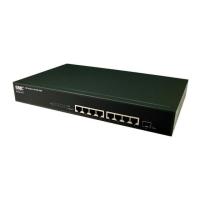
• The TigerStack hub
• Bracket Mounting Kit, containing two brackets and four
screws for attaching the brackets to the hub
• Four adhesive feet
• This User Guide
• One SMC Warranty Registration Card — be sure to complete
and return this card within 90 days to extend the three-year
warranty to a lifetime warranty
• The appropriate power cord for your country — either US,
Continental or UK
8
INSTALLING








 To Next Page