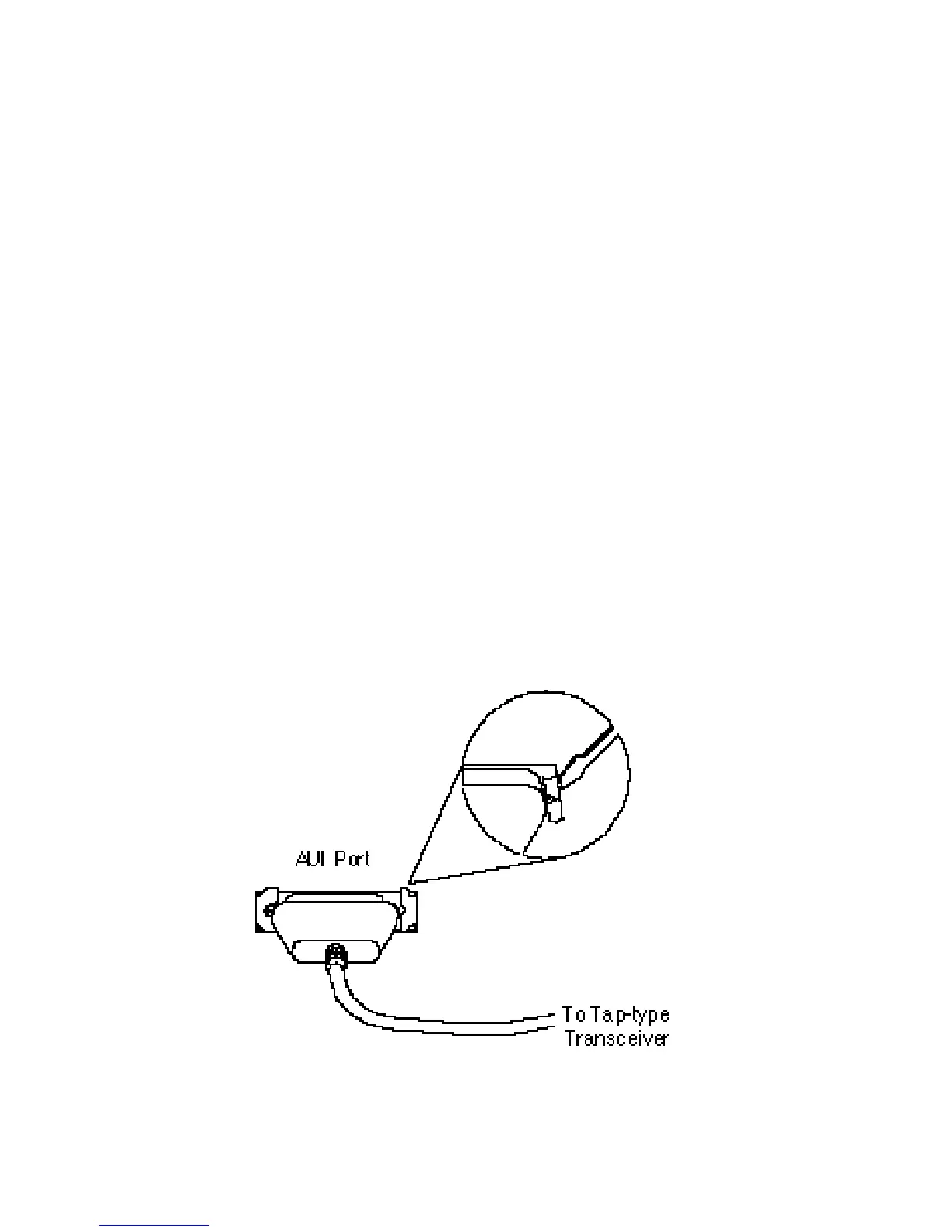
Connecting to Thick Coax Cabling
Up to 100 devices (hubs, workstations, servers, etc.) may be
attached to a thick coax cable segment using AUI drop cables
and tap-type transceivers.
Each cable segment must be terminated at both ends by a 50
ohm N-Series terminator. One terminator must be grounded.
To connect a TigerStack AUI port to a thick coax cable
segment:
1. Attach a tap-type transceiver to the thick coax cable seg-
ment. Refer to the documentation provided with the trans-
ceiver for installation instructions.
2. Connect one end of the AUI drop cable to the tap-type
transceiver, and the other end to the AUI port on the hub.
Slide the hold-down clip on the female D-Connector to the
open position, attach the male D-Connector, and then slide
the clip back to the closed position.
Thick Coax Connection via AUI Port
27
CONNECTING








 To Next Page