Connecting to Twisted-Pair Cabling
A twisted-pair cable segment is used for point-to-point connec-
tions. With it, you can cascade a pair of hubs, link a hub to a
LAN switch, or connect a hub to an adapter.
Crossover Function
Every twisted-pair connection must have a wiring crossover to
transmit and receive data. This crossover can be implemented
in the wiring or the device itself.
For convenience, the crossover is already built into the
10BASE-T ports that are labeled with an “X” — these are called
fixed crossover ports. Adapters can be connected to these
ports with straight-through cable.
Additionally, one twisted-pair port in each segment on the
10BASE-T TigerStack hubs, and the lone twisted-pair port on
the thin coax model, features a crossover enable/disable button
— these are called uplink or switch-selectable crossover ports.
When the wiring crossover is disabled, other 10BASE-T hubs
and LAN switches can be connected to these ports with
straight-through cable.
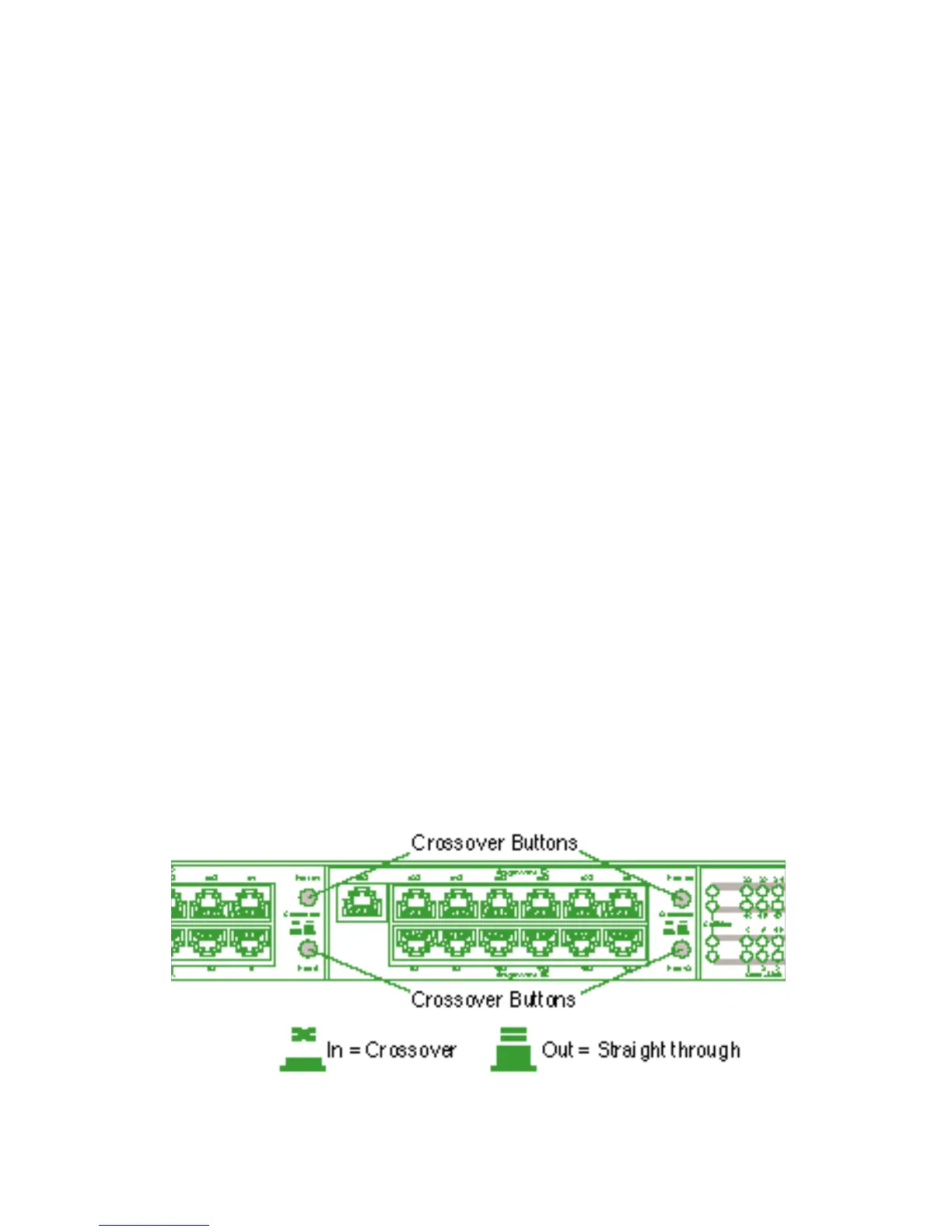
The locations of the crossover buttons on the TigerStack
3326TA are shown below. Buttons for the other models appear
in a similar position.
Crossover Buttons
21
CONNECTING








 To Next Page