Rack Mounting
Before rack mounting the hub, pay particular attention to the
following factors:
• Temperature: Since the temperature within a rack assem-
bly may be higher than the ambient room temperature,
check that the rack-environment temperature is within the
operating temperature range specified in Appendix A.
• Mechanical Loading: Do not place any equipment on top
of a rack-mounted unit.
• Circuit Overloading: Be sure that the supply circuit to the
rack assembly is not overloaded.
• Grounding: Rack-mounted equipment should be properly
grounded. Particular attention should be given to supply
connections other than direct connections to the mains.
To rack mount the hub:
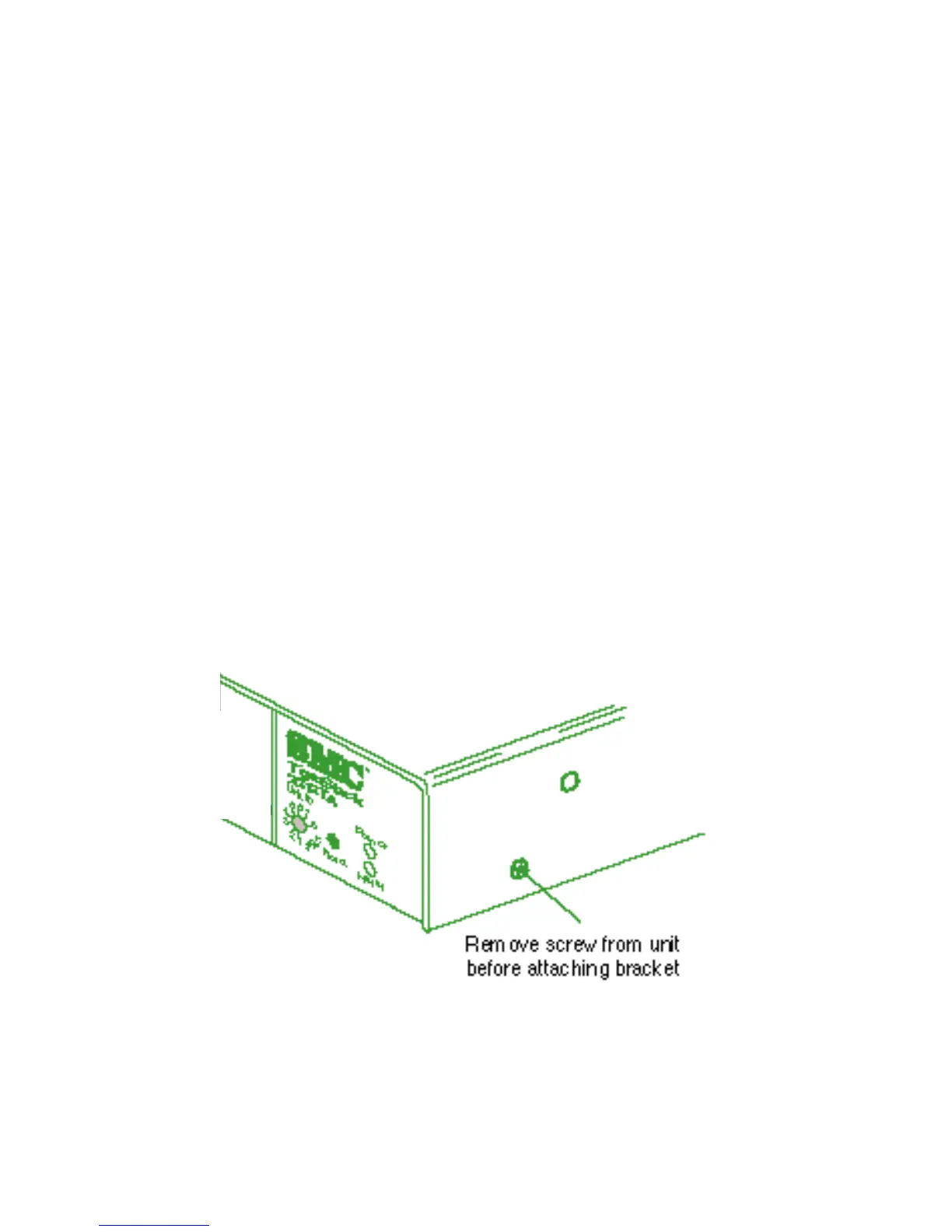
1. Remove the two screws from the sides of the unit.
Removing the Screws
2. Attach the brackets using the screws provided in the Bracket
Mounting Kit.
10
INSTALLING










 To Next Page