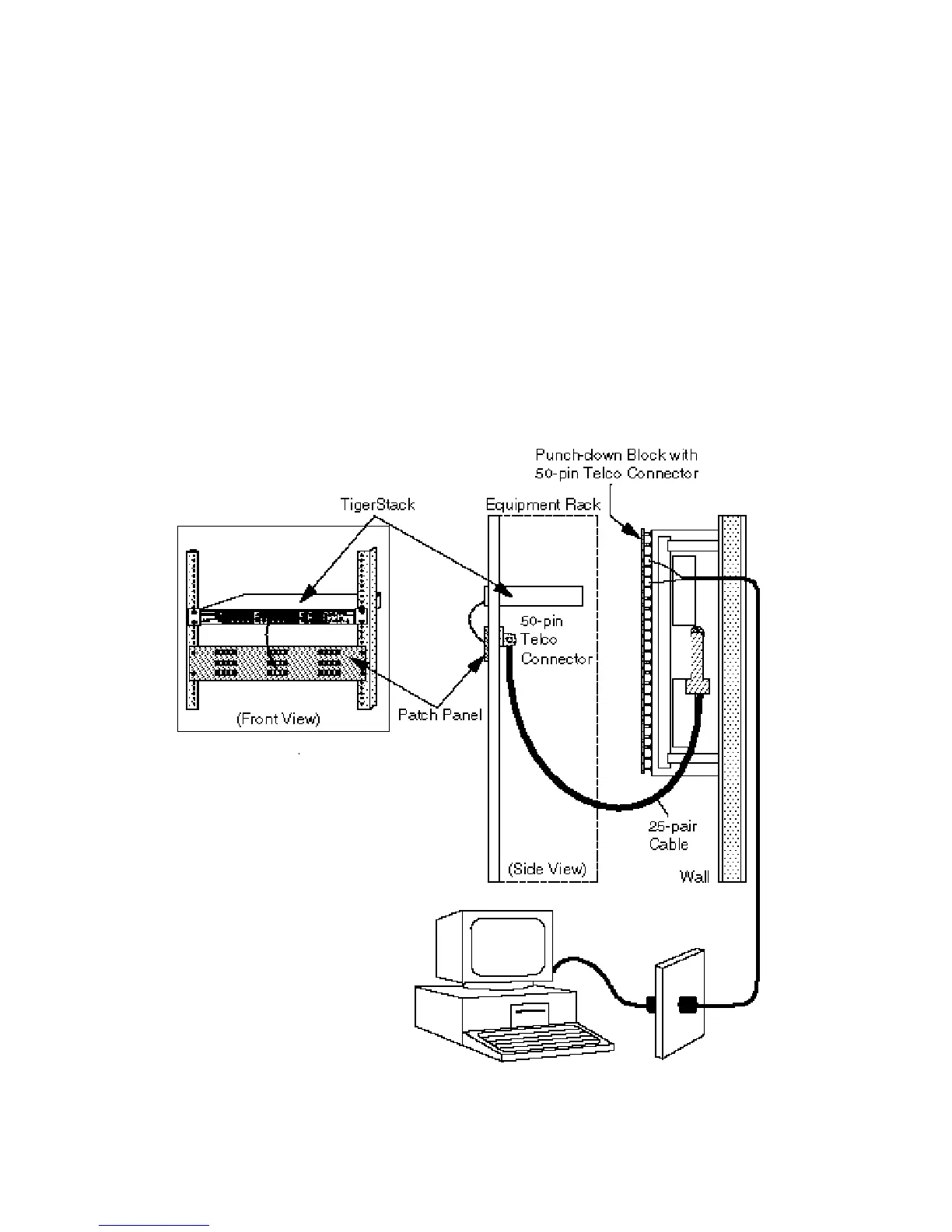
Wiring Closet Connections
If the TigerStack hub has RJ-45 connectors:
1. Attach one end of a 50-pin Telco cable to the punch-down
block in the wiring closet, and the other end to the patch
panel on the rack.
2. Attach one end of the patch cable to the patch panel, and
the other end to an open 10BASE-T port on the hub.
3. Label the cables to simplify future troubleshooting.
Wiring Closet Connections via RJ-45 Connectors
24
CONNECTING








 To Next Page