2 Getting Started
2.1 Storage Media
2.1.1 Inserting the Memory Card
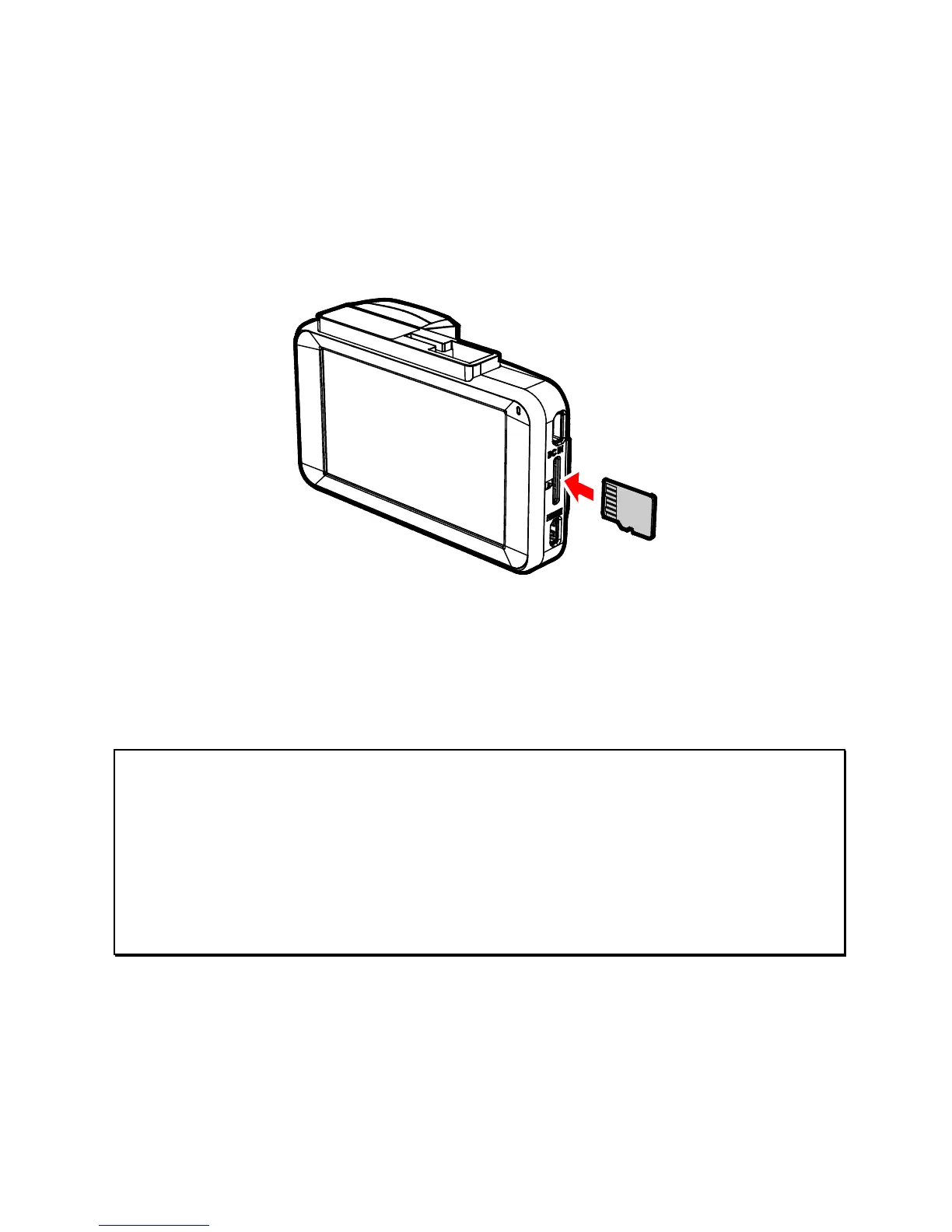
Insert the memory card with the contacts facing towards the screen
of the device, see the illustration below. Push the memory card in
until you hear a click, indicating the card is in position.
2.1.2 Removin
g the Memory Card
If the device is powered on, please power off first and wait for the
device to completely power down before ejecting the memory card.
Note:
1. Do not remove or insert the memory card when the device is turned on. This may
damage the memory card.
2. Support SDHC class 10 and memory storage of 8GB or above (supports up to 32GB).
3. Please format the micro SD cards before the initial use. The formatted file type for this
device is FAT32 file.
4. When removing the memory card, be careful that the card may spring out and
become lost. The memory slot has this spring-out feature for easy removal of the
card.



 To Next Page