2.4 Installation in Vehicles – Rear Camera (DVR-5HD only)
2.4.1 Mounting Rear Camera to the Windshield
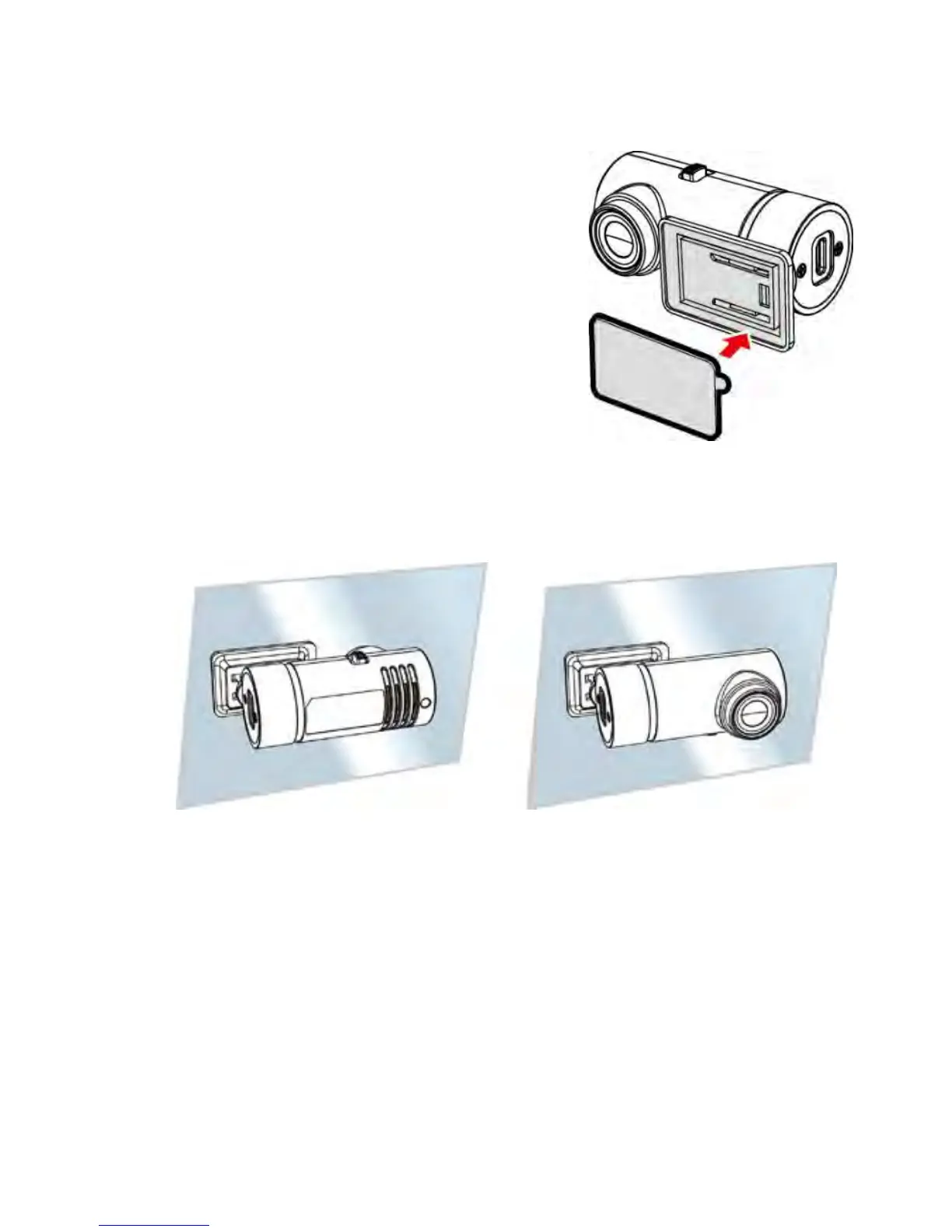
1. Remove the white paper from the
double sided tape, stick it onto the
base of the rear camera, then firmly
press the double sided adhesive
tape to ensure its firmly stuck.
2. Adjust
the rear camera as illustrated below: please check the
recording direction is aligned correctly before installation.
3. Connect the USB cable with the primary camcorder and
power it on to enter the preview screen and confirm the field
of view. Then clean the surface of the windshield with alcohol
to ensure that the adhesion surface is clean.
4. Remove the red paper on the double sided adhesive tape.
5. Install the rear camera onto the windshield, firmly press the
pad to ensure its firmly stuck.



 To Next Page